

Companies
Manage organizational relationships and group customers by company within the Tiquo CRM
A company profile groups customers who belong to the same organization, employer, or tenant. Use it for corporate clients, coworking tenants, enterprise customers, or membership organizations.
Company profiles
A company profile stores organization details and links to customers through employment, membership, or other relationships.
Creating a company
Companies can be created from the Customers section of the platform.
When creating a company, staff can enter information about the organization and define email domains used to associate customers with that company.
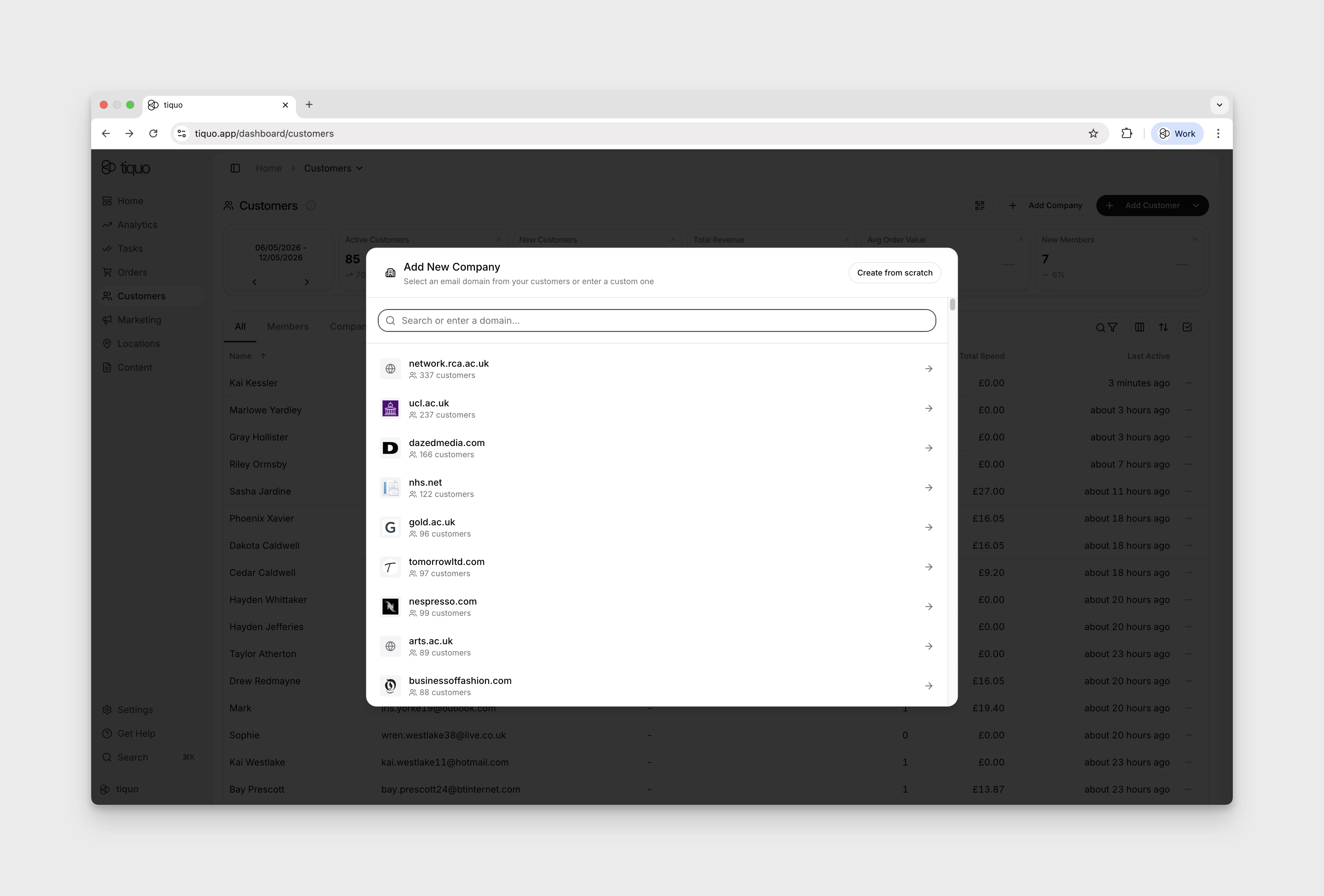
A company can be created either:
- From existing customer email domains detected in the CRM
- From a customer's profile, by selecting Create company profile beside the company suggested from their work email address. See Company Intelligence.
- Manually by entering company details
You can create a company from customers already recorded in Tiquo.
Company logo
When you enter a company's website, Tiquo adds the company's logo to the form.
With Company Intelligence turned on, Tiquo finds the company's logo on its website. While it searches, the form shows Finding the logo on the company's website….
Tiquo AI checks that the image is the company's own logo rather than a partner's logo, a payment or social media icon, or a photo. It prepares a sharp, square version so the logo displays clearly wherever the company appears, and uses a background that keeps a light or white logo readable.
- No confirmed logo: if no logo can be confirmed on the website, Tiquo uses the website's icon instead.
- Company Intelligence turned off: Tiquo uses the website's icon.
- Your own logo: uploading a logo always takes priority over the one Tiquo found. You can remove the logo and upload a different one at any time.
- Saved before the logo was found: with Company Intelligence on, if you save the company before the search finishes, or create a company with a website in another way, such as through the API, the logo is added shortly afterwards.
- Existing logos: a company's logo is never replaced once it has one.
Company information
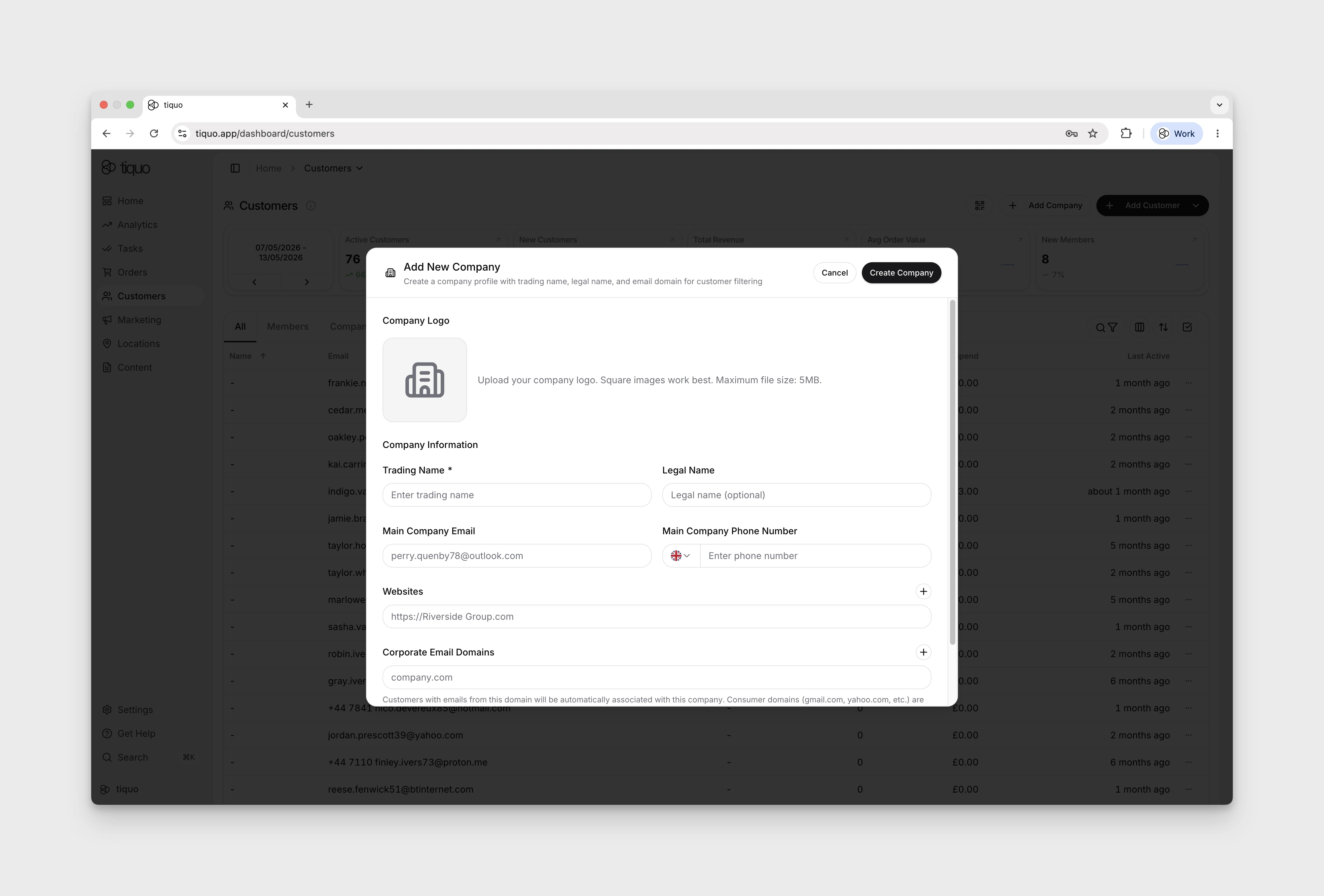
A company profile can contain the following information:
- Company logo
- Trading name
- Legal name
- Main company email
- Main company phone number
- Website links
- Corporate email domains
The trading name is required when creating a company.
The legal name is optional and can be used to record the official registered name of the organization.
Companies list
The Companies tab on the Customers page lists every company. Use Customize Columns next to Filter to pick the columns: Company logos, Trading Name, Legal Name, Email Domain, Membership, Customers, Orders, Total Spend and Created. Company logos and Membership are off by default.
Company detail page
The company detail page gives staff a single workspace for reviewing and managing an organization-level account.
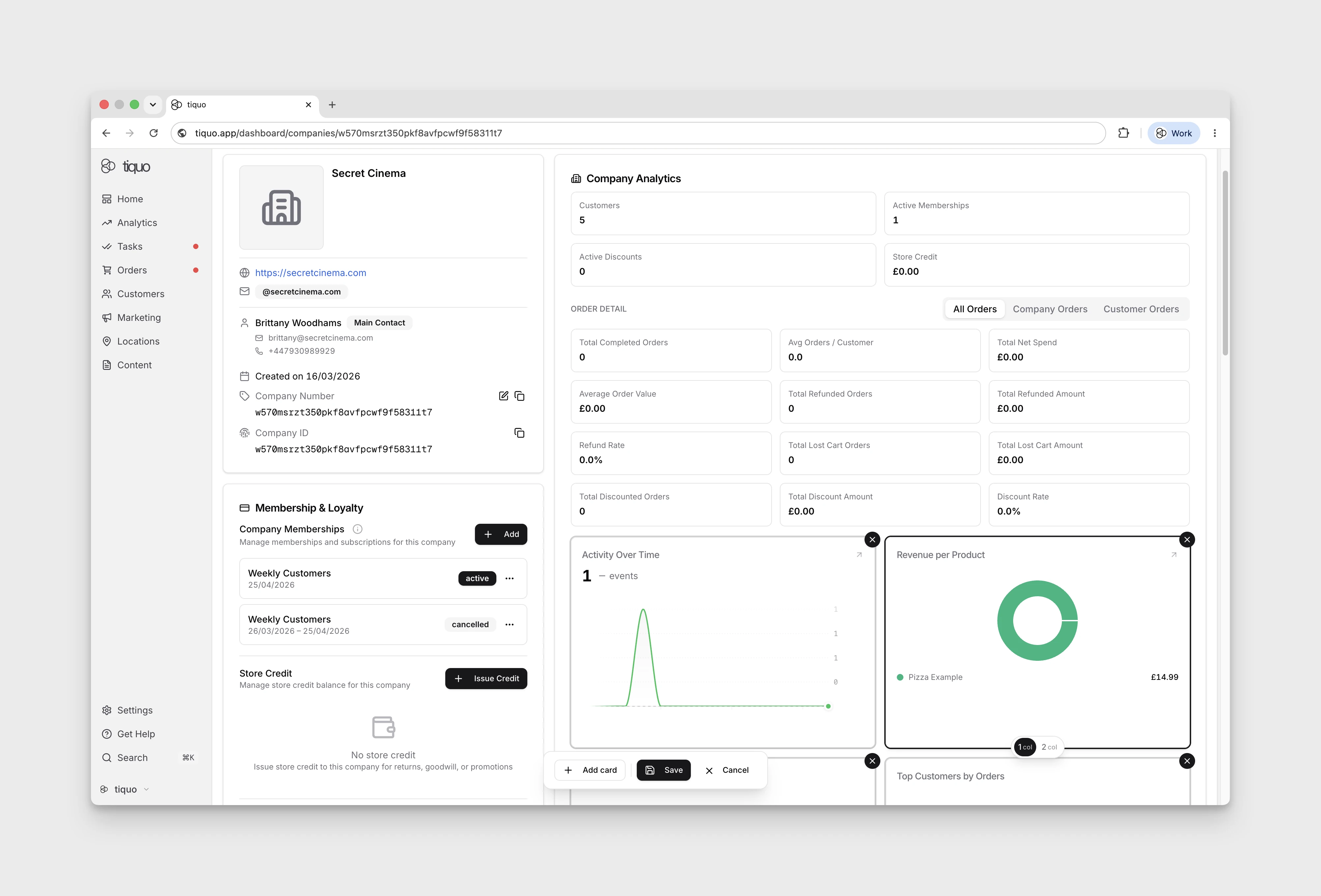
The page is headed Company Details. Company identity information, contact details, and domains appear near the top. The Company Analytics section summarizes company-level activity before the main tabs.
This section includes:
- Associated customer count
- Total orders linked to the company
- Total spend across linked company activity
- Average order value
- Net spend, refunds, discounts, lost-cart value, and other order performance metrics where available
- Company contact details such as email, phone, and website
Company metrics are calculated from the platform's analytics data, using orders and active customer relationships connected to the company.
Order analytics can be viewed across different scopes:
- All Orders: all order activity associated with the company
- Company Orders: orders where the company is directly associated
- Customer Orders: orders from customers linked to the company
Staff can compare company purchases, linked customer activity, and their combined value.
Editing the company analytics layout
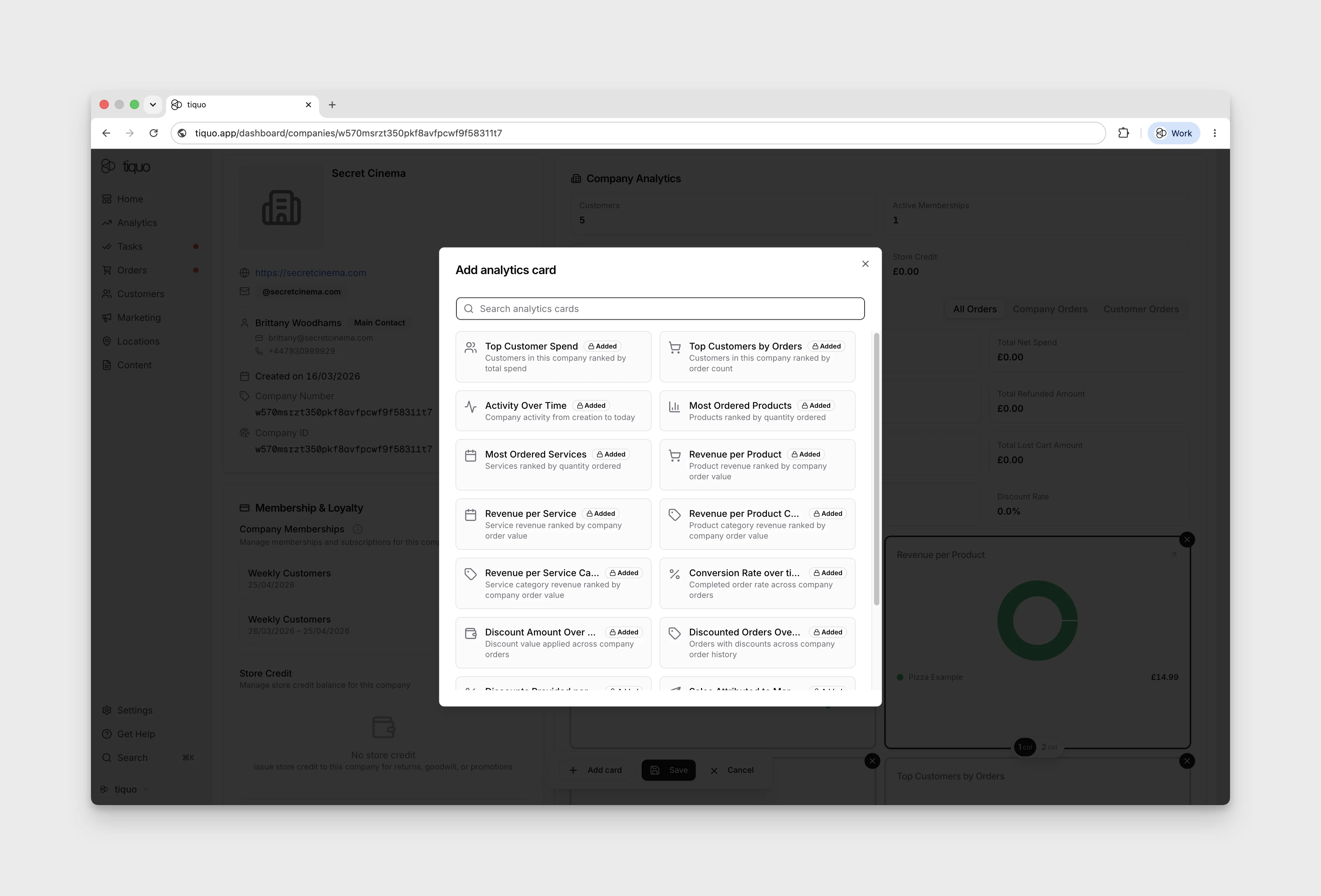
The analytics shown on a company's detail page is customisable, using the same card layout editor as customer analytics. Expand the company analytics area and press the Edit button at the bottom right to enter edit mode, where you can add, remove, rearrange, and resize the analytics cards.
Choose company metrics such as total spend, employee activity, average order value, and the mix of company and customer orders.
Below Company Analytics, the main tabs are:
- Customers
- Orders
- Activity
- Notes
- Documents
Company Memberships is a separate section above Company Analytics, rather than a main tab.
The company analytics card library also includes time-pattern and activity views, helping account teams compare ordering and booking activity by hour or weekday alongside company totals and top customers.
Company payment methods and open tabs
The company detail page has a Payment Methods control for business payment methods. Authorised staff can add a card or an available direct debit method after confirming the company has authorised its storage and future use. Choose a default method when more than one is saved.
When an order is linked to the company, an eligible company card can be selected while closing the tab. Company membership billing can also use an eligible company payment method.
The company's Orders, Bookings, and Enquiries area groups outstanding open tabs by currency. Select Process all payments to take the grouped balance through the standard payment flow instead of opening every tab separately.
Corporate email domains
Companies can define corporate email domains.
Example: company.com
When a customer has an email address using a registered company domain, the platform automatically associates that customer with the company.
This applies to:
- Existing customers
- Newly created customers
Consumer email domains such as Gmail or Yahoo are not accepted for company domain linking.
This automatic association helps organizations manage large groups of customers belonging to the same company.
Customer association
Customers can be associated with companies in two ways:
- Automatic domain matching based on email address
- Manual selection during customer creation or editing
Once associated, the customer profile will display the company relationship.
A customer can belong to multiple companies if they have multiple email addresses associated with different company domains.
Staff can edit a customer's role from the company detail page or the customer detail view. With Company Intelligence turned on, Tiquo AI sets each linked customer's role automatically, and roles it found show a sparkle icon in the company's Customers tab.
Relationship details can include:
- Relationship type, such as employee, manager, owner, contractor, contact, or other
- Job title
- Department
- Whether the customer is the primary company contact
- Whether the customer can act as a company admin in customer-facing company areas
Company customer lists can also be filtered by relationship, making it easier to find primary contacts, admins, or specific groups of colleagues.
Roles on orders and enquiries
A company linked to an order or enquiry has a role, set from the role menu on its entry in the Companies card. The menu appears once the order or enquiry has at least two customers and companies between them.
| Role | Use it for |
|---|---|
| Primary | The main company on the order or enquiry |
| Sponsor | A company sponsoring the order or enquiry |
| Billing | The company being billed |
| Booker | The company that made the booking, for example on behalf of its guests |
| Travel Agent | A travel agency acting for the customer |
| Referrer | A company that referred the business |
| Other | Any other connection |
Customers on orders and enquiries use the same roles, with Attendee in place of Sponsor. See Roles on orders and enquiries.
Company relationships in the CRM
When a customer belongs to a company, the relationship becomes visible across the platform.
Use company profiles for:
- Corporate memberships
- Coworking tenants
- Enterprise customers
- Organizational access management
Company memberships
Companies can also be linked to memberships.
Customers may inherit memberships through their associated company.
For example, a company tenant may hold a membership that grants access to services or facilities for its employees. Customers linked to that company may automatically inherit the relevant membership privileges.
If a customer is removed from the company, the inherited membership is removed.
Customer CSV exports include inherited memberships, each labelled with the company it comes from. See Company memberships.
Company billing details
Staff can enter a company's tax number and billing address. When a membership uses a billing address with a company name, future invoices use that company information. Review these details before issuing an invoice.