

Customer Profiles
The central record for an individual within the Tiquo CRM
A customer profile brings together an individual's identity, contact details, analytics, memberships, transactions, and relationships. Staff use it to review the customer's history and manage interactions across Tiquo.
When a customer profile is created
A customer profile is created when Tiquo captures enough identifying information to store a customer record, such as a name, email address, phone number, or details entered by staff.
Card payments can also store card metadata against paid orders. When staff identify a card from an order and link it to a customer, Tiquo can associate historical orders from that card with the customer profile. This helps recover context from earlier card-only transactions without treating every anonymous payment as automatically identified.
This means staff can connect earlier operational history to the right profile when the customer is later identified.
Profile overview
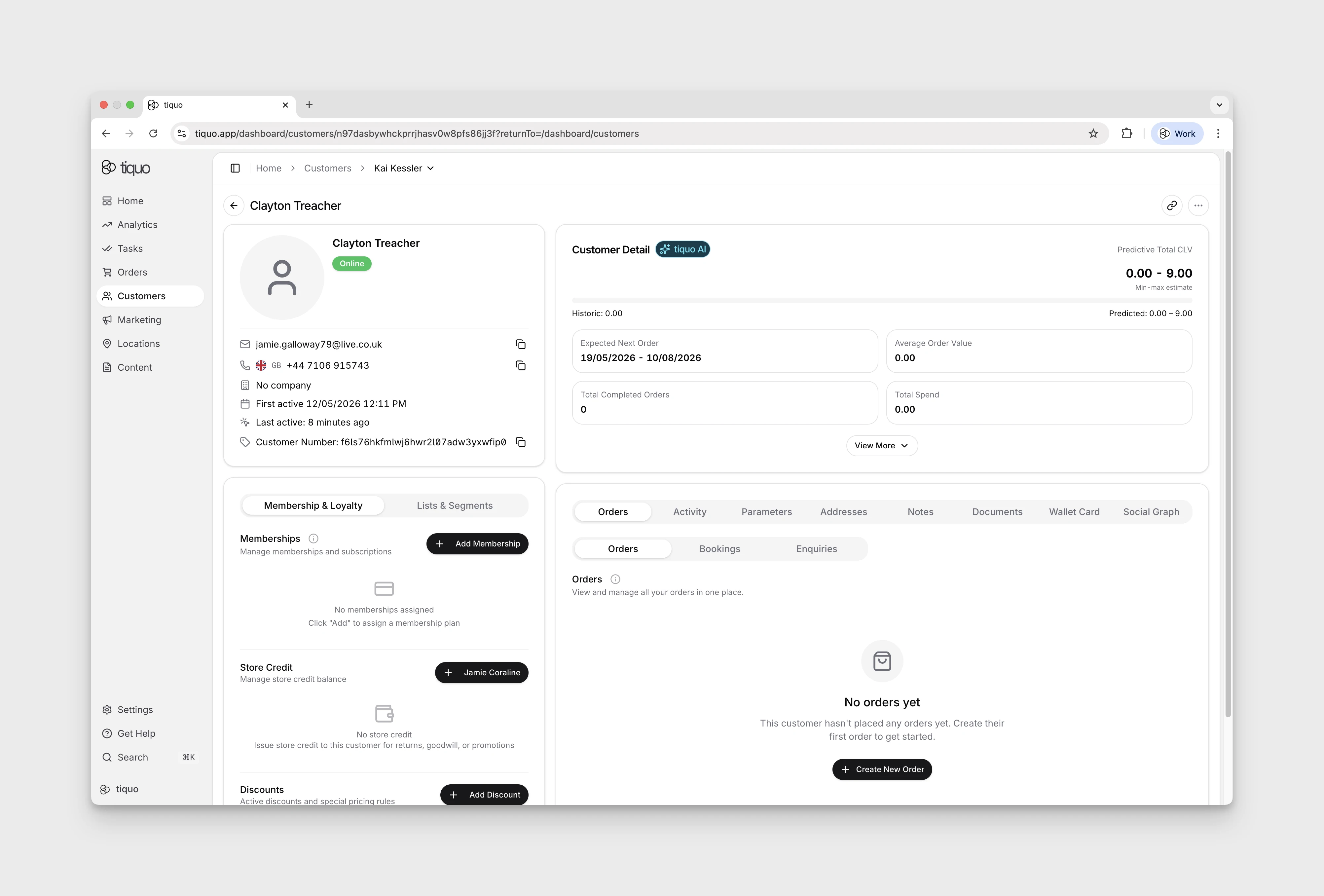
The top section of the customer profile displays the customer's key identity and status information.
This includes:
- Customer name, with the customer's title and nickname when set (see Titles and nicknames)
- Email address
- Phone number
- Associated company
- First active date
- Last active date
- Customer number
This section provides quick access to the most important customer details.
When a customer isn't linked to a company but their work email address belongs to one, the company row suggests that company with a Create company profile button. See Company Intelligence.
A profile can store up to five email addresses. A customer adding a secondary email through the portal or Customer API must enter the six-digit code sent to that address. The address is added only after verification and cannot already belong to another customer in the organization.
You can also view the cards associated with this person, meaning any payment card used by this customer in any transaction with Tiquo. This gives staff visibility of the payment sources tied to a customer without leaving the profile.
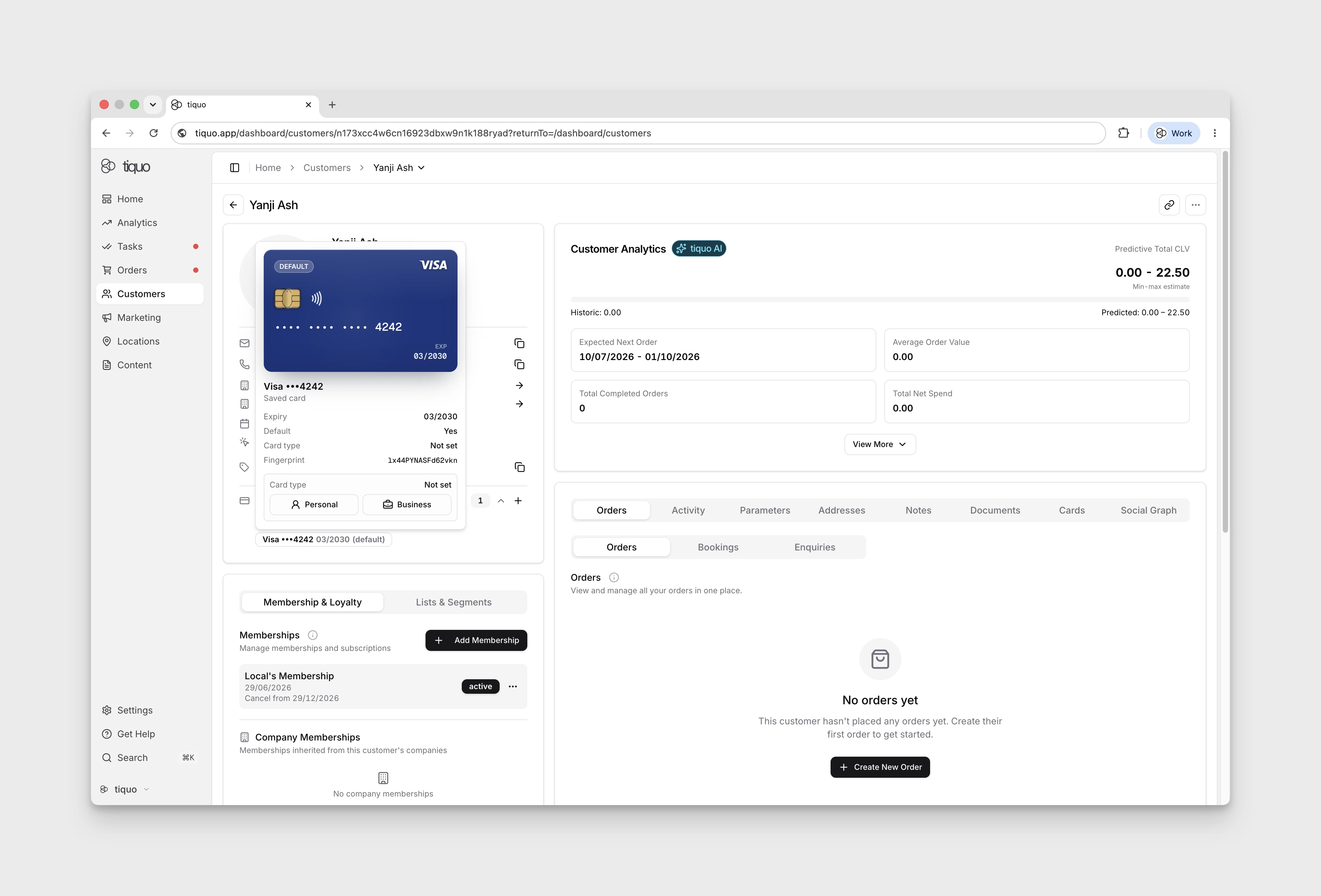
Customer analytics
The analytics panel displays key behavioral metrics for the customer.
These metrics are generated using the platform's analytics engine and provide insight into customer value and activity patterns.
Metrics include:
- Predictive Customer Lifetime Value (CLV)
- Expected Next Order Date Range
- Average Order Value
- Total Orders
- Total Spend
- Net spend
- Refund and discount behaviour
These insights help staff understand customer behavior and identify high-value customers.
Memberships
The membership section displays any memberships assigned to the customer.
Memberships may include:
- Personal memberships
- Subscriptions
- Company memberships inherited through company relationships
Staff can assign memberships directly from the customer profile.
Memberships control access to benefits, services, or facilities depending on the organization's configuration.
Discounts
The Discounts section on the profile's Membership & Loyalty tab lists the discounts the customer can use:
- Discounts attached directly to the customer. A limited discount shows how many uses are left, Used up, or Period ended.
- Included with membership: discounts attached to the plans of the customer's own active memberships, labelled with the plan they come from. They stay as long as the membership is active and are managed on the plan. A discount that is also attached directly to the customer is listed once.
- Inherited from company: discounts the customer receives through a linked company.
Staff with the Assign discounts to accounts permission can choose Add Discount or remove a discount attached to the customer.
Redeem a discount manually
When a customer uses a discount outside Tiquo, record the use so it counts towards their allowance:
- In the Discounts section, open the Discount actions menu (⋯) on the discount and choose Redeem.
- Enter the number of Uses. The dialog shows how many uses are left.
- Add a Note (optional) and choose Redeem.
The uses count against the customer's allowance in the same way as uses on an order. A once-per-customer discount redeemed by hand can't then be applied to an order, and a repeating limit blocks further uses until the period resets. Each redemption appears in the customer's activity as Discount redeemed.
Redeem is only offered for limited discounts attached directly to the customer, and needs the Assign discounts to accounts permission. Unlimited discounts and discounts inherited from a company or membership can't be redeemed this way. See Usage limits.
Passes
The Passes section shows the customer's owned passes and Guest Passes received from other customers. Choose Issue Passes to give the customer uses of an existing pass type. Create the types first in Settings > Passes/Packages.
Access Passes cover the customer's own registration at eligible sublocations. Guest Passes cover guests. A sent Guest Pass is Assigned on the owner's profile and Accepted on the recipient's profile once claimed. It becomes Consumed in both histories when staff register the guest.
The profile keeps historical pass records, including consumed, returned, and revoked guest invitations. These registration passes are separate from the Apple Wallet or Google Wallet cards used to identify a customer.
Profile navigation
Customer profiles contain multiple sections that organize different types of data associated with the customer.
These sections allow staff to access different areas of customer information.
Available sections include:
- Orders
- Activity
- Parameters
- Addresses
- Notes
- Documents
- Cards
- Social
Each section stores a specific category of customer data.
Orders, bookings, and enquiries
The Orders section provides access to all transactional activity associated with the customer.
This section contains three views:
Orders
Orders represent financial transactions associated with the customer. This includes purchases made through POS systems, online checkouts, or other payment flows.
Each order record includes information such as:
- Order ID
- Date
- Purchased items
- Order total
- Payment status
- Order status
Bookings
Bookings represent time-based services associated with the customer.
Examples include:
- Spa appointments
- Hotel stays
- Table reservations
- Coworking desk bookings
- Event reservations
Bookings are displayed in the customer profile to provide context around customer visits and service usage.
Booking rows use the service details captured when the booking was created where possible. This keeps the customer history readable even if a service name or category changes later.
Switch between List and Calendar to see the bookings as rows or on a calendar. The browser remembers your choice.
Enquiries
Enquiries represent requests or interest submitted by the customer.
Examples include:
- Booking enquiries
- Service requests
- General enquiries submitted through forms or contact channels
Enquiries allow staff to track inbound customer interest and follow up appropriately.
Roles on orders and enquiries
An order or enquiry can be linked to several customers and companies, and each one has a role. A customer can be:
| Role | Use it for |
|---|---|
| Primary | The main customer on an order, or the primary contact on an enquiry |
| Attendee | Someone attending or using what was ordered |
| Billing | The billing contact |
| Booker | The person who made the booking, for example on behalf of the guests |
| Travel Agent | A travel agent acting for the customer |
| Referrer | The person who referred the customer |
| Other | Any other connection |
Set a customer's role from the role menu on their entry in the Customers card on the order or enquiry. The menu appears once the order or enquiry has at least two customers and companies between them. A customer added to an order starts as Primary. Companies use the same roles, except that a company can be a Sponsor instead of an Attendee. See Companies.
Changing a role needs the Create & manage orders permission on an order, or Manage enquiries on an enquiry. Settings > Relationships lists every role with its wording, such as Booked by and Has travel agent.
Saved payment methods
The customer profile's Payment Methods section lists reusable methods separately from cards that have only been associated with the customer through past transactions.
Authorised staff can add a card after confirming the customer has authorised storage and future use. Mark it as Personal or Business, and choose the default method when several cards are saved. Eligible saved methods can be selected for open tabs, membership billing, and other supported future payments.
A card the customer saved more than once is listed once, labelled with how many times it was saved, for example Saved card · saved 2 times.
To remove a saved card, open it in Payment Methods, choose Remove saved card, then Yes, remove saved card. Every saved copy of that card is removed, and it can't be used for future payments unless the customer saves it again. Existing orders are not changed. A card used by an active membership can't be removed until that membership is cancelled. Removing a card needs the Edit customers & companies permission.
Tiquo refuses to charge a saved card that has expired, and shows This card has expired. A card stays usable until the end of its expiry month in the venue's time zone. This applies to saved-card charges from the dashboard and POS, including open tabs and no-show fees.
Where enabled, customers can manage their own card and available direct debit methods from the customer portal.
Eligible saved cards can also be redisplayed during customer booking checkout and when providing a no-show guarantee. Tiquo verifies that the method belongs to the booking customer.
An otherwise anonymous paid order can be associated automatically when its card fingerprint resolves to exactly one active, confirmed customer. Tiquo never replaces an existing order customer and does not infer identity from a shared or ambiguous card. These relationships are labelled Card match on the order.
Activity timeline
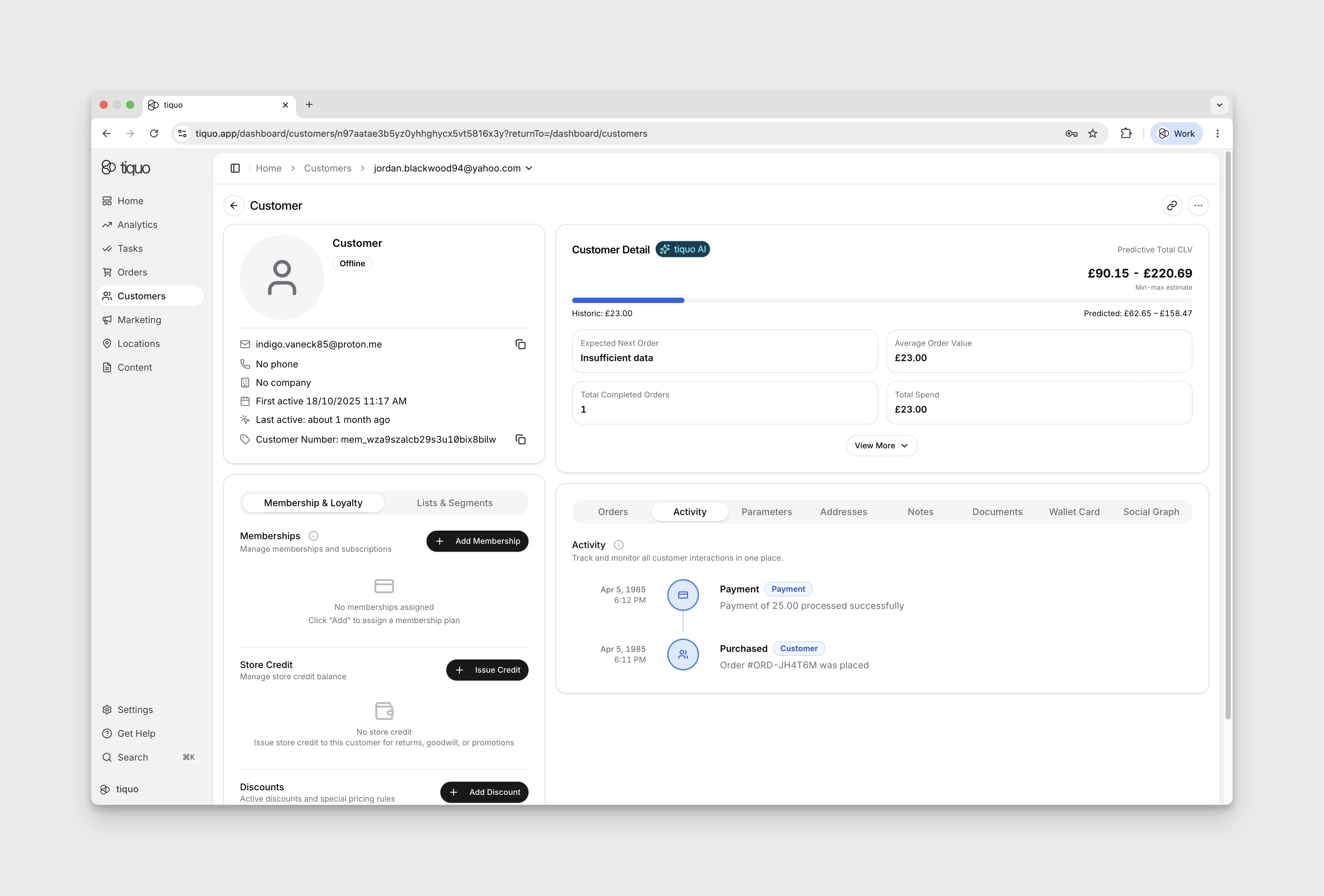
The Activity section lists events for the customer in chronological order, including:
- Orders created
- Payments processed
- Bookings made
- Enquiries submitted
- Profile updates
- System events
- Notification and automation email activity, including delivery status
Each event is recorded with a timestamp and the source of the activity.
A Tiquo AI summary of the last 90 days can appear above the timeline. See Customer activity summary.
Activity can include customer-facing website, ordering, receipt, booking ticket, and company activity when those interactions are performed through authenticated customer APIs.
Parameters
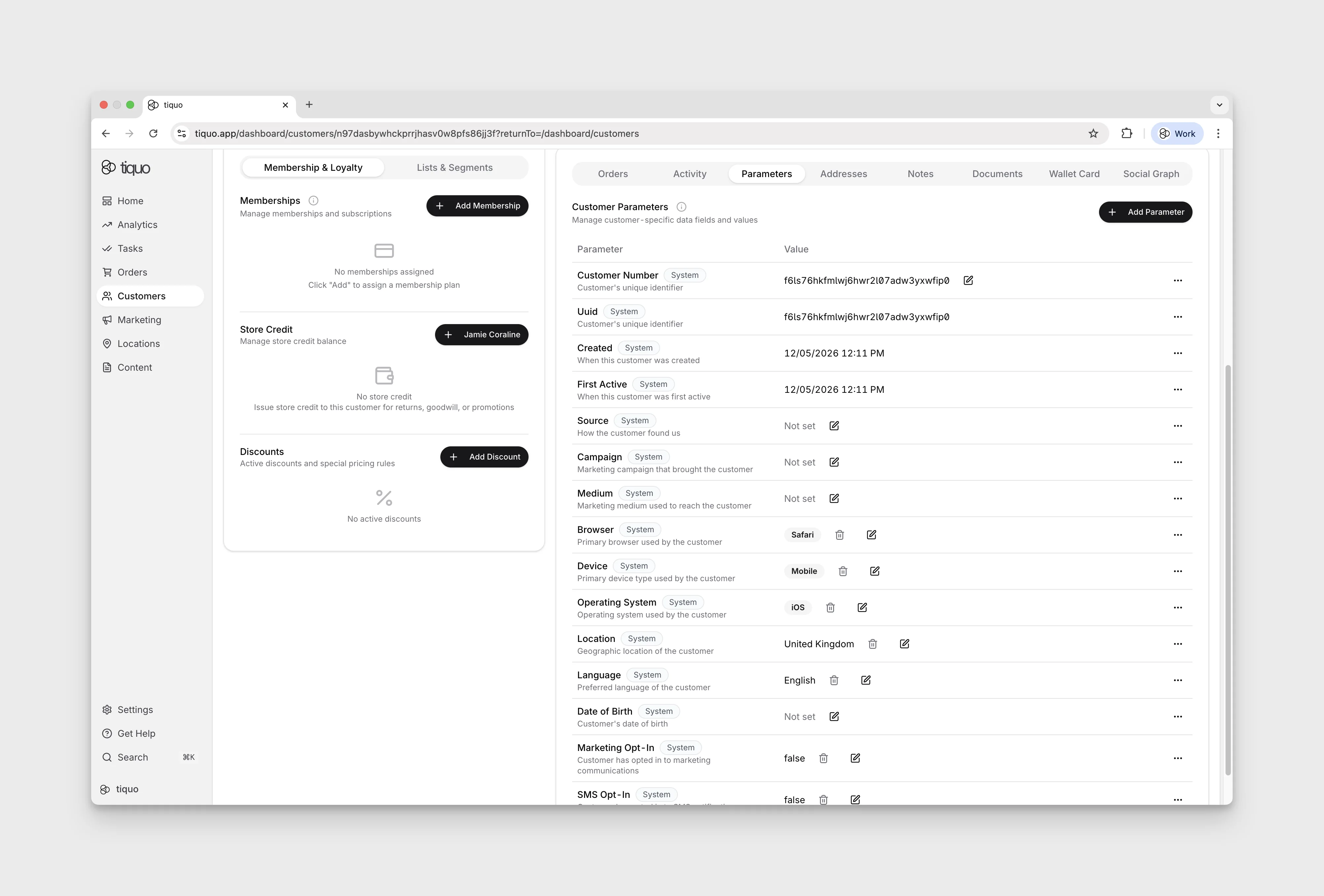
Parameters are configurable fields for storing structured information on customer profiles.
Examples include:
- Customer preferences
- Internal classifications
- Demographic information
- Operational attributes
The Parameters section also includes system-managed profile rows such as Favourites and Marketing Interests. Favourites record specific things the customer likes, while Marketing Interests record the sublocations the customer wants to hear about for future marketing targeting.
Parameters are configured at the organization level and can be referenced across the platform.
Addresses
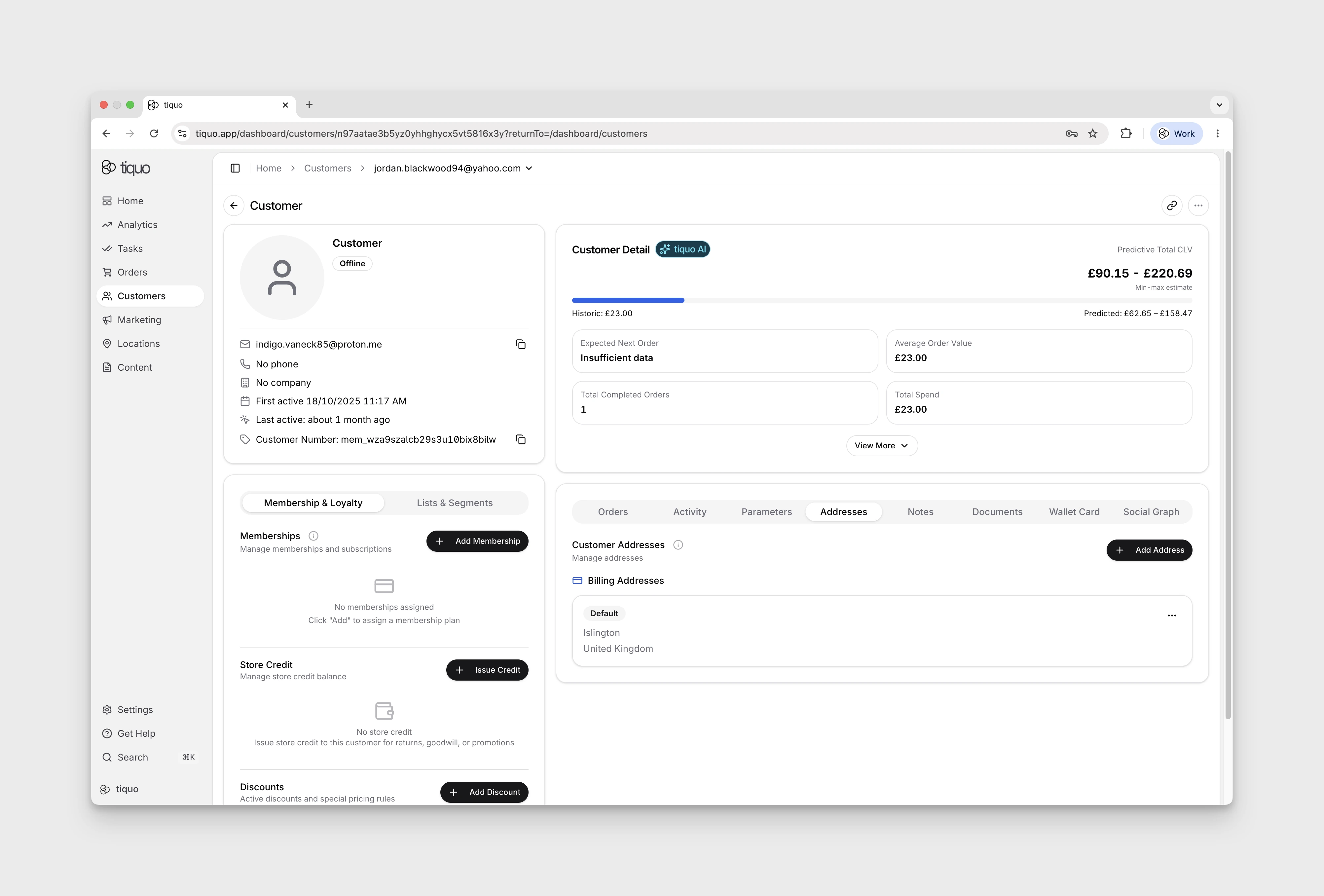
The Addresses section stores address records associated with the customer.
Customers may have multiple addresses saved on their profile.
These addresses may be used for purposes such as:
- Billing
- Shipping
- Contact records
Staff can add or update addresses directly from this section.
Notes
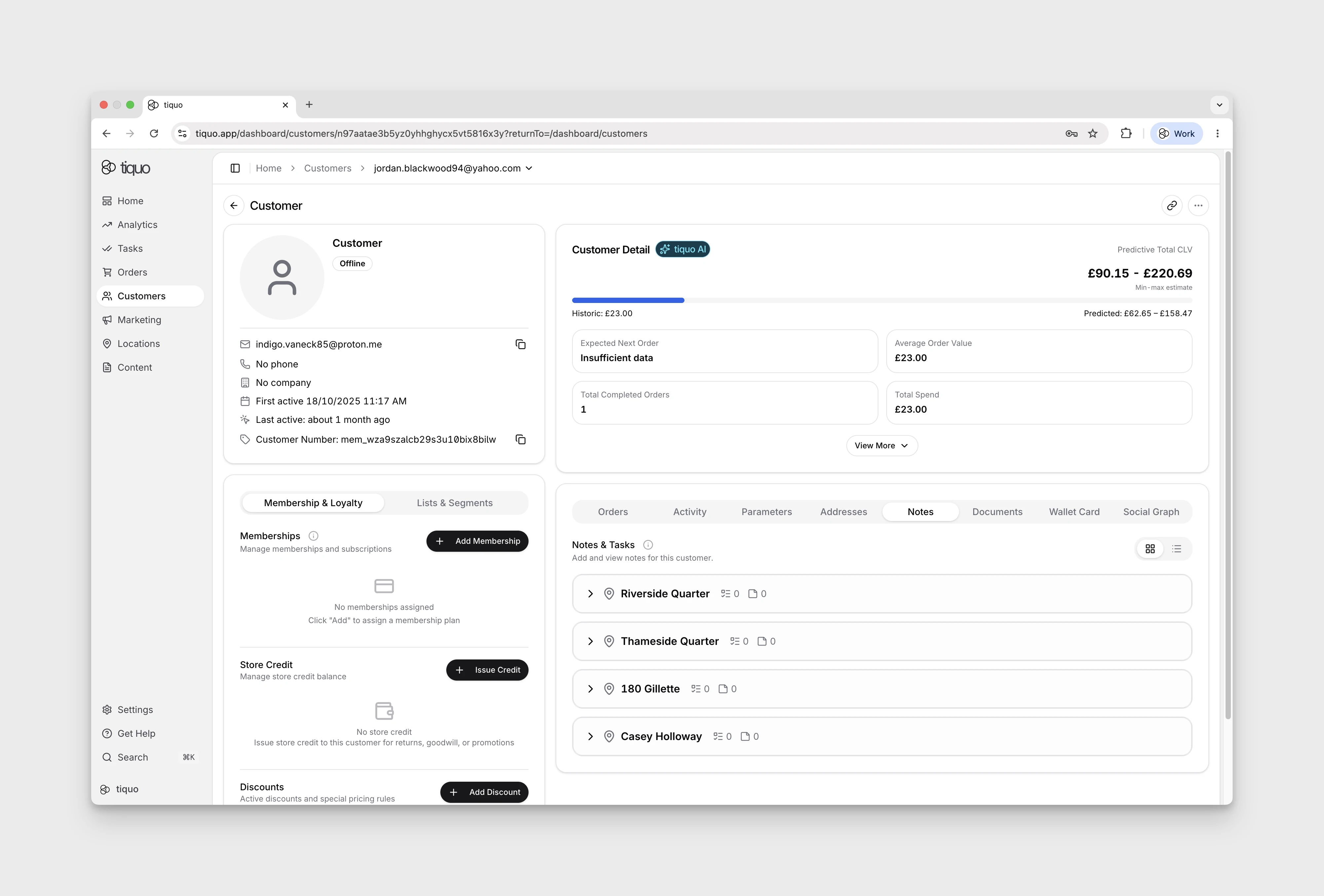
Open the customer's Notes tab to see Notes & Tasks. The tab opens in List view; switch to Category view to group notes and tasks by location and category. When the profile has notes or tasks, a Tiquo AI Customer notes summary can appear at the top. See Customer notes summary.
In List view, select Create note, then choose a location and category before entering the note. The blank editor shows disabled text fields and Create note while no location and category are selected. Use Cancel to close the editor without creating a note.
The Notes section is for internal notes about the customer.
Notes may include operational information such as:
- Customer preferences
- Important service details
- Internal reminders
- Special requirements
Notes help teams maintain context about customers across different staff members and departments.
When a staff member bans a customer from the customer profile action menu, Tiquo requires a confirmation note. That note is saved to the customer's Notes section without a category, so it appears above the categorized note and task groups as a direct record of why the customer was banned.
Documents
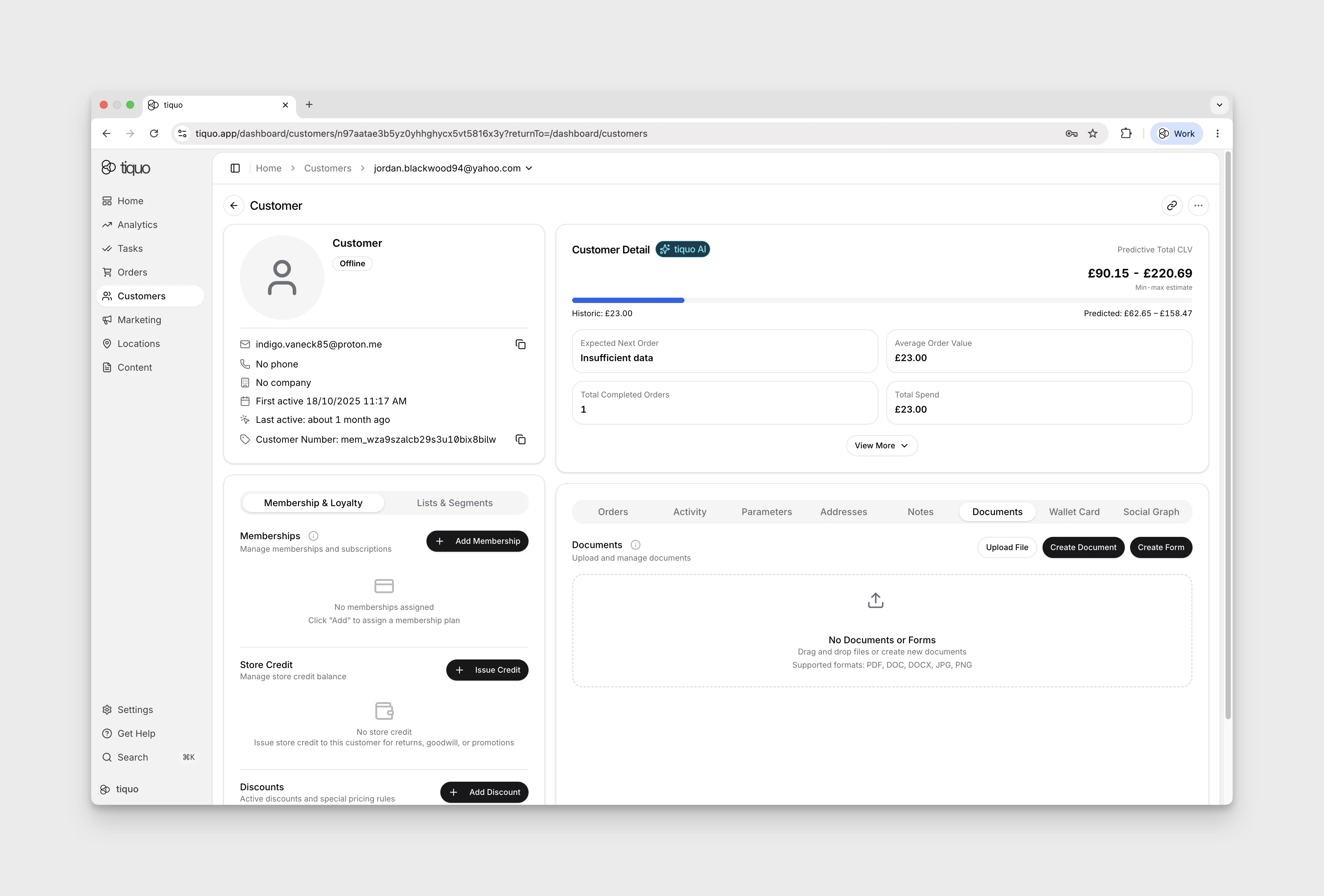
The Documents section stores files associated with the customer.
Examples include:
- Signed agreements
- Membership contracts
- Identification documents
- Waivers or forms
Documents are stored directly within the customer profile to keep records centralized.
Wallet cards
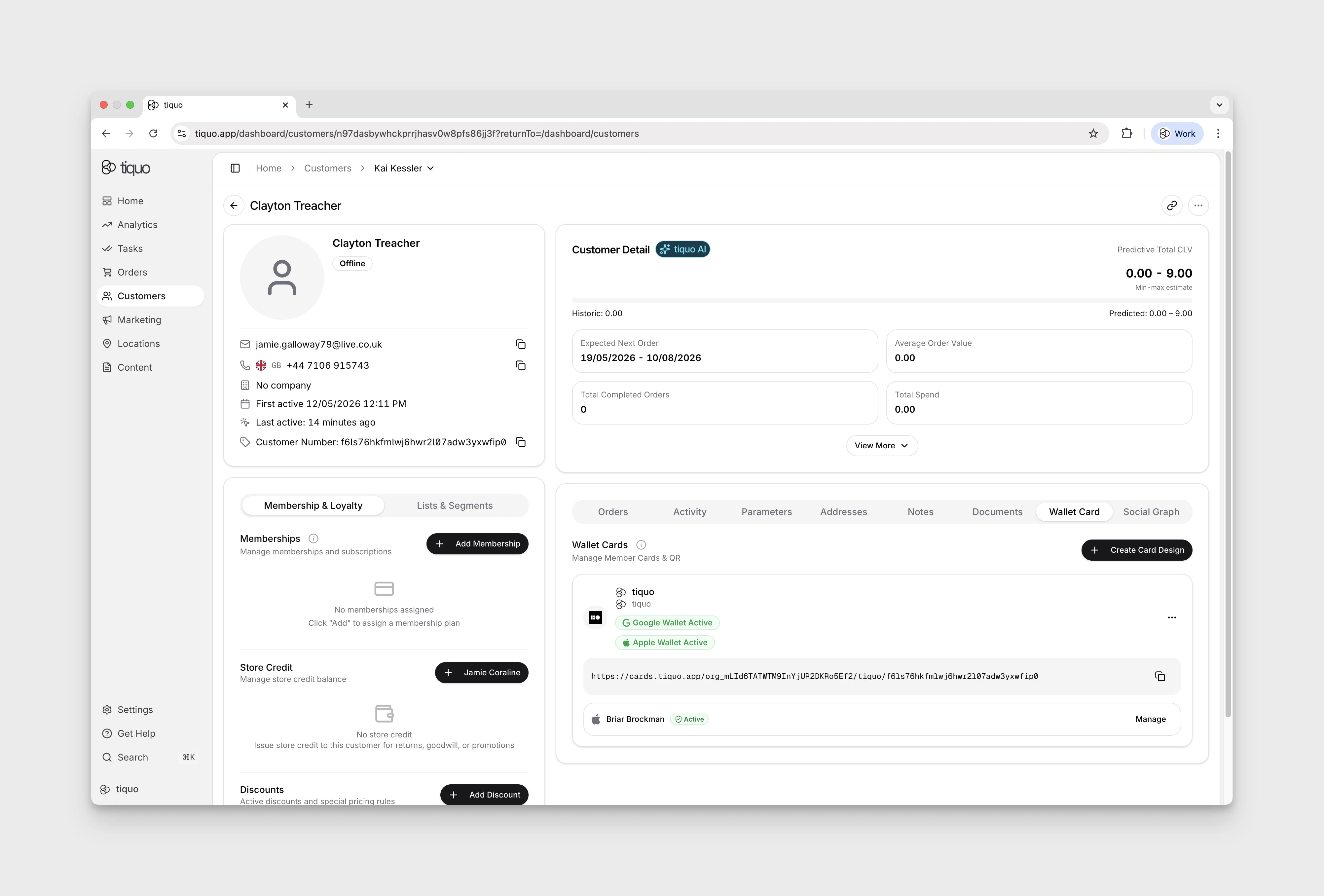
The Cards tab manages digital wallet passes associated with the customer.
These passes may be installed in platforms such as Apple Wallet or Google Wallet.
Wallet cards can represent:
- Memberships
- Access credentials
- Digital passes
- Loyalty cards
Wallet cards can be scanned to quickly identify a customer and retrieve their profile.
Social Graph
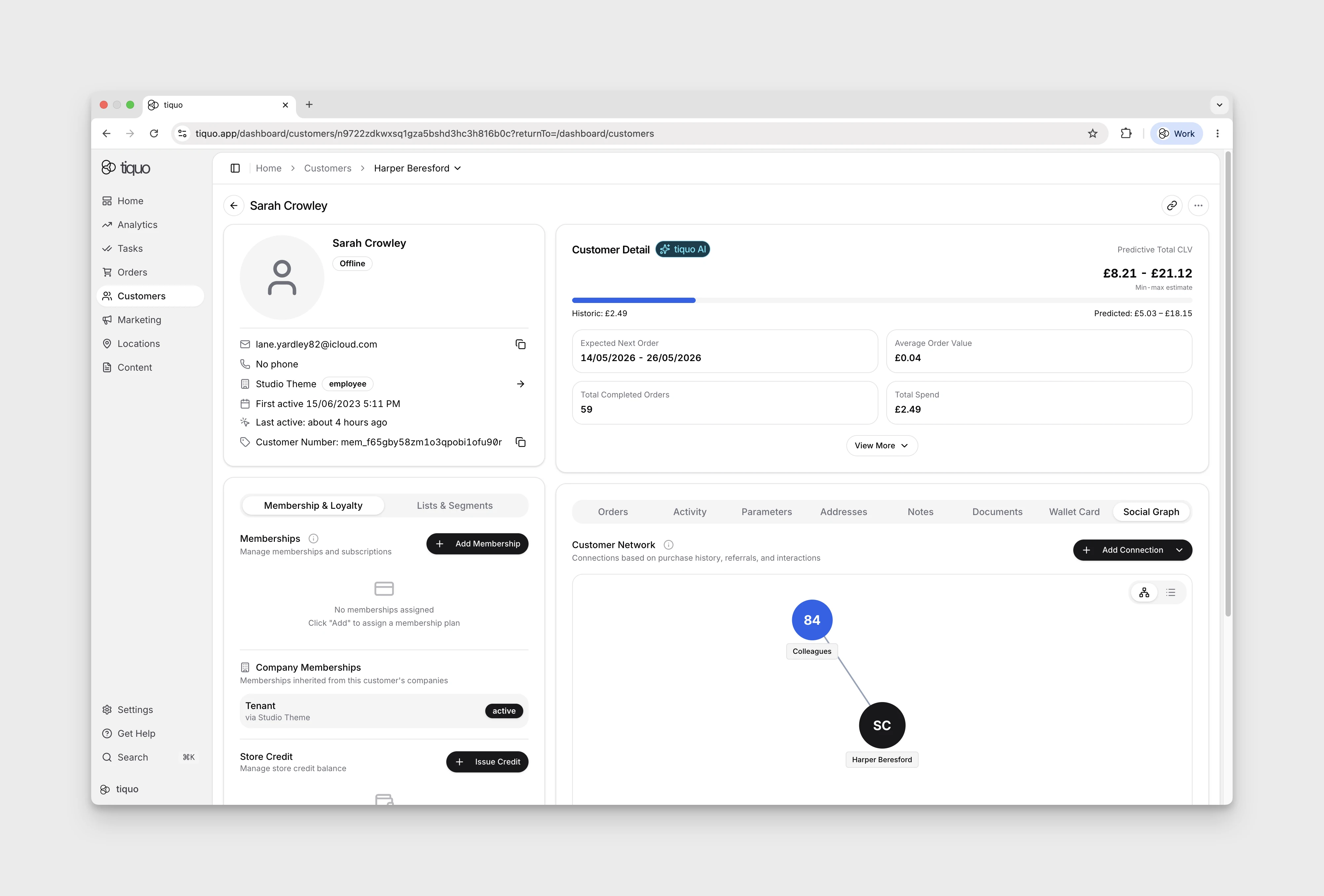
Open the Social tab to view Customer Network, which displays relationships between customers.
Connections may represent relationships such as:
- Colleagues
- Friends
- Relatives
- Acquaintances
- Custom relationship types
Connections can be created manually by staff or inferred automatically by the platform.
The graph helps staff understand customer networks and group behavior.
Cloak Room tags
If Cloak Room is enabled, customer workflows can show tags currently associated with the customer.
Staff can check for an active coat check, luggage item, or other stored item from the customer profile.
For the full cloak room workflow, see Cloak Room.
Customer actions
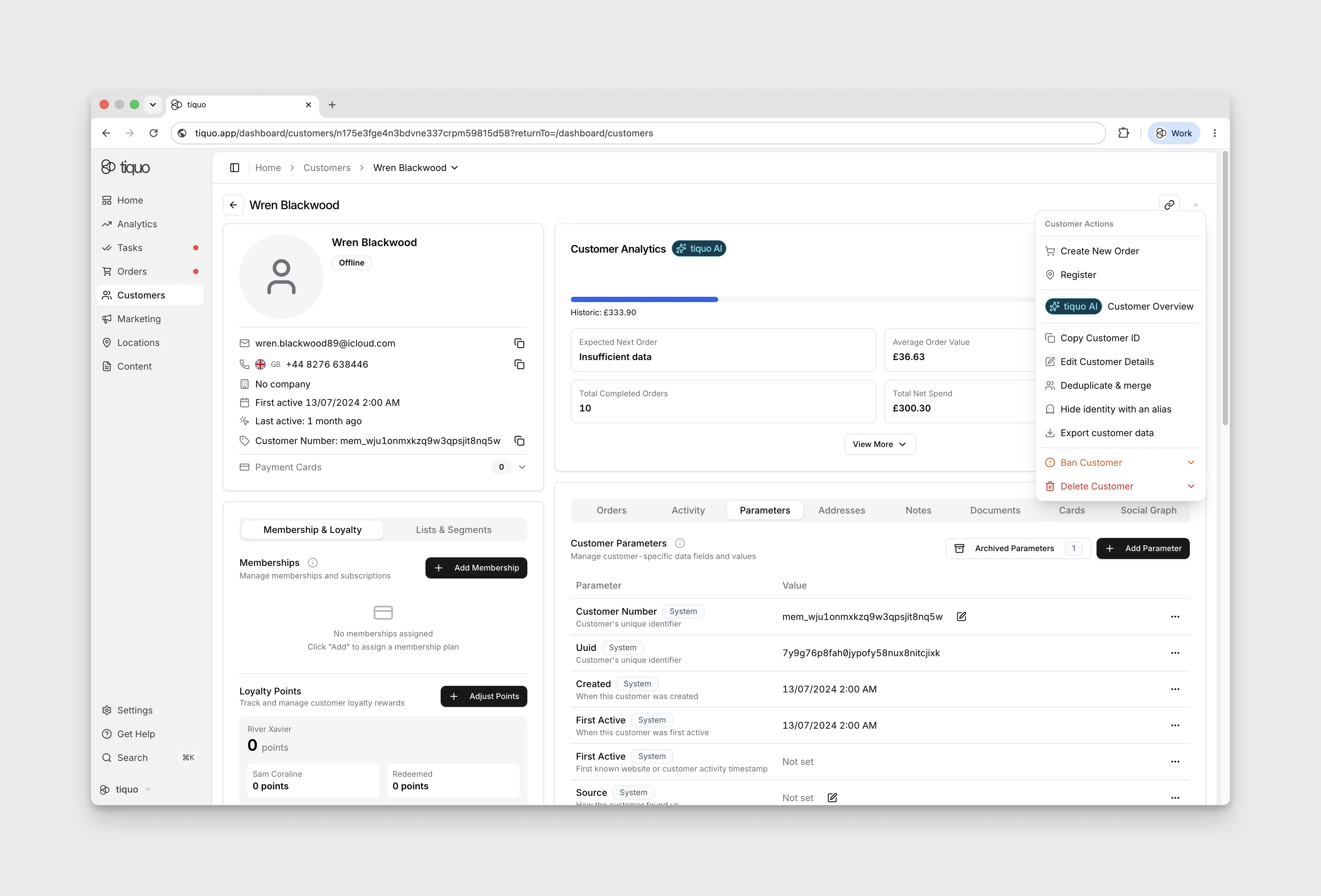
The customer profile includes a set of actions that staff can perform.
Examples include:
- Creating a new order for the customer
- Registering the customer at a sublocation
- Opening a printable overview of upcoming bookings
- Editing customer details
- Copying the customer ID
- Deduplicating and merging records
- Hiding the customer's identity with an alias
- Exporting customer data
- Banning a customer
- Deleting a customer
Upcoming Bookings Overview
Choose Upcoming Bookings Overview to open a printable sheet of the customer's current and upcoming bookings. The sheet shows your organisation logo, the customer's name and email, and for each booking the service, status, date and time, location and booking number.
Bookings that are completed, cancelled, rescheduled, marked as no-show, or have already ended are left out. A booking in progress stays on the sheet.
Each booking has a Notes box for anything you want to add before printing. Only filled-in notes are printed. Notes typed here are kept only for the current page session and aren't saved to the customer or the booking.
Hide identity with an alias
From the customer actions menu, staff can give a customer an alias. The customer's transactions, bookings, and history remain attached to the profile, but the alias is used where the customer name would otherwise appear.
This is useful when an operator needs to preserve an operational record while limiting exposure of the customer's real name to staff.
Deduplicating and merging profiles
Choose Deduplicate & Merge to review likely matches or search for another profile. This needs the Deduplicate Customers permission. Suggestions are grouped into Strong Matches and Possible Matches, and a badge on each explains the shared signal:
- Strong Matches: Same phone, Same name, Same email username or Shared connection.
- Possible Matches: Same first name or Same last name.
A candidate with the same name, or a first name one letter different, becomes a Shared connection strong match when both profiles are connected to the same person in the Social Graph. This doesn't apply when the two profiles have different family roles towards that person, such as one being their spouse and the other their child.
After selecting a pair, choose which profile survives and review conflicting profile fields and parameters before confirming. Email addresses and phone numbers from both records are combined where possible. Orders, bookings, memberships, payment identities, and other linked history are moved to the surviving profile. The merged profile is then retired so staff do not continue using two customer records.
The Duplicates tab on the Customers page lists likely pairs across the organisation, each with a confidence score and evidence badges, and offers a reviewed bulk merge for pairs with at least 97% confidence. Select non-overlapping pairs, inspect the recommended survivor and every conflict, then confirm the batch. Tiquo does not merge a pair while a required conflict choice is unresolved. See Deduplication and merging for how pairs are found and scored.
Export customer data
Staff can export customer data from the action menu. Because the archive contains everything held about the customer, the option only appears for staff whose role has all of these permissions: Export data, View customers, View & set customer aliases, View orders & enquiries, Manage tasks & notes, Create documents, Create forms, View payment data and Access all locations. The download is a ZIP archive containing readable JSON files, a manifest and README, and copies of customer-uploaded documents where those files are available.
The export can include profile and contact details, addresses, parameters and consent, preferences, orders, bookings, enquiries, interactions, communications, benefits, memberships, payment-method summaries, company and customer relationships, notes, forms, and documents.
The archive omits full payment credentials and personal data belonging only to unrelated people. Payment methods are represented by safe summaries such as type, brand, and last digits. If an uploaded file is no longer available, the archive records that fact rather than silently substituting another file.
Banning a customer
Banning a customer is available from the customer profile action menu and from the row menu on the Customers list. It needs the Ban customers permission, which Admin and Manager roles have by default; staff without it don't see Ban or Unban. When staff confirm the ban, they must enter a note explaining the reason for the action.
After the ban is confirmed:
- The customer status is changed to Banned
- The customer is prevented from accessing services and customer-facing account areas
- The ban note is added to the customer's Notes section
- The note is not assigned to a note category and appears above the categorized notes and tasks
This keeps the access decision and the supporting context together on the customer profile.