
Tiquo
Integrations OverviewAirtableAsanaSlackGoogle AnalyticsMetabaseMixpanelPendoSegmentTableau (PAT)ActiveCampaignBrevoEmarsys Core API (WSSE)EventbriteFacebookGoogle AdsHighLevelInstagramKlaviyoMailchimpMailgunMicrosoft AdsSendGridTwitter (v2)HubSpotNotionAcuity SchedulingAirtable (Personal Access Token)BasecampCal.com (v2)CalendlyClickUpCodaConfluence Data CenterExpensifyGoogle CalendarGoogle SheetHarvestLinearMicrosoft Power BIMicrosoft TeamsMindbodyMondayOpenAIPerplexityPingboardPivotal TrackerProductboardQuickbaseServiceM8ServiceNowTeamworkTickTickTimelyTodoistTrafftTrelloWrikefal.aixAIZendeskIntercomAircall (OAuth)DixaFreshDeskFreshserviceFrontPlainRingCentralZoho DeskBrazeDialpadGoogleMicrosoftOutlookPodiumSednaSharePoint OnlineTwilioWhatsApp BusinessZoho MailBambooHRADPDeelEmployment HeroGustoHibob Service UserNamelyOracle Fusion Cloud (HCM)PaychexPayfitPaylocityPersonioRipplingSAP SuccessFactorsSage HRTSheetsUKG ProUKG ReadyWorkdayZoho PeopleQuickBooksBuildiumExact OnlineFreshBooksIntuitNetSuitePennylaneSageSage IntacctTwinfieldUnanetWave AccountingXeroZoho BooksSalesforceAffinityAttioCopperFreshsalesGainsight CCInsightlyKustomerMedalliaPipedriveTwenty CRMZoomInfoApaleoMewsMicrosoft Business CentralOdooSAP ConcurZuoraAcceloCoupa CompassZoho InvoiceAnrokAvalaraDocuSignDropbox SignPandadocSignNowLinkedInSplitwiseTikTok AdsJotformQualtricsRefinerTypeformShopifyCin7 CoreGoogle MapsRingoverListrakRydooTalentLMSApple Business ManagerCrunchbaseRocketReachOcean.ioFreepikEnergy Performance Certificates (Gov.UK)JustworksGristSAP S/4HANA Cloud3CX8x8Adobe CommerceBirdCloudbedsConstant ContactBufferCustomer.ioCrispFreeAgentGreenhouseMeta Marketing APIMollienocrm.ioOomnitzaDigitsPylonSage 200ShopwareAnvilShippoEasyPostAltrataMicrosoft PeopleMicrosoft IntuneCloudTalkGoogle FormsMaximizerMicrosoft PlannerSalesmsgSellercloudTallyTimifyUpsalesCleverReachHeymarketMailjetPleoProvenExpertTelegramToggl TrackTenzoASSA ABLOY Vingcard VisionlineASSA ABLOY Vingcard VostioASSA ABLOY TESA HotelASSA ABLOY SMARTairSalto KSSalto Space OnlineDormakabaOmnitecHotekTT LockWebLockISEOKleverKeyAperioISONASHIDSouthcoThird MillenniumSTidAxis CommunicationsBooking.comExpediaHotels.comAirbnbGoogle HotelsTripadvisorAgodaHotelbedsTravelgateXHyperguestRoibosReconlineTraviaOpenGDS.comMG BedbankDidatravelHotelREZHRSHotelnetworkGetaroomWinkBookeasyVRBOInntopiaHookusbookusHipcampSpot2niteCamping VisionMinistry of VillasTrip.comTravelokaTiketMakeMyTripHoteripKlookeDreamsSzallasEmerging Travel GroupCheck24Bed-and-Breakfast.itWorld2Meet (W2M)Ctoutvert / SecureholidayDespegarPriceTravelRoombeastMitchell CorpHRS AustraliaResonlineHostelworldHostelhopTablet MichelinMr & Mrs SmithHopperHotel TonightPitchupMoveriiLocalOTAAlaricBooknpayCultbookingGuestTractionLevartWeSpeakMake.comZapierPricelabsPricepointRategenieElastic HotelRoom Price GenieTurbosuiteUber EatsDeliverooDoorDashBolt FoodGlovo
DevicesPDQ Terminals

S700 Terminal

All-in-one payment terminal with touchscreen

S700 Terminal

The S700 is an all-in-one payment terminal designed for full POS and payment workflows.
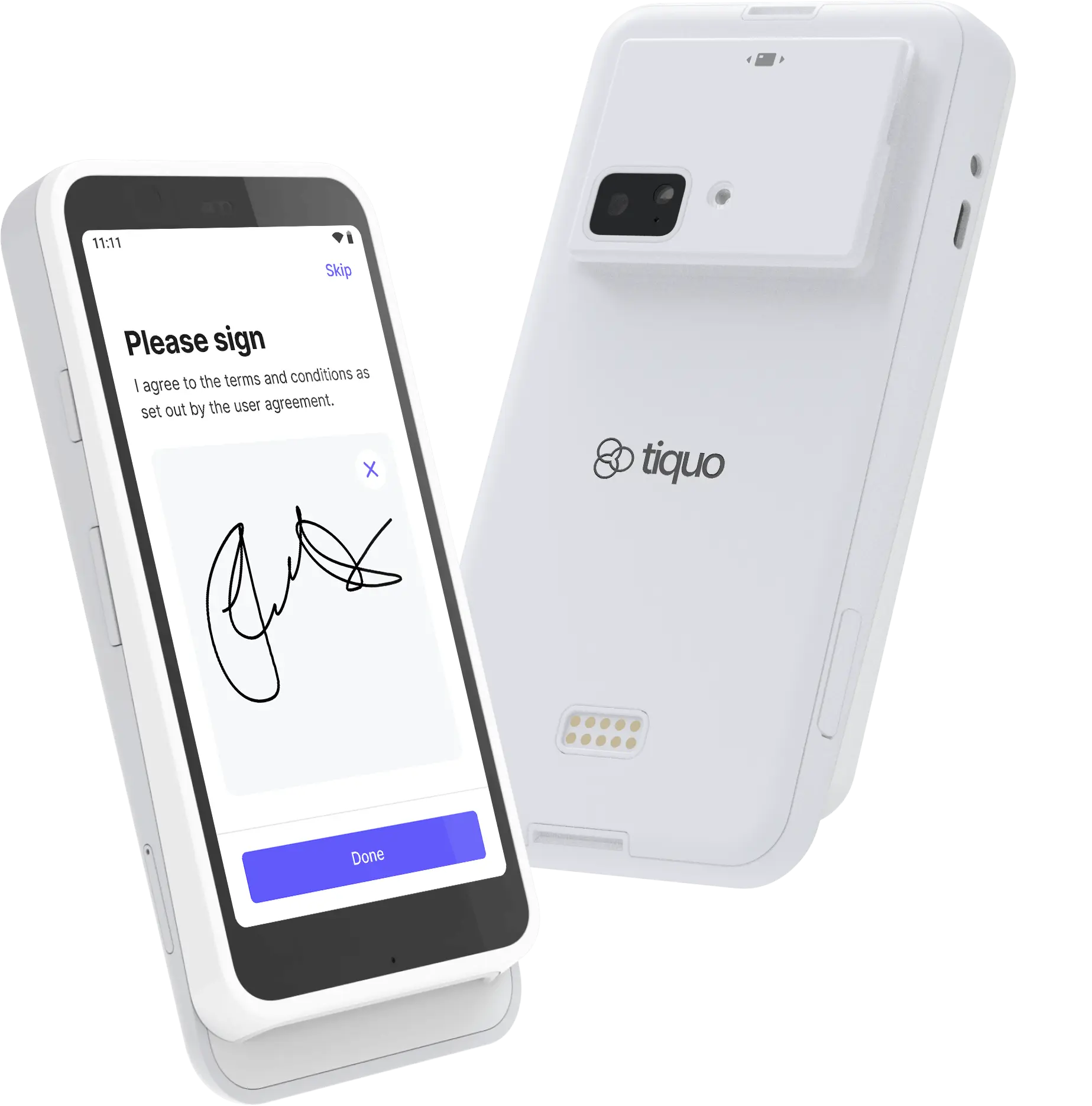
S700 Terminal

Pricing

ItemGBPEURUSD
S700 Terminal£229 + VAT€259 + VAT$299 + Tax

Best for: Countertop or handheld payments with a touchscreen payment experience

Key Features

  • 5.5-inch IPS LCD touchscreen with Gorilla Glass (1920 x 1080, 580 nits)
  • EMV chip, contactless, digital-wallet, and magstripe payments
  • Wi-Fi and Bluetooth connectivity
  • Ethernet through a compatible dock or hub
  • Offline mode
  • Up to 15 hours of active use and 140 hours on standby
  • 318g body (161.9 x 81.6 x 21.4 mm)
  • Android 10, Qualcomm SM6125 processor, 4GB RAM, and 64GB storage
  • End-to-end encryption, P2PE-ready security, and PIN support

The S700 does not contain a receipt printer. Connect a supported external receipt printer when you need printed receipts.

Setup

Unbox the Terminal

Carefully remove the S700 terminal and all accessories from the packaging

Connect to Power

Connect the terminal to power using the supplied power adapter

Connect to Network

Connect to Wi-Fi, or use a compatible dock or hub for Ethernet connectivity

Register in Tiquo

Go to Settings → Devices in Tiquo and follow the registration process

Test the Terminal

Process a test transaction to verify everything is working correctly

Network Setup

ConnectionSetup
Wi-FiGo to Settings → Network → Wi-Fi and select your network
EthernetConnect an Ethernet cable through a compatible dock or hub

Usage

Processing Payments

  1. Create or select an order in Tiquo
  2. Choose the S700 as the payment terminal
  3. Customer taps, inserts, or swipes their card
  4. The transaction is processed; a paired receipt printer can print the receipt when configured

Supported Payment Methods

  • Chip and PIN
  • Contactless (tap)
  • Apple Pay
  • Google Pay
  • Magnetic stripe (swipe)

Troubleshooting

Battery & Charging

  • Always use the supplied power adapter
  • Keep charged during heavy use
  • Mobile use may consume battery faster

Maintenance

  • Keep the device updated while powered and connected
  • Clean the touchscreen and card reader regularly
  • Avoid moisture and extreme temperatures

En esta página