
Loyalty
Configure loyalty points, earning rules, tiers, and customer balances
Loyalty lets organizations reward repeat visits and ongoing spend with points, tiers, and perks.
Use loyalty to define how customers earn points, how points can be redeemed, and which benefits customers receive as they progress through tiers.
Navigating to Loyalty
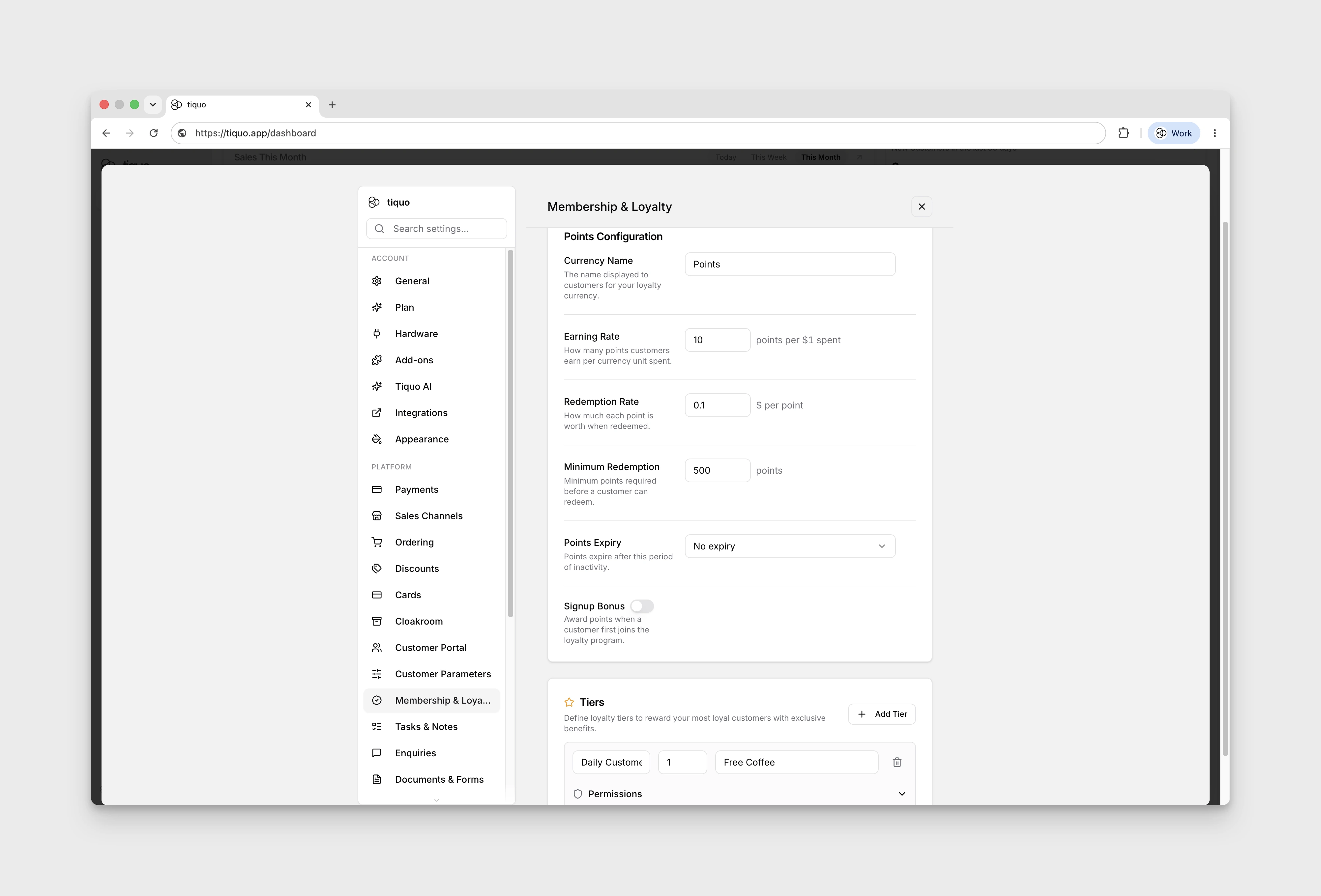
Loyalty is configured from Settings > Membership & Loyalty. The Loyalty area sits alongside membership plans and uses the same point-and-perk model.
Configuring Loyalty
Loyalty supports the following customization:
- Program status: enable or disable loyalty for the organization.
- Currency name: choose the name customers and staff see for points.
- Earning rate: how many points customers earn per unit of spend.
- Redemption rate: how points convert back into spendable value.
- Minimum redemption: the minimum balance required before points can be redeemed.
- Points expiry: optional expiry rules for unused points.
- Signup bonus: optional points granted to new customers.
- Tiers: levels customers progress through as they earn points, such as Bronze, Silver, and Gold.
Tiers and Rewards
Each tier can have its own threshold and benefits. Benefits can describe operational perks, and tiers can also grant membership-style permissions where access rules need to recognise a customer's loyalty tier.
Tiers can also restrict registration at selected sublocations when that is part of the programme design.
One-time store credit
A tier can grant store credit the first time an account reaches that tier. Choose the amount, currency, and eligible location, sublocation, product, product-category, service, or service-category scope. The grant is recorded so the same tier credit is not issued repeatedly while the customer remains in or returns to that tier.
Tier discounts and permissions
Attach account-eligible discounts to a tier when the current tier should provide a pricing benefit. Staff need the pricing-assignment permission to configure these discounts. When the customer's current tier changes, Tiquo updates the tier-derived discounts and permissions to match the new current tier rather than accumulating old tier benefits indefinitely.
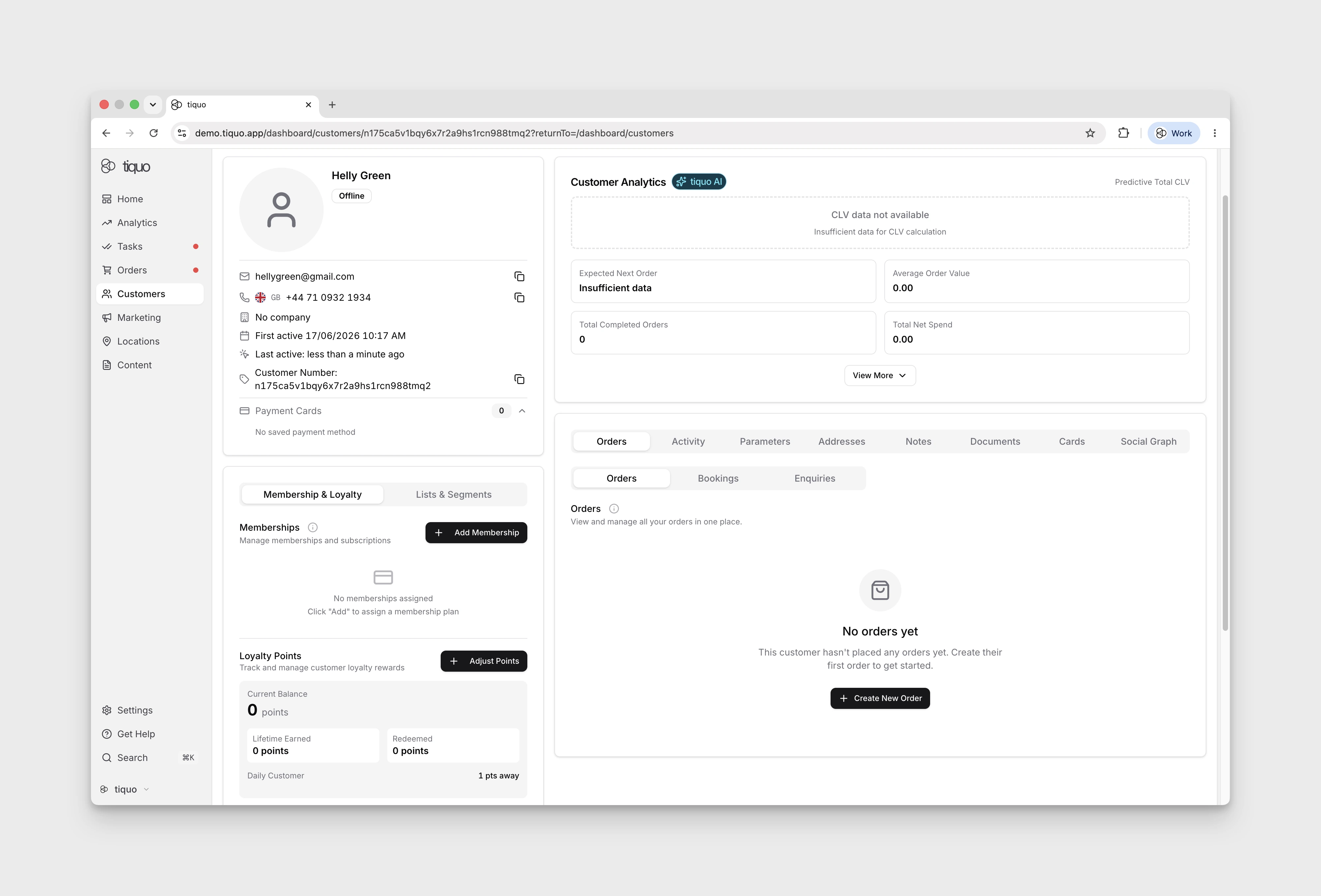
Loyalty on the Customer Profile
Each customer's loyalty status is visible from their profile. From there staff can see the current points balance, tier, lifetime redeemed value, and progress toward the next tier.
Staff with the right permissions can also adjust a customer's points manually when needed, for example to credit goodwill points or correct a transaction.