

Platform
Settings
Organisation-level configuration across account, platform, developer, and setup areas
Settings is the organisation-level configuration overlay. It is distinct from Sublocation Settings, which controls one operational sublocation.
Open Settings
- Click the gear icon at the bottom of the main sidebar.
- Choose a section and setting from the navigation on the left.
- Use Settings search when you know the control you need but not its tab.
The tabs shown to each user depend on their permissions, organisation features, and preview access. A user may therefore see fewer entries than the full list below.
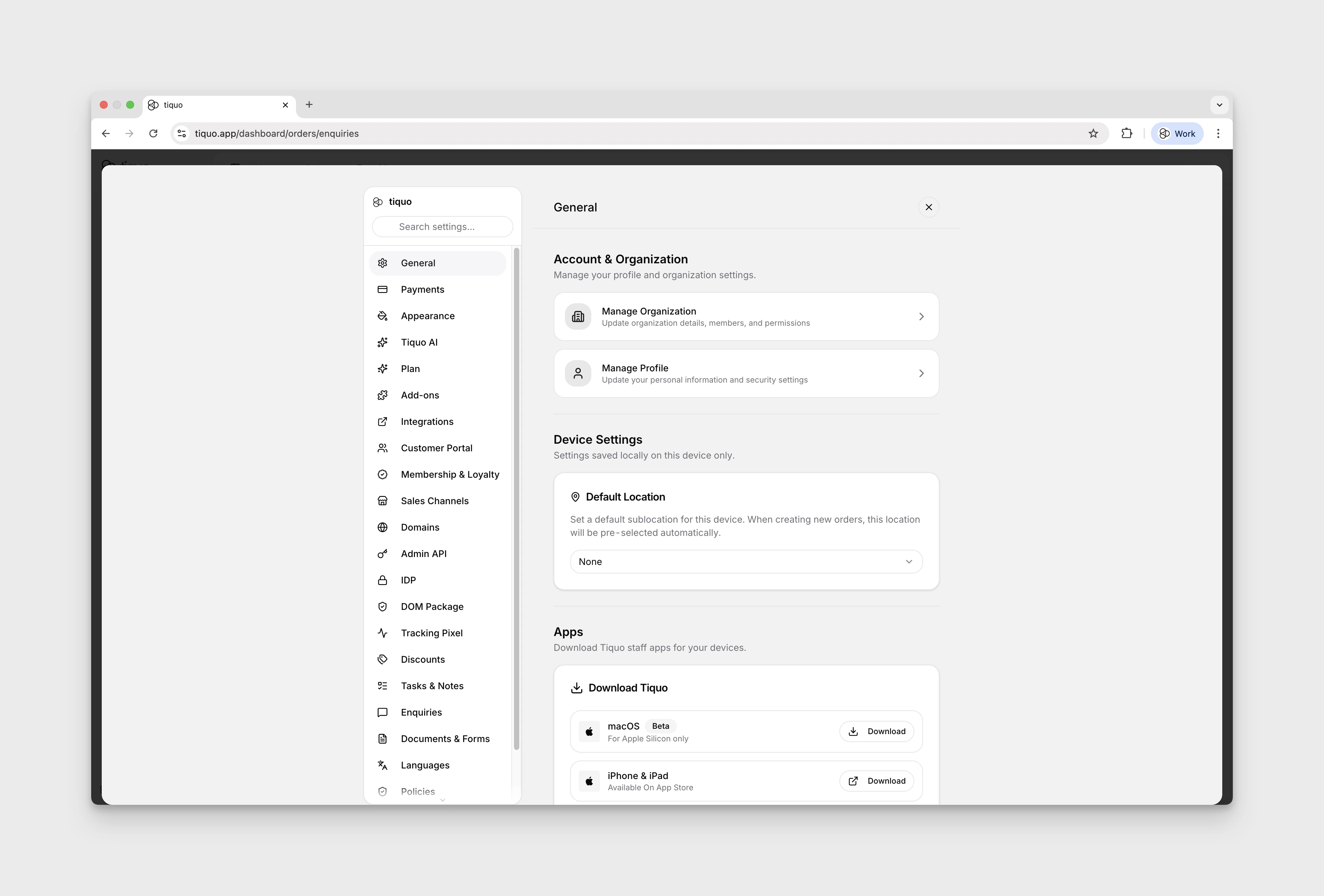
Account
The Account section appears first:
- General: manage the organisation, personal POS PIN, and organisation-wide account controls. Administrators can also manage POS PINs for other members here.
- Plan: review plan and billing information.
- Hardware: view supported terminals, printers, scanners, accessories, and purchasing options. See Devices Overview.
- Add-ons: manage optional platform add-ons available to the organisation.
- Tiquo AI: manage organisation AI features.
- Integrations: connect and manage external services.
- Appearance: manage organisation themes and branding. See Themes.
Platform
The Platform section contains operational organisation settings:
- Payments: view the organisation payment area, including connected-account information and payment reporting available to the user. See Payments.
- Sales Channels: manage terminal and travel-platform sales channels.
- Devices: review active application devices, till displays, and registered Stripe Terminal readers; register readers by pairing code and assign them to sublocations.
- Ordering: configure Order & Pick Up and Order to Table. See Table & Pick Up QR Tags.
- Discounts: manage organisation discount rules.
- Reporting: manage the standard reasons offered when staff ban a customer, cancel a membership, issue a refund, mark an enquiry Lost, or record wastage. Staff can still enter Other where that workflow supports it.
- Notifications: configure organisation defaults for automated customer emails.
- Messaging: messaging controls currently marked Private Preview.
- Wallet Cards: design Apple Wallet, Google Wallet, and printed cards.
- Cloak Room: manage cloakroom tag designs and assignments. See Cloakroom.
- Customer Portal: configure customer-facing portal options.
- Customer Parameters: define custom customer fields.
- Membership & Loyalty: manage membership plans. See Memberships.
- Passes: create and archive Access Pass and Guest Pass types. Individual passes are issued from customer profiles or included with memberships. The Passes area is labelled Beta.
- Registration: set default customer access by sublocation, choose guest allowances, and create Guest Pre-Registration flows. The Guest Registration section is labelled Beta. See Customer Registration for how these settings affect registration at the front desk.
- Tasks & Notes: manage task and note categories.
- Enquiries: manage enquiry types, type-specific fields, pipelines, and stages. Staff access to individual enquiry types is managed under Manage Organization > Enquiry access.
- Documents & Forms: manage document and form templates.
Developer
- Domains: manage the domain configuration available to the organisation.
- Admin API: create and manage server-side API keys.
- Webhooks: configure outbound webhooks.
- IDP: configure OAuth/OIDC identity-provider settings and OAuth clients.
- Auth DOM: configure the DOM Package for customer authentication on external websites.
Setup
- Languages: configure language and localisation preferences.
- Policies: manage organisation policy content.
- Legal: manage legal configuration.
- Import / Export: move supported data into and out of Tiquo. See Import & Export Data.
- Moving to Tiquo: access migration and onboarding tools available to the organisation.
Sublocation-specific settings
Do not use this overlay for a setting that applies only to one venue operation. Open Locations, select the sublocation, and open Sublocation Settings for its hours, address, ordering, payment account, floor-plan, KDS, and mobile behaviour.