

Customers
The core customer entity in the Tiquo CRM: profiles, identity, activity, and relationships
Customers are the core entity in the Tiquo CRM. A customer profile represents an individual person who interacts with your business.
Customer profiles store identity details, contact information, activity history, and relationships. They act as the central record linking together orders, bookings, enquiries, memberships, wallet cards, and other operational data.
Each customer has a unique identity within the organization and a complete timeline of their interactions with the business.
Navigating to customers
The Customers entry in the main sidebar opens the Customers list page.
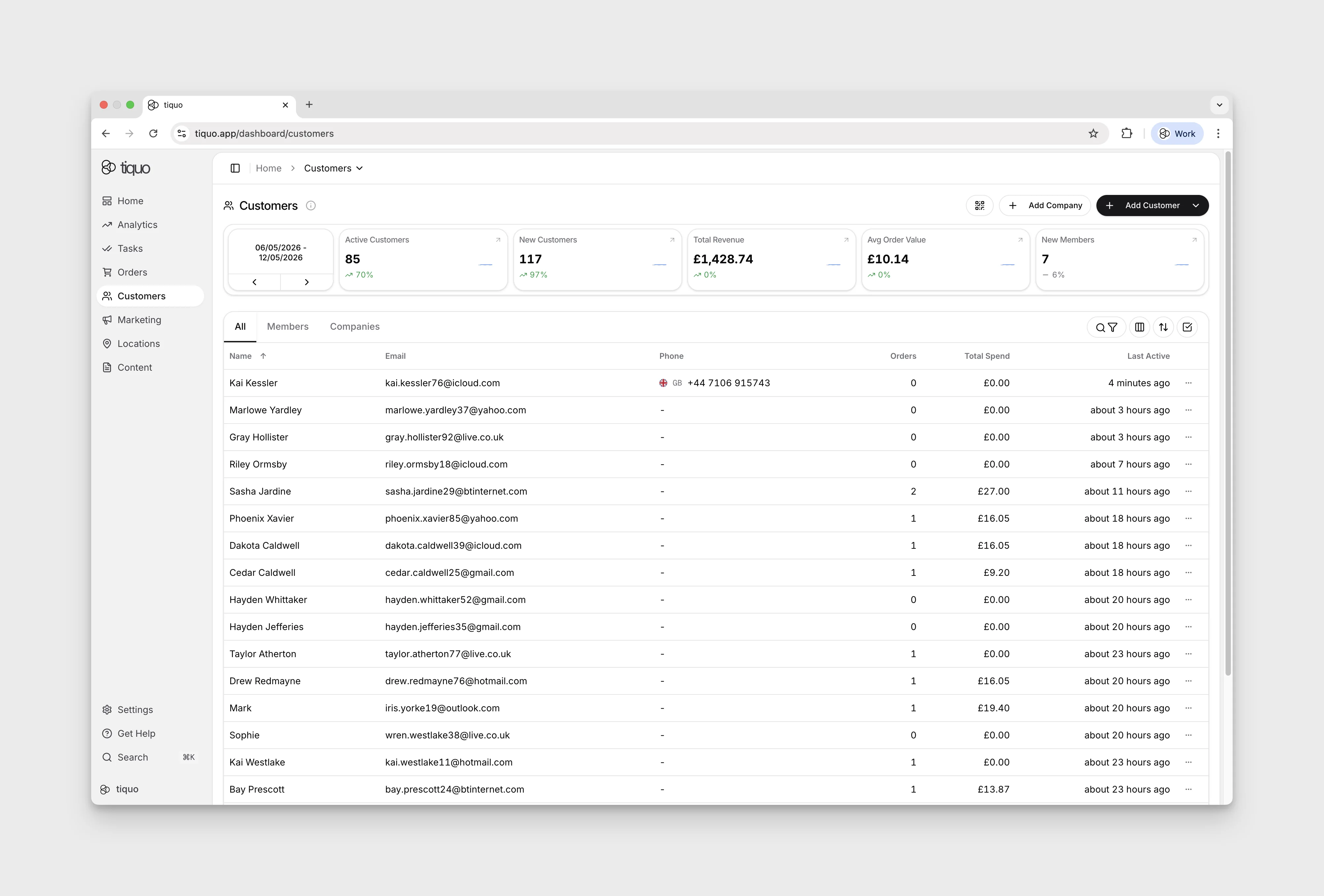
Filtering customers
Select the search/filter icon above the Customers table. Search by name, nickname, email, or customer number, or choose Add filter for Customer status, Membership, and configured customer fields. If a phone search returns no match, try another identifier.
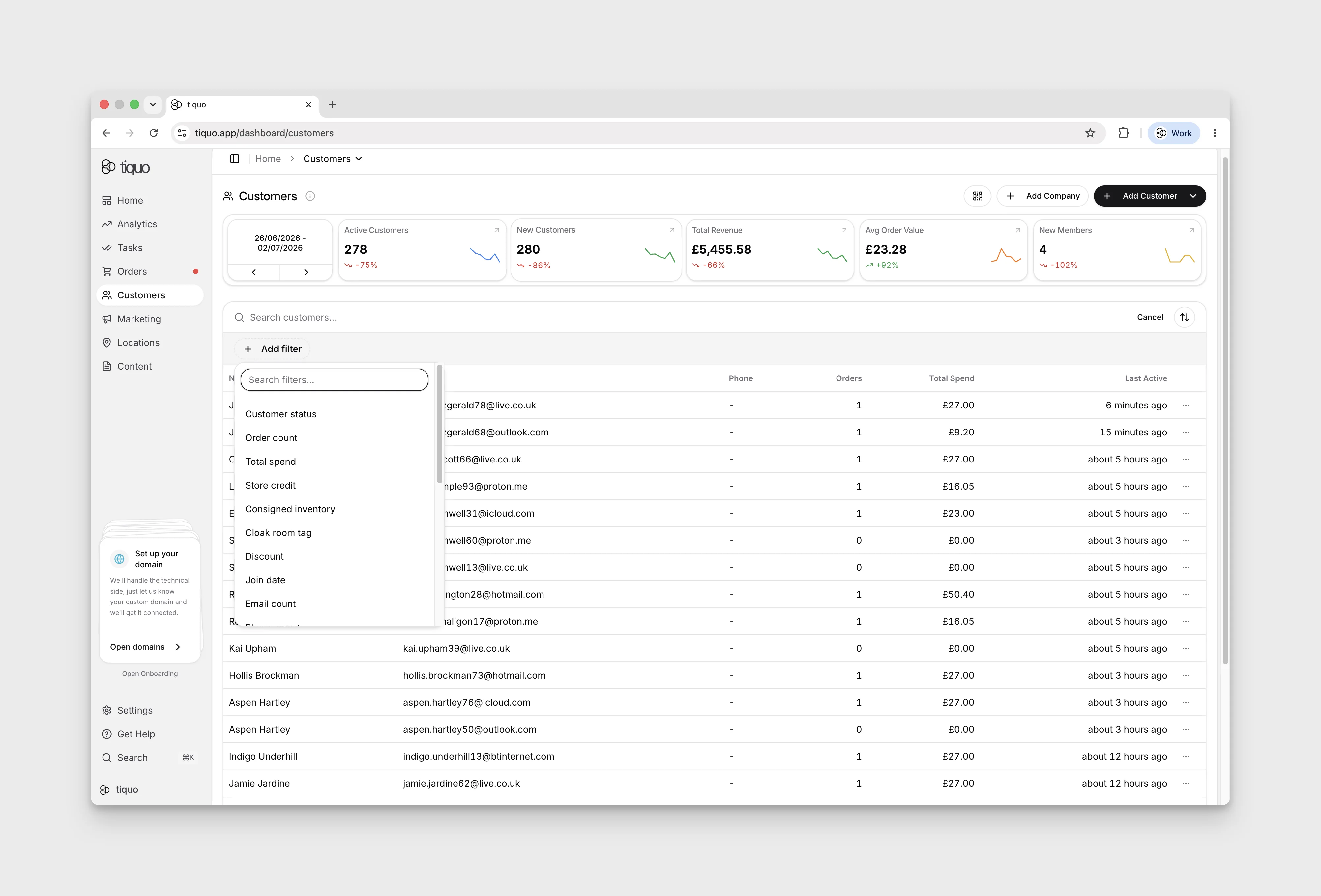
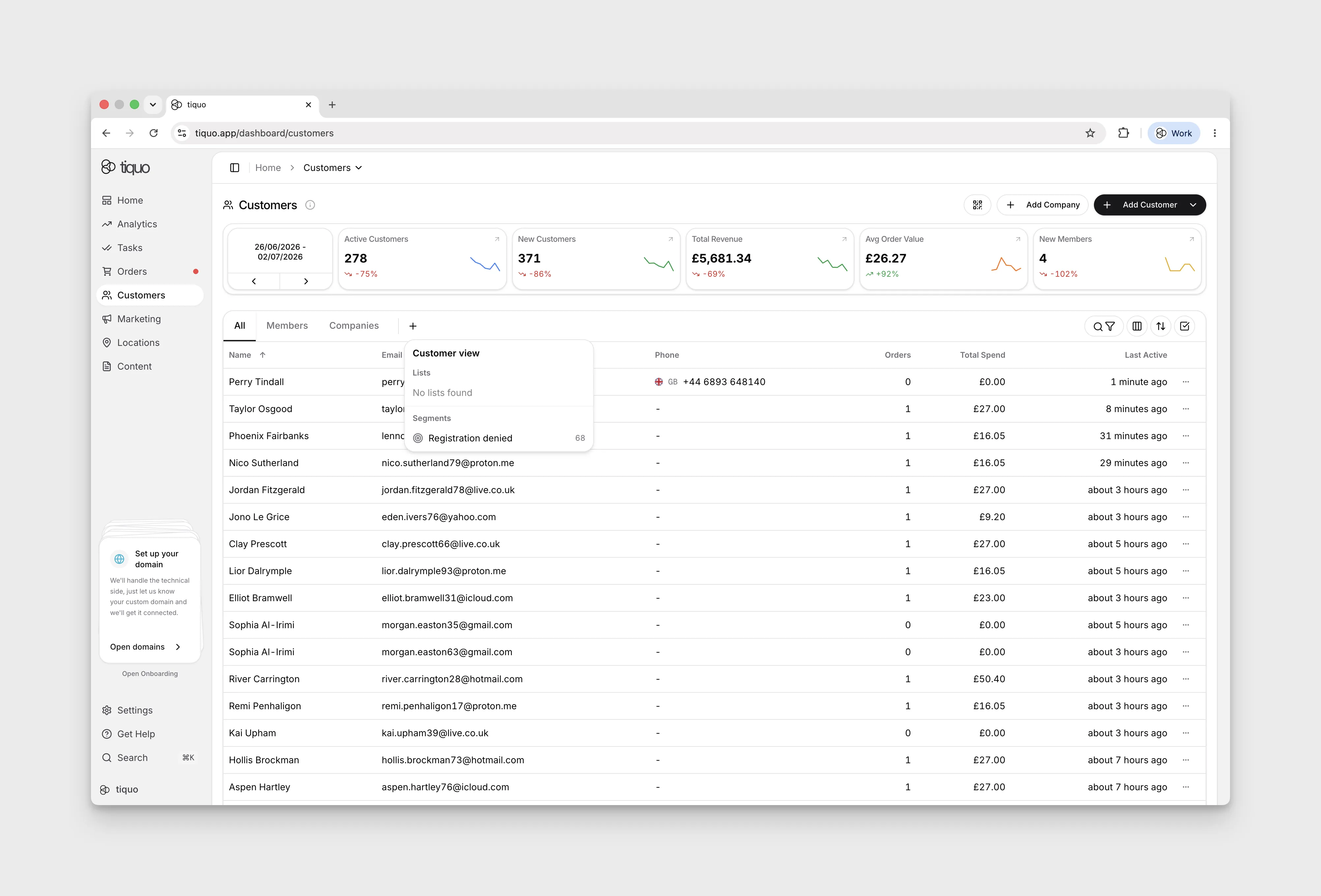
Select the + beside the customer tabs to open Customer view, then choose an existing audience under Lists or Segments. Selecting a list adds its tab and shows the customers in that list.
Choose All to return to the full customer list. In the demo, navigating away and returning to Customers selects All again; the added list tab remains available, so select it again to return to that audience.
Customising columns
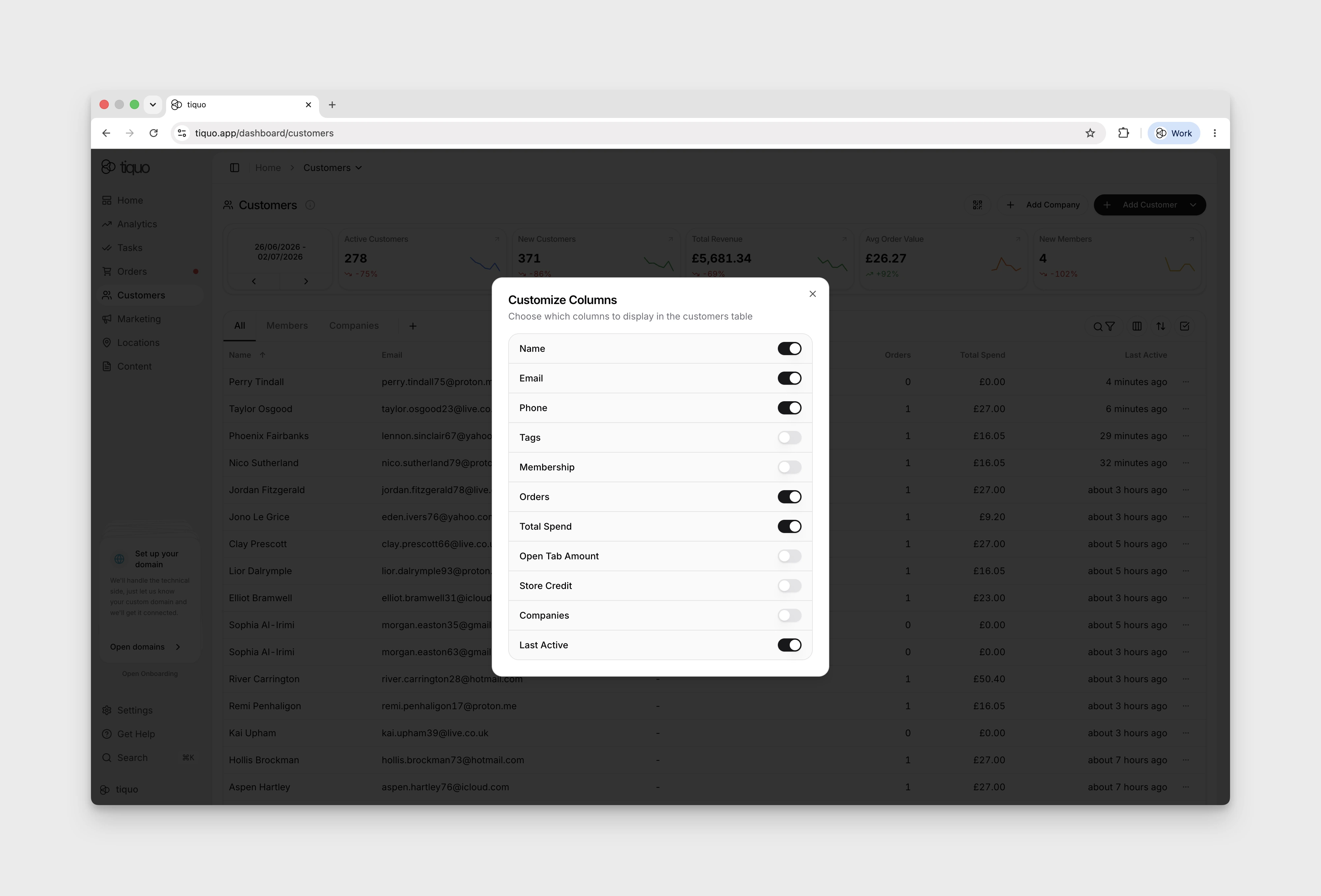
Click Customize Columns next to Filter at the top right of the customer page to add, remove, or reorder columns.
Columns you can show include Profile photos, Customer Number, Membership, Open Tab Amount, Store Credit, Companies, Created and First Active, alongside the default name, email, phone, tags, orders, total spend and last active columns. Profile photos adds each customer's photo beside their name and is off by default.
Created shows when each profile was created and is off by default. Click the column header to sort by it, oldest first, and click again for newest first. Sorting isn't available while there is text in the search box.
Customer profiles
A customer profile aggregates all data associated with an individual.
This includes:
- Personal information
- Contact details
- Company relationships
- Memberships
- Orders
- Bookings
- Enquiries
- Analytics
- Activity history
- Documents
- Wallet cards
- Social connections
Customer profiles provide a complete view of the customer's interactions across the platform. The profile UI itself is covered in detail in Customer Profiles.
Creating customers
Customers can be created in several ways:
- Manually by staff in the CRM
- Automatically during booking flows
- Automatically when an order is created
- Automatically when an enquiry is submitted
- By importing customer data
A customer can be created with any of the following:
- First and last name
- Email address
- First name and valid phone number
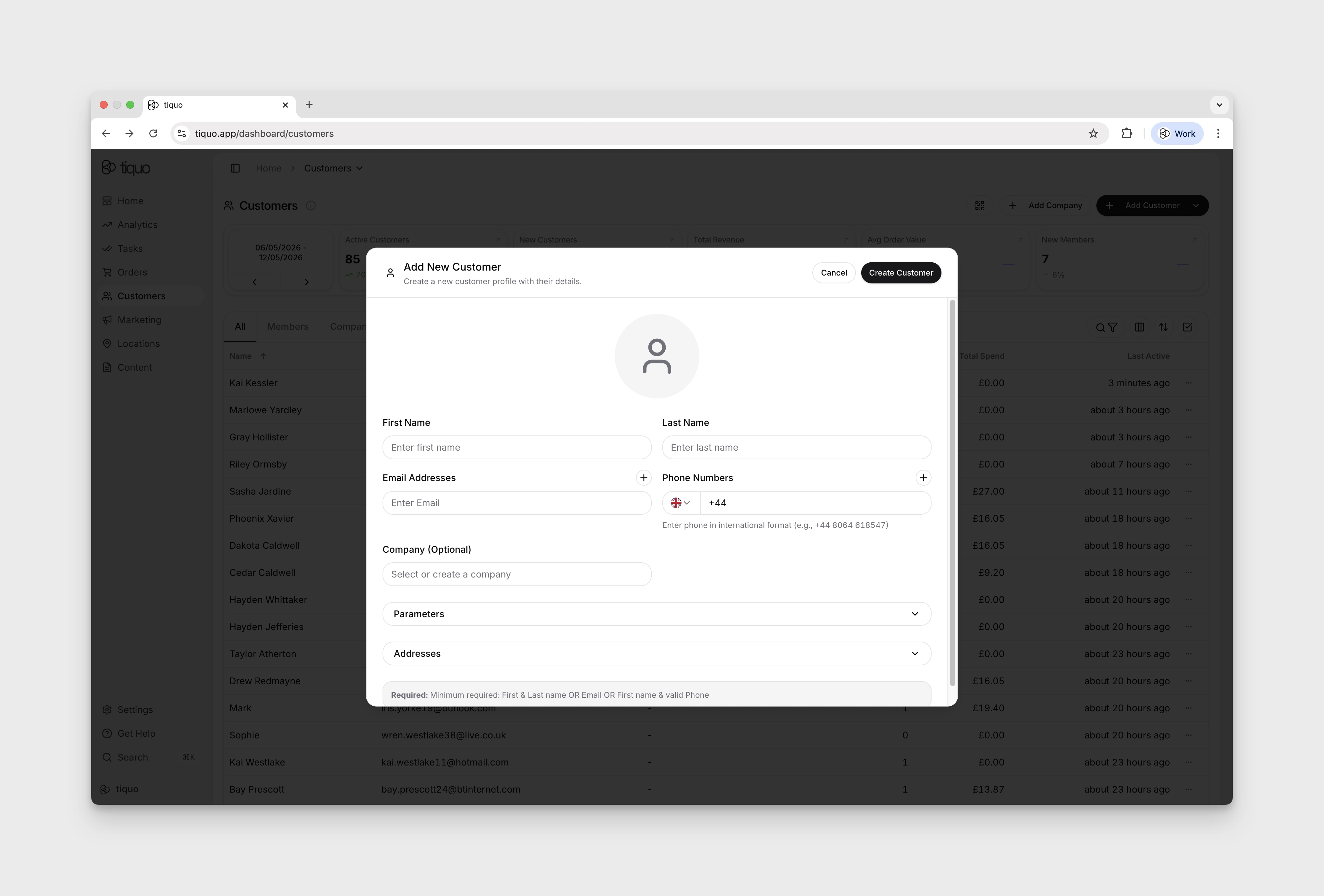
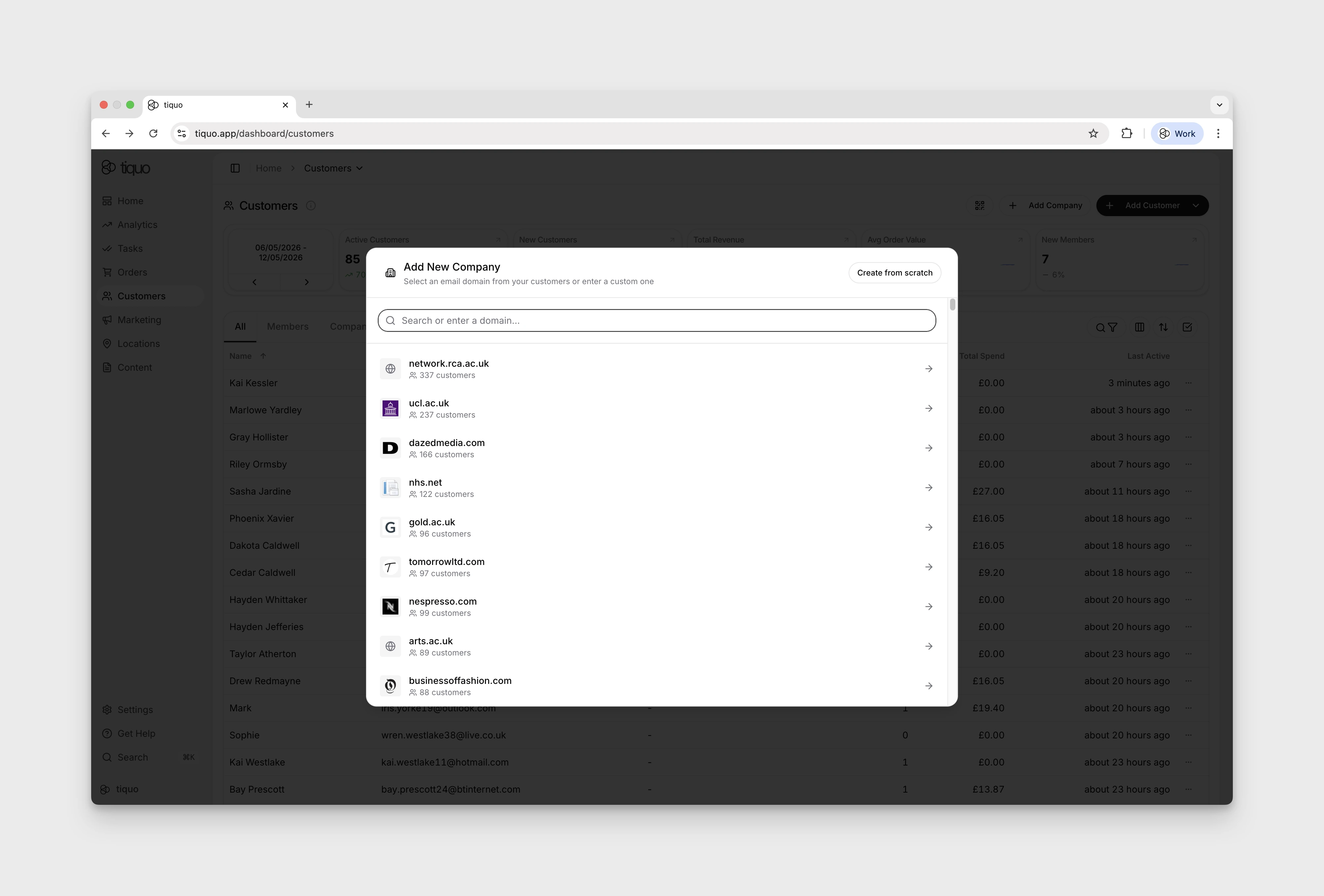
You can also add company profiles for customer filtering.
Titles and nicknames
The Add New Customer and Edit Customer dialogs have optional Title and Nickname fields below the name:
- Title: choose Mr, Mrs, Ms, Miss, Mx, Dr or Prof, or Other… to type a custom title of up to 40 characters. Titles are shown in each staff member's interface language, so Mrs appears as Mme to a staff member using Tiquo in French. Languages that use one word for several titles show it once.
- Nickname: the name the customer likes to be called, up to 60 characters.
The customer profile heading shows the title before the name and the nickname after it. Lists, receipts and search results keep the plain name. Customer search also finds customers by nickname.
Customer CSV imports map columns such as Title, Salutation or Honorific to the title, and columns such as Nickname, Preferred name or Known as to the nickname. Titles written out in full or in another supported language are recognised, and any other value is kept as a custom title. Customer exports can include Title and Nickname columns. Exported titles are always in English, so the file can be imported again.
Customer registration modal
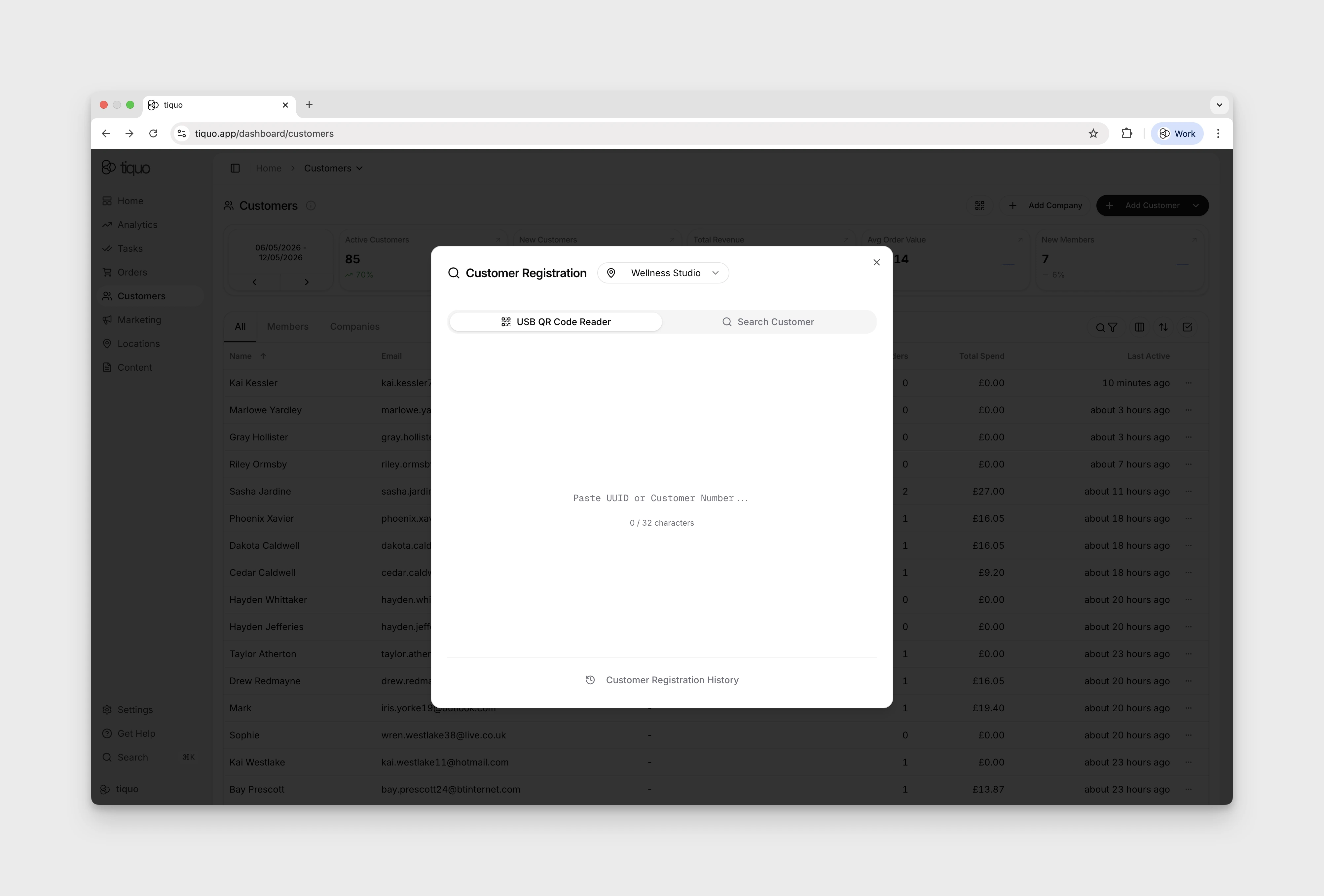
A small QR code icon at the top of the Customers page opens the registration modal. Staff can scan a customer's identification QR code, search for an existing customer, and review their access to the selected sublocation.
Eligible pre-registered guests appear as a checklist. Staff can add another guest when the allowance permits and confirm everyone with one Register with N guests button. This records access to the sublocation; it is not booking check-in.
See Customer Registration for the workflow, Access Passes for customer access rules, and Guest Passes for guest allowances and invitations.
Customer identifiers
Each customer has two identifiers.
UUID
The UUID is the system-generated identifier.
- Automatically generated by the platform
- Always 32 characters
- Cannot be edited
- Unique across the organization
The UUID is primarily used internally by the system.
Customer number
The customer number is the human-readable identifier.
- Unique across the organization
- Editable
- Can be imported from external systems
- Minimum length 5 characters
- Maximum length 32 characters
Keep existing customer identifiers when migrating from another system.
Both the UUID and the customer number can be used to identify a customer across the platform.
Contact information
Customer profiles can store multiple contact details.
Customers may have:
- Multiple email addresses
- Multiple phone numbers
- Multiple addresses
When staff add or edit a customer, each email address and phone number must be unique across customer profiles. If one is already attached to another customer, the save is rejected until the duplicate is resolved.
Tiquo checks every email address and phone number for fake, mistyped, and incomplete details. See Contact Verification.
Shared emails from imports
Exports from other systems often use one email for different people, such as staff booking guests in with their own address. When a customer import has an email that is already on a profile, Advanced Duplicate Matching (Settings > Tiquo AI, on by default) compares names, nicknames, phone numbers and birthdays to decide whether the row is the same person:
- Same person: the row is matched to the existing profile. A short first name, such as Joe for Joseph, is kept as the profile's nickname.
- Different person: the row gets its own profile, so two profiles share the email.
A shared email can't be used to sign in until the profiles are merged or the email is removed from all but one of them. Profiles that share an email are listed under Customers > Duplicates, and the affected profiles show a banner.
Only names and yes/no matches are sent to the AI provider, never emails, phone numbers or birthdays. With Advanced Duplicate Matching off, a repeated email in an import is always treated as the same customer.
Company relationships
Customers can be linked to companies.
Companies allow organizations to group customers who belong to the same organization, employer, or tenant.
Companies can define corporate email domains. When a customer's email address matches a company domain, the customer is automatically associated with that company.
This applies to both existing customers and new customers.
A customer may belong to multiple companies if they have multiple email addresses associated with different domains.
See Companies for the full company entity walkthrough.
Customer status
Customer profiles display status indicators.
| Status | Description |
|---|---|
| Active | The customer is not banned from the system |
| Online | The customer is currently active in a live flow such as a booking or transaction process |
| Offline | The customer is not currently active in a live interaction |
Customer analytics
Customer profiles include analytics calculated from the customer's activity.
Examples include:
- Predictive Customer Lifetime Value (CLV)
- Expected Next Order Date Range
- Average Order Value
- Total Orders
- Total Spend
These metrics provide insight into customer behavior and value.
See Customer Analytics for the full breakdown of metrics.
Customer activity
Each customer has an activity timeline that records events associated with that customer. The timeline provides a complete operational history of interactions with the business.
See Customer Activity for the customer timeline and its search and filter controls.
Customer orders, bookings, and enquiries
Customer profiles display transactional activity through three sections:
- Orders
- Bookings
- Enquiries
Staff can view and manage the customer's activity in one place.
Deduplication and merging
Customers are not automatically deduplicated. Multiple customer records may exist for the same individual.
Staff can review and merge duplicate records in two places:
- The Duplicates tab on the Customers page lists potential duplicate pairs across the whole organisation.
- The Deduplicate & Merge action on a customer profile finds likely matches for that one customer. See Deduplicating and merging profiles.
Both need the Deduplicate Customers permission, which only admins have by default. The Duplicates tab appears once Tiquo has found at least one pair or shared email.
How duplicate pairs are found
Tiquo proposes two profiles as a pair when they share any of these:
- An email address, including aliases such as plus-tags and Gmail or Googlemail variants. Secondary emails count.
- A phone number. Secondary phone numbers count.
- A personal tax identifier from the same country.
- A full name, together with the same email username, birthday, full address, or a person both profiles are connected to in the Social Graph.
A name, a company or an address on its own never creates a pair.
Shared connections catch people entered twice by someone they know, such as a guest re-added on another booking or a spouse created a second time. Two profiles connected to the same person are proposed when they have the same full name, or the same last name and first names that differ by one letter. Siblings who share a parent and a surname are not proposed. People connected to more than 50 customers, such as event organisers whose shared orders link everyone, are ignored.
Confidence scores
Each pair shows a confidence percentage. Tiquo compares each profile detail on its own: email, tax identifier, phone, name, birthday, address, company and shared connections. For each detail, the two profiles either match, only one profile stores it, they differ, or neither stores it.
- A matching detail raises the score. Each further match adds less than the one before.
- A detail stored on only one profile lowers the score slightly.
- Different email addresses, phone numbers or addresses lower it more.
A name counts for more when the profiles also share an email, phone or tax identifier. Without one, the name is weighed by how common it is among your own customers: a Common name badge means the match counts for less, and Uncommon name means it counts for more. Tiquo only marks a name as uncommon once your organisation has enough named customers to tell.
Scores have these limits:
- 100% is only for identical profiles: they share an email, phone or tax identifier, and every detail either profile stores is the same on the other.
- Every other pair stops at 99%.
- A pair with no shared email, phone or tax identifier stops at 90%.
Evidence badges
Badges between the two profiles explain the score. Evidence badges include Same email, Email variant, Shared secondary email, Same phone, Shared secondary phone, Same name, Similar name, Same email username, Same date of birth, Same birthday (day and month only), Same tax identifier, Same address, Same company and Shared connection.
Amber badges flag details that need individual review. A conflict caps the score however many other details match:
| Badge | Meaning | Maximum confidence |
|---|---|---|
| Different companies | Different corporate email domains, or links to different companies | 70% |
| Different names | Different full names, beyond a one-letter spelling difference | 60% |
| Different dates of birth | The birth dates conflict | 50% |
| Different family roles | The profiles have different family roles towards a shared connection, such as one being her spouse and the other her child | 50% |
| Different tax identifiers | Different personal tax identifiers from the same country | 30% |
| Known separate-person relationship | The two profiles are already connected to each other | 25% |
| Shared mailbox | The shared email is a role mailbox such as info@ or bookings@ | 75% |
| Extended profile needs review | A profile has more birthdays, addresses or company links than Tiquo compares automatically | 90% |
Reviewing the Duplicates tab
Use the search and filter control to narrow the list by Match reason or Confidence, from 100% (identical) down to At least 25%. Select a pair to choose the profile that survives and resolve conflicting details before merging. Choose Not duplicates to dismiss a pair, or Refresh to check for new pairs.
Profiles that share an email address through a customer import are listed on the same tab. See Shared emails from imports.
Bulk merge
Choose Bulk merge on the Duplicates tab to open Bulk deduplicate customers. Only pairs with at least 97% confidence appear there. Merge lower-confidence pairs one at a time from the Duplicates tab.
Choose up to 100 pairs. Tiquo AI recommends which profile to keep and which value to keep for each conflicting detail, and asks you to decide anything it can't determine safely. A customer can be merged only once per batch, so pairs that share a customer with a selected pair wait for the next batch. Tiquo checks each pair's confidence again against the current profiles before merging.
Because a pair without a shared email, phone or tax identifier stops at 90%, a name match alone can never be merged in bulk. Pairs flagged Extended profile needs review can't be merged in bulk either.
What a merge keeps
When customers are merged, all historical data from both profiles is preserved and associated with the resulting merged customer profile.
This includes:
- Bookings
- Orders
- Enquiries
- Memberships
- Wallet cards
- Activity history
Merged profiles cannot be unmerged.
Customer addresses
Customers can store multiple addresses on their profile.
Addresses may be used for purposes such as:
- Billing
- Shipping
- Contact records
Door access
Customer profiles can include door access permissions.
Door access controls which physical doors a customer can open.
This can be used in environments such as:
- Coworking spaces
- Private members clubs
- Hospitality venues
- Secure facilities
- Event access control
Door permissions may include:
- Assigned door
- Start date
- End date
- Notes
Customer connections
Customers can be connected to other customers through the Social Graph. Connections represent relationships between individuals and help businesses understand customer networks.
See Customer Connections for the full Social Graph walkthrough.