

Access Passes
Create and issue Access Passes, choose where they can be used, and understand when a registration deducts a use
An Access Pass lets a customer register at one or more eligible sublocations within the issuing organisation. The customer owns the pass and uses it for their own visits. To bring someone else, use a Guest Pass.
Passes are managed under Settings > Passes/Packages, which is labelled Beta. This page defines pass types. Individual passes are issued from customer profiles or included with memberships.
An Access Pass is not a booking ticket or a digital door key. Booking check-in does not use Access Passes. Customer registration records that someone has accessed a sublocation; digital access control manages doors and locks.
Create an Access Pass type
- Open Settings > Registration and find the default registration settings under Member Registration.
- Turn off Unlimited access for any sublocation where customers should need a membership or an Access Pass. It will show Access required.
- Open Settings > Passes/Packages and choose Create Pass.
- Select Access Pass, give it a name, and add a description if needed.
- Select the sublocations where it can be used.
- Review Expiry after issue, which initially shows 30 days in the demo. Change it to the intended number of days, or clear it for no expiry, then save.
At least one sublocation must require access before you can create an Access Pass. If all sublocations have unlimited access, there is no registration that needs one.
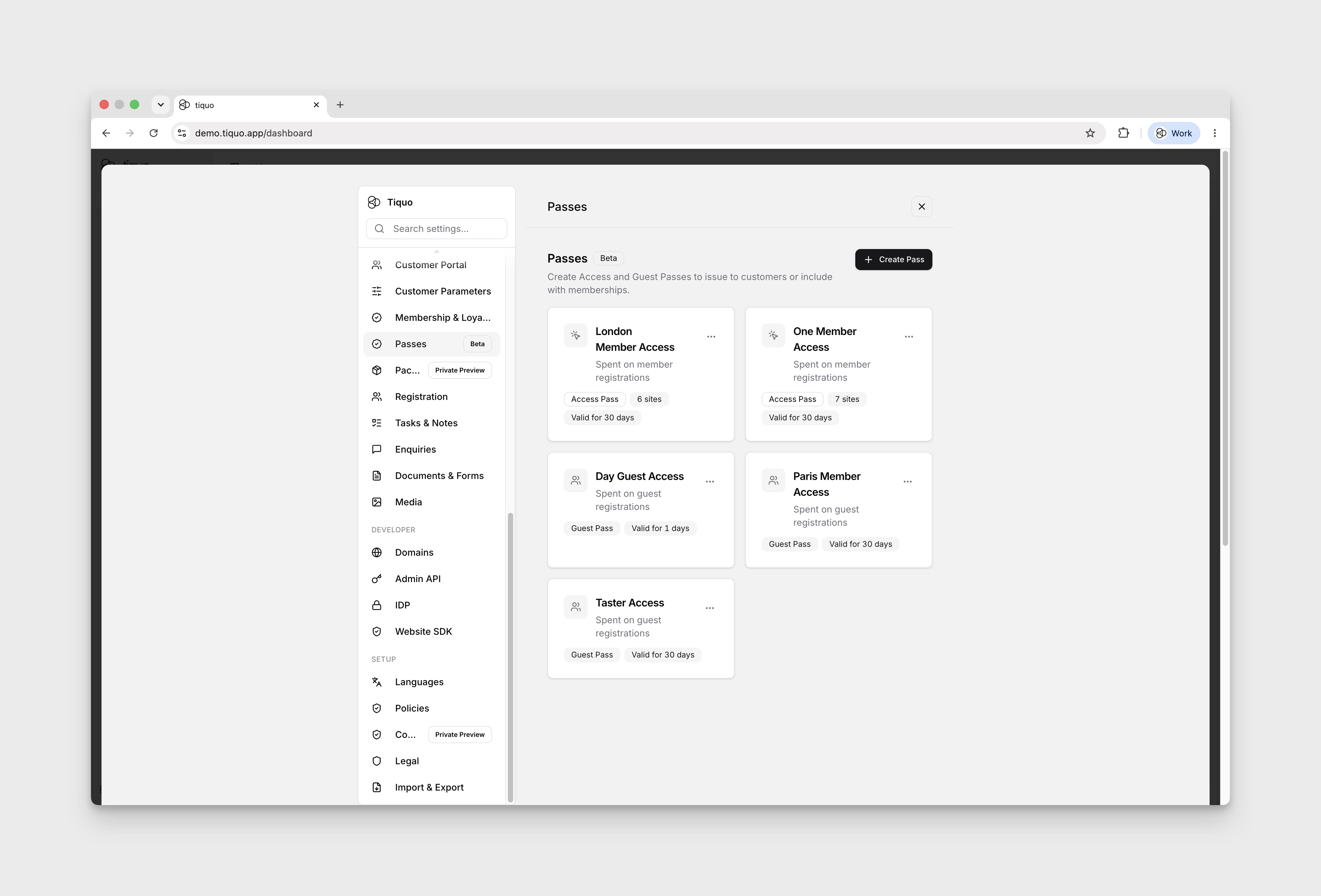
Use names that staff can recognise at the front desk, such as "Gym visits" or "Club and spa access". Creating a type does not give any customer a balance yet.
Issue passes to a customer
Open the customer's profile, find Passes, and choose Issue Passes. Select the Access Pass type, set the number of uses and the start date, then confirm the issue. Any expiry policy is calculated from that issued start date; the form shows the resulting expiry before you confirm.
The customer's Passes section shows their balance, where the pass can be used, and any expiry. Membership plans can also include Access Pass benefits. Those passes are subject to the membership's eligibility as well as the pass's own validity.
For example, you might create one "Gym visits" type and issue ten uses to Alex and five to Sam. They share a pass type, but each customer has their own balance.
When a registration uses a pass
For a customer's own registration, Tiquo checks access in this order:
- Default unlimited access. If the sublocation allows unlimited registration, no Access Pass is used.
- Membership unlimited access. If an eligible direct or company-inherited membership gives the customer unlimited access there, no Access Pass is used.
- Access Pass. If neither applies, Tiquo uses one eligible Access Pass use.
Only one Access Pass use is deducted for a registration, even when several passes would work. If the customer has no eligible access, the registration modal explains why registration is unavailable.
An expired pass, a pass that has not started, or a pass with no remaining uses cannot provide a new admission. The reuse window below is an exception for an admission that has already used an Access Pass.
Which pass is used first?
Tiquo chooses the eligible Access Pass that covers the fewest sublocations. This keeps a more flexible pass available for another visit. If two passes cover the same number of sublocations, the earlier expiry takes priority, followed by the earlier issue time.
Suppose a customer has:
- A pass for the gym and pool.
- A pass for the gym, pool, spa, and members lounge.
When they register at the gym, Tiquo uses the gym-and-pool pass. It does not deduct a use from both passes.
The 20-minute reuse window
After registration uses an Access Pass, that customer can register again at the same sublocation within 20 minutes without another Access Pass deduction. This also lets staff reopen the registration modal to add guests without spending another host Access Pass.
The window belongs to the same customer, organisation, and sublocation. It still applies if the first registration used the pass's last remaining use.
For example, an Access Pass used at 10:00 covers another registration there at 10:12. Registering again does not restart the clock. At 10:20, the window has ended and Tiquo checks access again.
Each registration is still recorded in the activity history. This rule does not apply to Guest Passes, registrations at another sublocation, or manual pass deductions.
Archive a type or revoke an issued pass
Archive a pass type in Settings > Passes/Packages when you no longer want to issue it. Existing records remain in customer pass history.
To withdraw an individual customer's active pass, use Revoke pass on their profile. Revocation stops that pass from being used and keeps its history. It does not erase previous registrations.
See Customer Registration for the front-desk workflow and Guest Passes for guest invitations and allowances. To show customers how many Access Passes they have left on your website, see Pass Balances.