
Discounts
Create controlled discounts for products, services, members, customers, and companies
Discounts let operators reduce the price of products or services in a controlled way, whether for members, specific customers, selected companies, promotions, or one-off goodwill gestures.
Navigating to Discounts
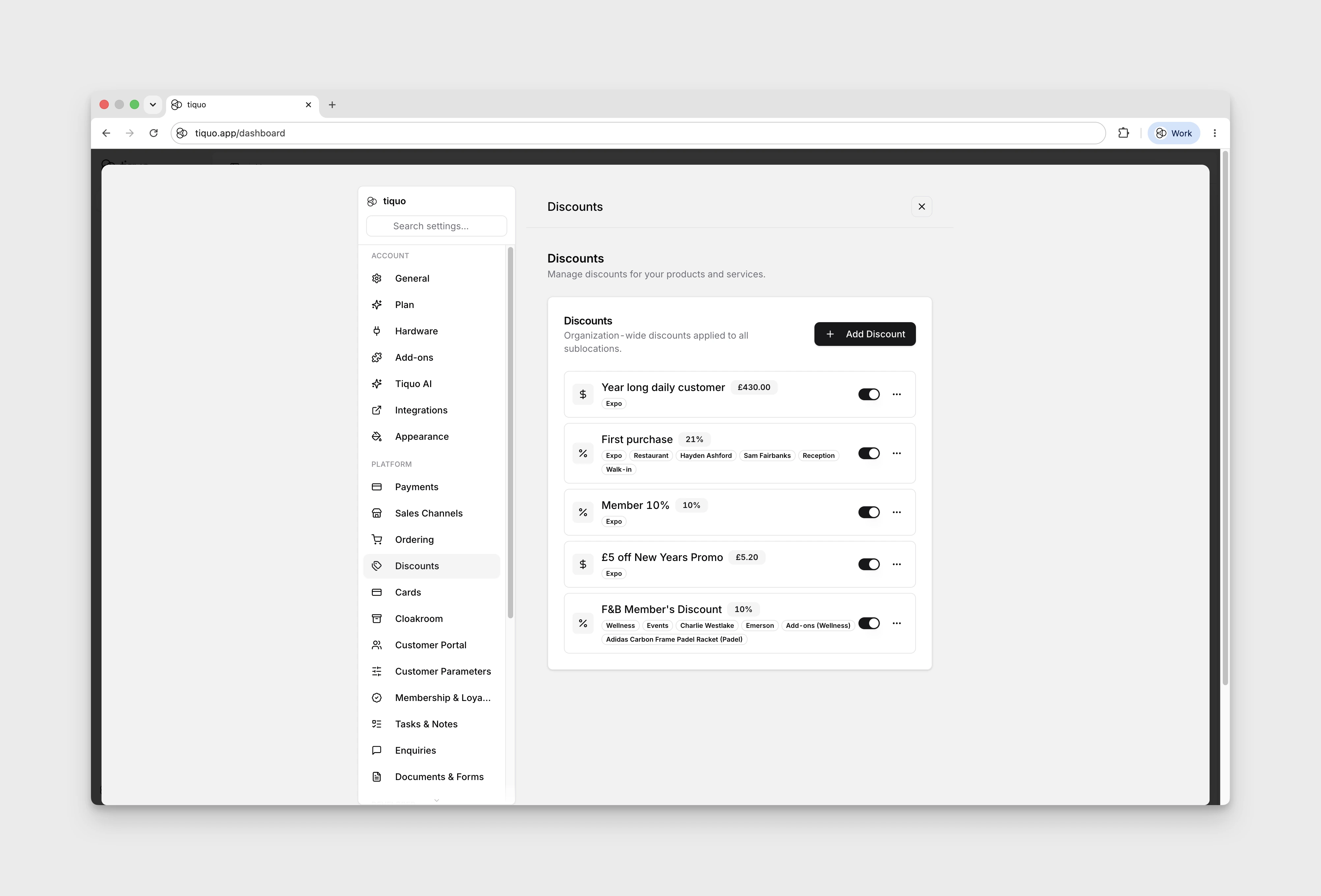
Discounts are configured under Settings > Discounts.
How Discounts Are Applied
A discount can be applied in several ways:
- Attached to a membership plan, so active members on that plan receive the discount automatically at checkout.
- Attached to a customer or company account, so only that account can use it. Customers can inherit discounts from a linked company.
- Applied by staff at checkout, selectively against eligible products, services, sublocations, or product categories.
- Configured with promo codes, so a code can be associated with the discount for customer-facing or operational redemption flows that support promo entry.
Variable discounts are applied manually. Staff enter the percentage or amount each time the discount is used, so they cannot be attached automatically to a customer or company account.
Configuring a Discount
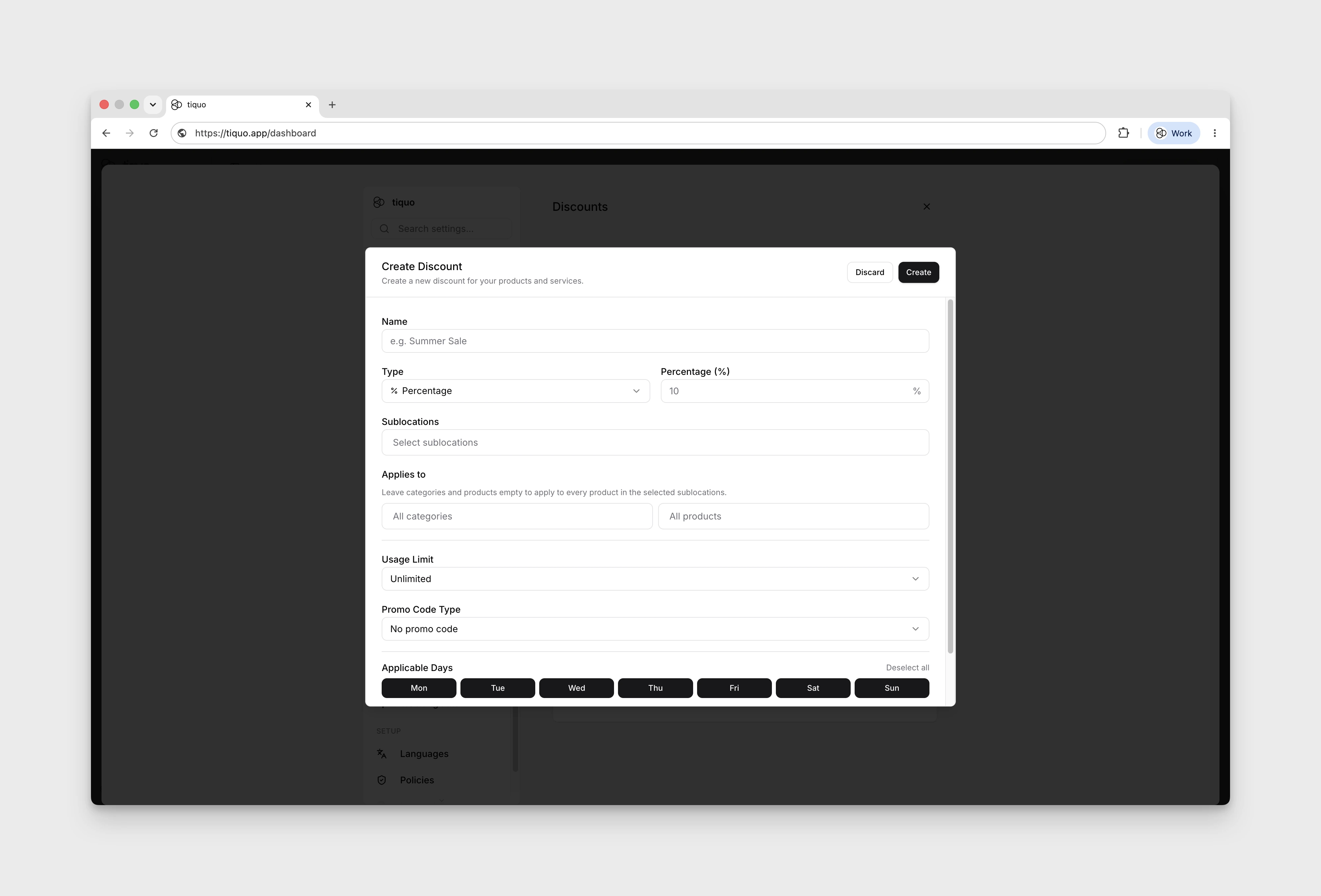
When you create a discount you can control:
- Type: percentage off or an amount, with a fixed value or a value entered by staff when applied.
- Scope: which products, sublocations, or categories the discount applies to.
- Applicable days: which weekdays the discount can be used.
- Applicable times: an optional start and end time. Leave both blank for all-day use. If set, both are required and cannot be equal; an end time earlier than the start creates an overnight window. Times are evaluated in the venue's local timezone.
- Redemption limit: unlimited, once per customer, or once per customer within a day, week, month, or year.
- Promo code: no code, one code, or multiple codes associated with the discount.
- Customer or company attachment: attach the discount directly to a specific customer or company account so only eligible accounts can use it.
- Membership plan attachment: attach the discount to one or more membership plans for automatic member benefits.
Variable discounts
Choose Variable percentage or Variable amount when the operator should decide the value at the POS. Staff must enter a positive value each time; a percentage cannot exceed 100%, and the discount cannot reduce a membership checkout to a zero balance.
Because the value does not exist until a staff member enters it, a variable discount cannot be applied automatically to an account. It can be selected for an eligible membership assignment, where the entered value is saved with that membership and reused only for eligible renewals.
Organise discounts into categories
Create organisational categories from Settings > Discounts, then drag discounts between categories or into Uncategorised. Category names must be unique. Renaming or moving a category does not change the underlying discount.
Deleting a category moves its discounts to Uncategorised; it does not disable or delete them.
POS permission and approval
Applying a discount and managing discount configuration require the relevant pricing permissions. A configured discount's product, service, category, sublocation, time, day, promo, and redemption rules are still enforced when it is selected at the POS.