

Locations & Sublocations
Understanding how locations and sublocations define the physical and operational structure of a business within Tiquo
Locations and sublocations define the physical and operational structure of a business within Tiquo.
A location represents the overall venue or destination, while sublocations represent the individual operational environments where services are delivered and transactions occur.
Use this structure to manage several operational areas within one venue.
Navigating to locations
Open Locations in the main sidebar, choose a location, then select a sublocation to manage its products, services, inventory, and settings.
The locations page
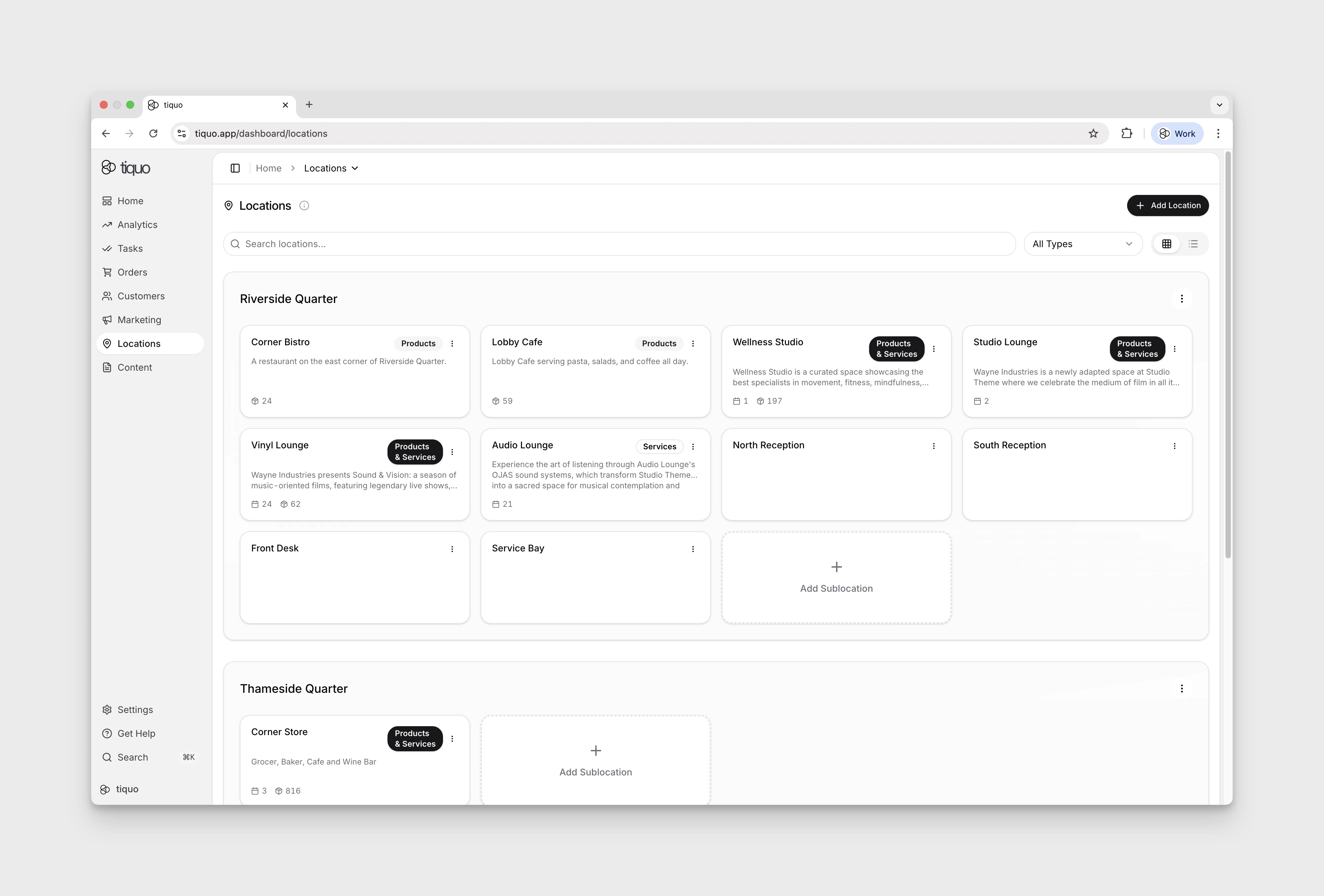
The Locations page shows every location in the organisation, each as a labelled section containing the sublocations that belong to it.
Location controls
- Search locations: free-text search across all locations and sublocations
- All Types: filter by services, products, or both
- View toggle: switch between grid and list views
- Search Products/Services: find a product or service in any sublocation. See Searching products and services.
- Add Location: create a new location, in the top-right
Archived sublocations can be recovered via the View archived link on each location group header.
Searching products and services
Use Search Products/Services when you know the item but not the sublocation it belongs to. The button is shown to members with the products.configure permission or a Configure Services permission.
- On the Locations page, select Search Products/Services.
- Type a name or SKU. Results update as you type and cover every active sublocation at the locations you can access.
- Select a result, or press Enter to open the top result. Tiquo opens Configure Products or Configure Services for that item's sublocation.
The search tolerates small typos, so "expreso" still finds "Espresso", and it ignores accents and letter case. Each result shows the item's type, category, sublocation, and location. Badges mark items that are Draft, Inactive, or Archived. A product linked into several sublocations appears once for each sublocation and carries a Linked badge. Members who can configure both products and services can narrow the results with All, Products, or Services.
If AI Search Matching is on under Settings > Tiquo AI, the search also finds an item named in another location's language, for example "Agua con gas" when you search "Sparkling water". Only the search text is sent to the AI provider. Typo-tolerant matching does not use AI and works whether or not this setting is on.
Creating a new location
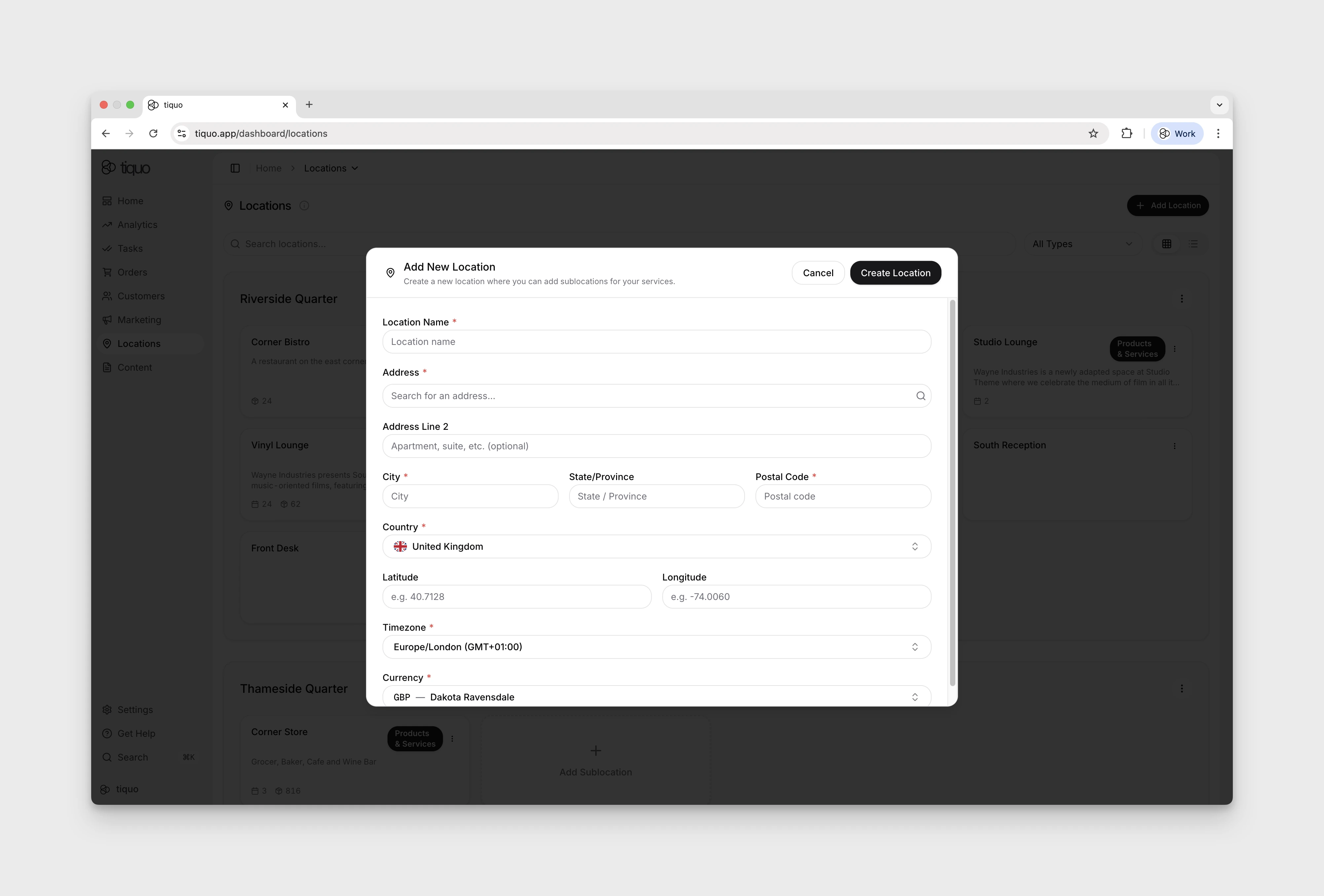
Users with the locations.create permission can click + Add Location in the top-right of the Locations page to open the Add New Location form. A location is the top-level venue or destination that sublocations sit inside.
Typical locations include:
- Hotel
- Private members club
- Wellness centre
- Office building
- Entertainment venue
Enter the required Location Name, Address, City, Postal Code, Country, Timezone, and Currency. Address Line 2, State/Province, latitude, and longitude are optional. Select Create Location to save. The new location appears as its own section on the Locations page, ready to have sublocations added inside it.
Country, timezone, currency, and language
- Country: only countries listed as Currently Supported in Supported Regions can be selected. The form shows the country's support details below the picker.
- Timezone and Currency: filled in from the address. Choosing an address from the suggestions, or changing the country or state, updates both fields. Moving the address to another country replaces them with that country's time zone and currency. A time zone or currency you pick yourself stays while the address remains in the same country. When the country or state spans more than one time zone, a note below Timezone asks you to choose or check it.
- Currency in a multi-currency organisation: to create a location in a currency your other locations do not use, first set a Default Organisation Currency under Settings > Payments. The form shows a reminder when this applies.
- Receipt & invoice language: the language printed on the location's receipts, invoices, and receipt emails. It defaults from the country (for example Español for Spain or Français for France), and you can pick any of the 33 available languages. Sublocations inherit it.
Check these values before saving. Country, timezone, currency, and receipt & invoice language are locked once the location is created. Contact Tiquo support if the country, timezone, or currency needs to change.
Creating a new sublocation
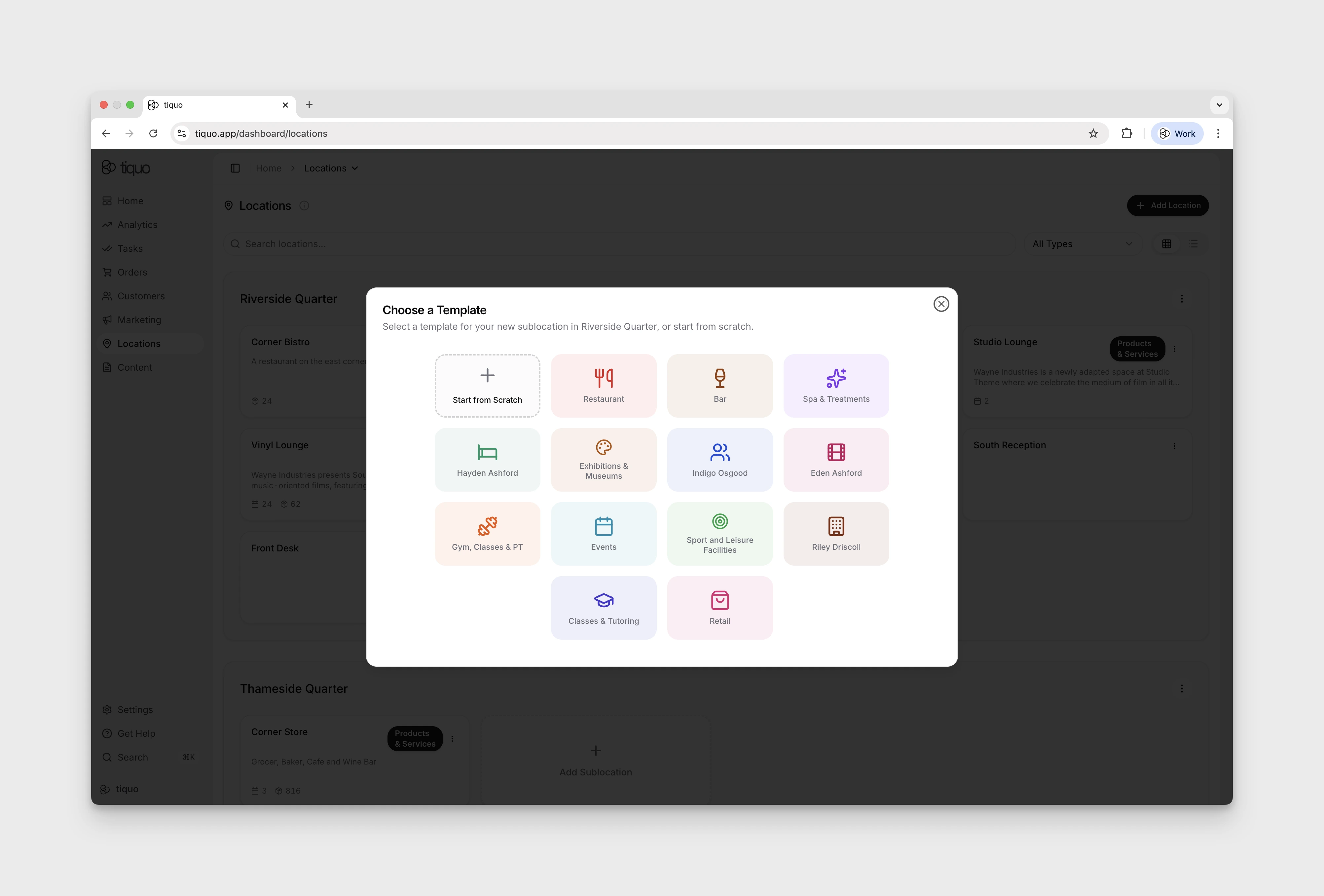
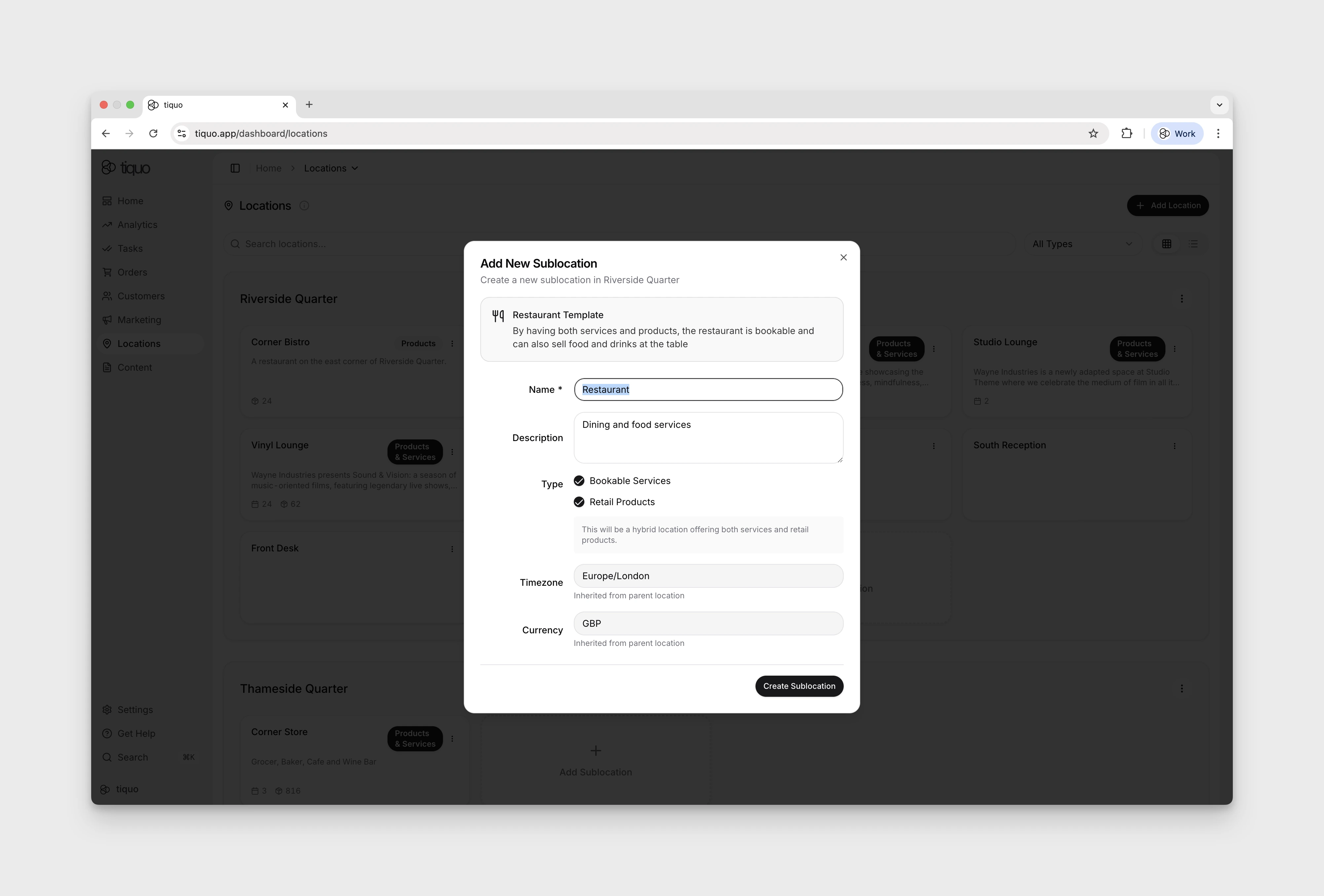
Inside any location group, click the + Add Sublocation tile to open Choose a Template. Selecting a template opens the Add New Sublocation form. A sublocation is a unique operational environment within a location where services are delivered and transactions occur.
Typical sublocations include:
- Restaurant
- Bar
- Spa
- Retail shop
- Hotel accommodation
- Coworking space
Sublocations can be created two ways:
- From scratch: a blank sublocation where you configure services, products, and settings yourself.
- From a template: start with the venue name, description, service/product type, and the canonical customer/staff flow configuration for a common operation such as a restaurant, bar, spa, hotel, retail shop, or event.
Selecting a template opens the creation form with those defaults already selected. It does not create example services, inventory resources, products, categories, or order profiles. Add the real catalogue and resources after the sublocation has been created.
Restaurant and cinema/concert/theatre templates enable Floor Plans by default. Other service-capable sublocations can enable Floor Plans later from Sublocation Settings > General.
Opening a sublocation
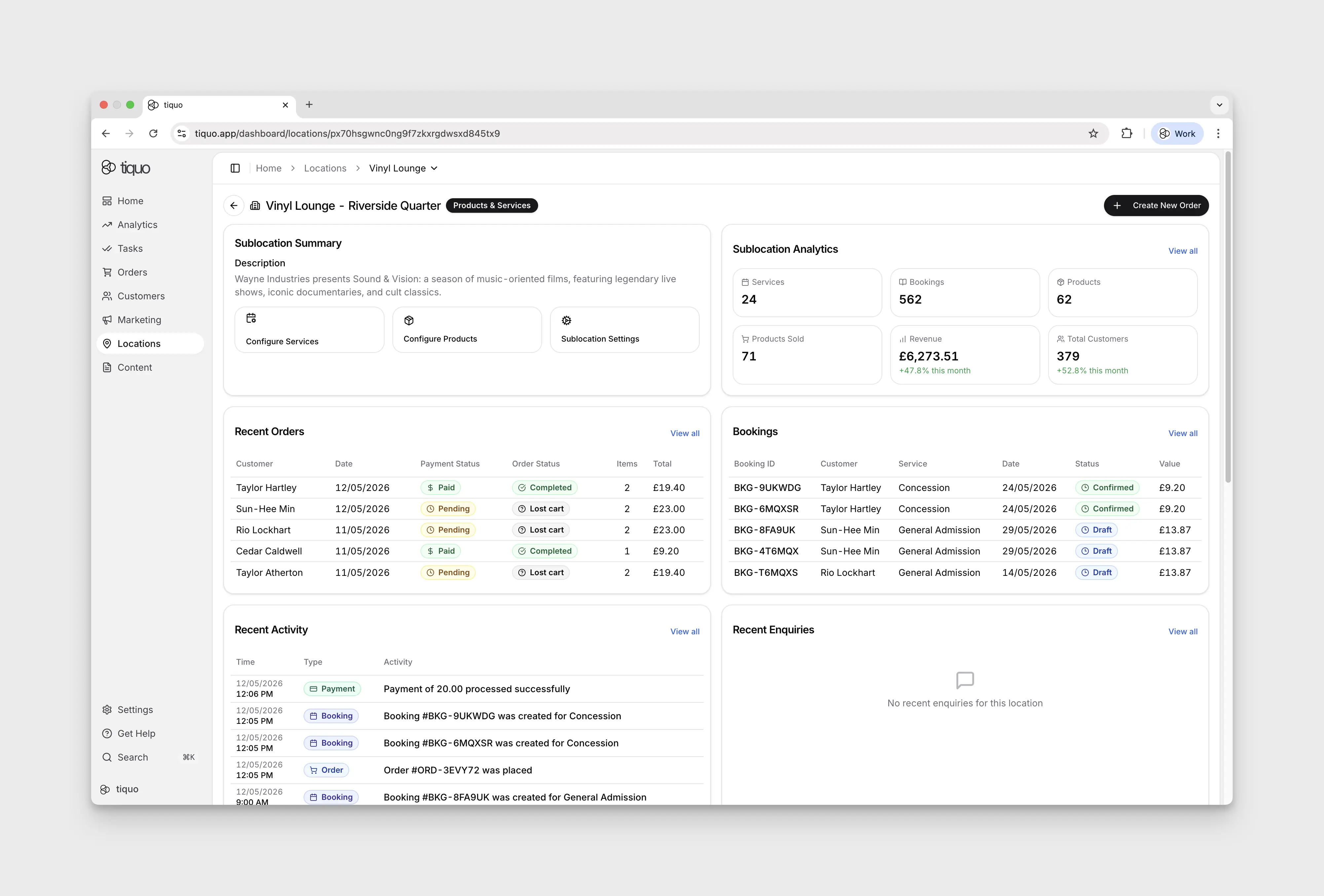
Most operational components of the platform are configured at the sublocation level. Products, services, inventory, bookings, and orders all live inside a sublocation. That lets each sublocation:
- Maintain its own product catalog
- Manage its own services
- Track its own orders
- Control its own inventory
Open Locations and select a sublocation card under its location heading. Its operational workspace provides:
- Configure Products: the sublocation's product catalog
- Configure Services: the service configuration workspace, which may open in Simple Mode rather than the visual flow builder
- Sublocation Settings: configuration for general details, hours, address, appearance, payments, discounts, notifications, security, mobile behaviour, and the product/service-specific tabs available to that sublocation
Editing the sublocation layout
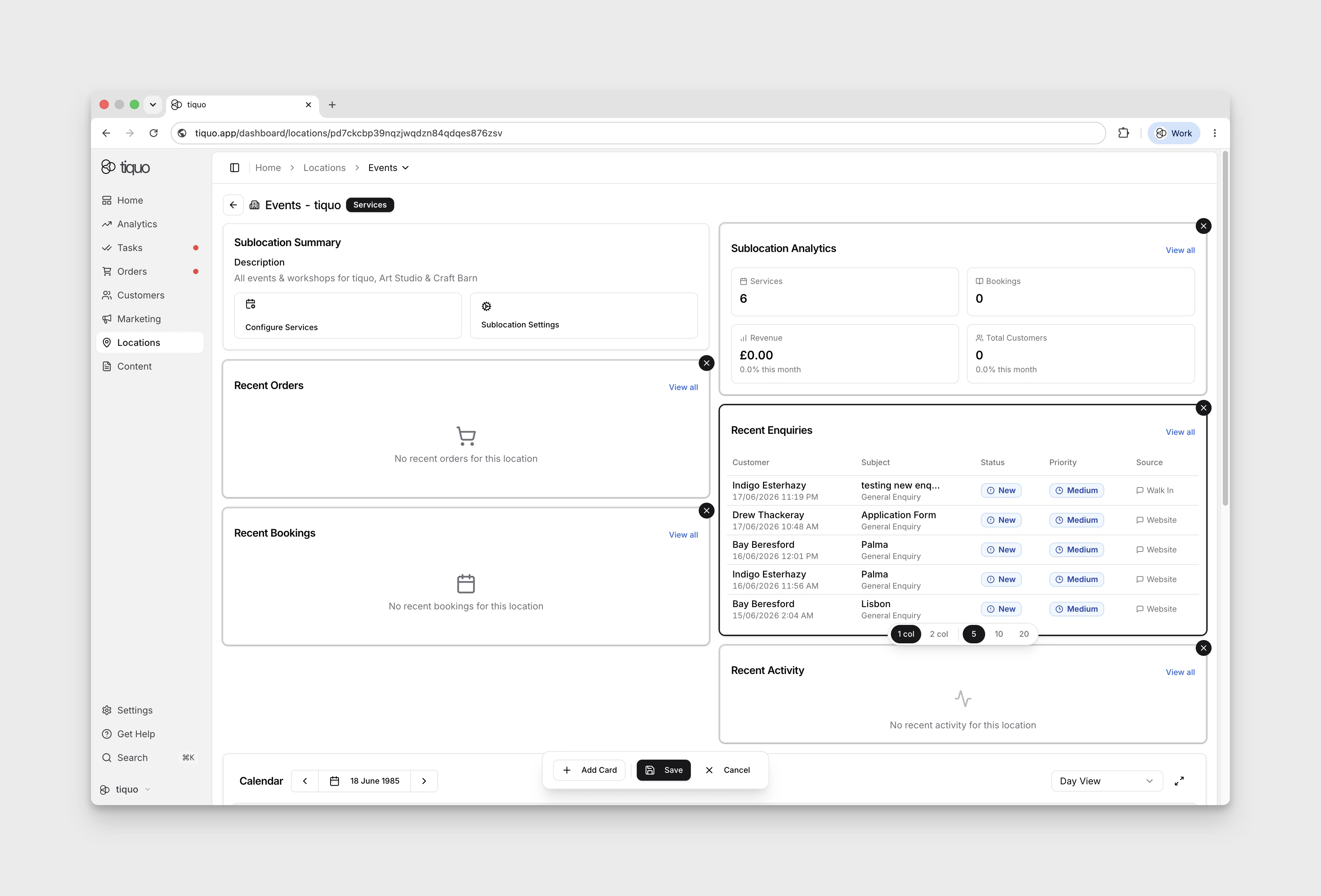
The sublocation detail page is customisable. Press the Edit button at the top right of the page to enter edit mode, where you can add, remove, and rearrange cards on the page. Select a card to reveal 1 col and 2 col width controls. Drag the card by its header to move it.
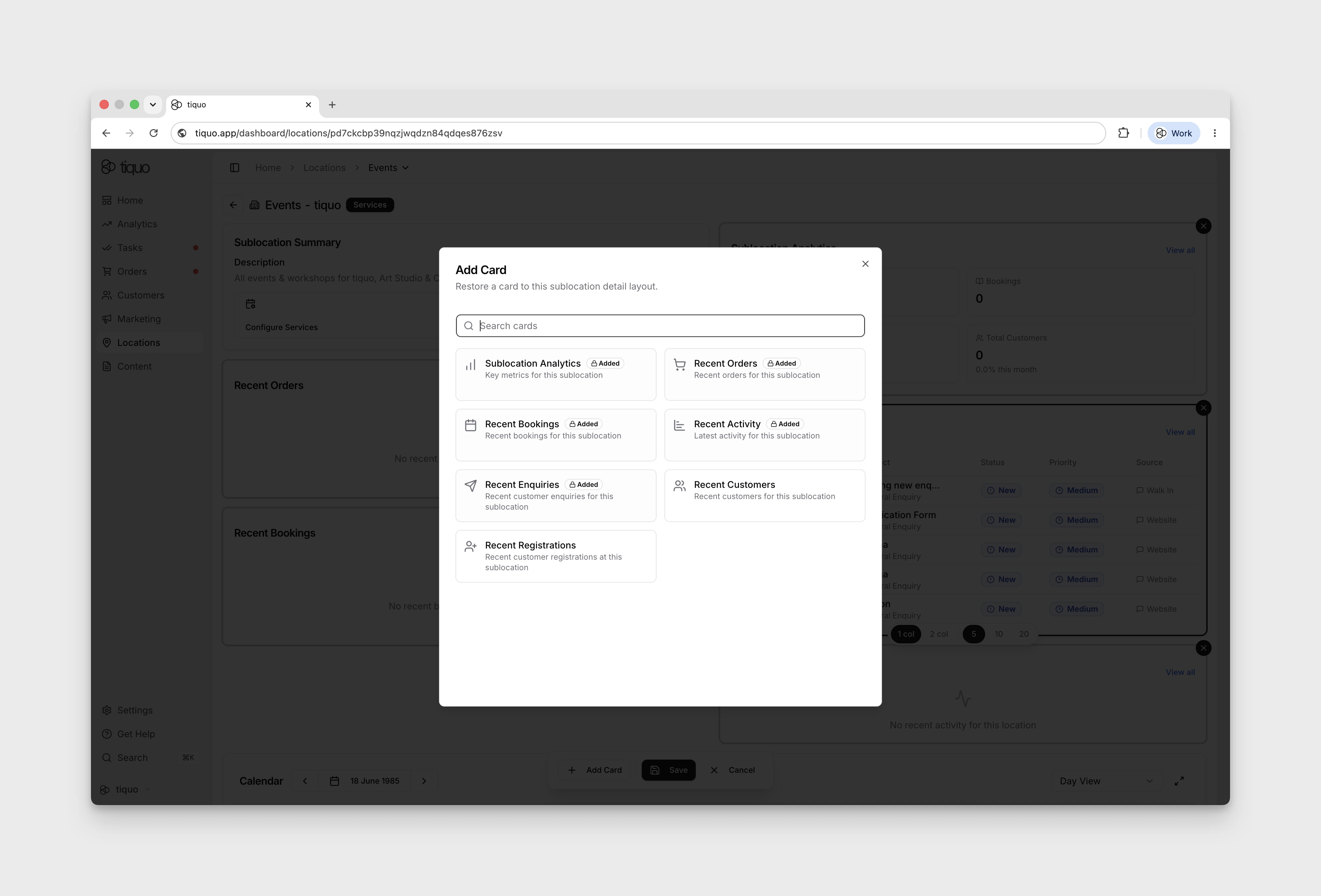
Use Add Card to select an available summary card, then close the chooser to return to the layout. Select Save to keep the layout; saved cards remain after reloading the page. To remove a card from the layout, enter Edit, use that card's Remove card control, and select Save again.
Place the cards staff use most often first.
Example structure
Location: Members Club
Sublocations:
- Restaurant A
- Restaurant B
- Main Bar
- Hotel
- Spa
Each inventory record has a home sublocation, and services, products, and orders are configured in a sublocation context. Inventory can still be linked into compatible service configurations across multiple sublocations when the same physical resource is intentionally shared.
Services and products in sublocations
A single sublocation can offer both services and products.
Example:
Location: Wellness Center Sublocation: Spa
The Spa sublocation may include:
Services:
- Massage Appointment
- Facial Treatment
Products:
- Herbal Tea
- Face Cream
- Massage Oil
You can sell services and retail items from the same sublocation.
Orders and sublocations
Orders are always tied to a specific sublocation, so transactions record the operational environment where the purchase occurred.
Example:
Order:
- Massage Appointment (Spa sublocation)
- Herbal Tea (Spa sublocation)
- Face Cream (Spa sublocation)
Operational independence
Each sublocation can operate independently while still being part of the same location. This structure allows complex venues to manage multiple business operations within a single platform.