

Services
Configure bookable services, pricing, duration, capacity, and availability within sublocations
Services represent bookable offerings in Tiquo.
A service defines what a customer can reserve, such as an appointment, experience, or activity. Any time-based offering in Tiquo is managed as a booking. Services define what can be booked, while bookings manage the operational scheduling of that service.
Examples include:
- Massage appointment
- Spa treatment
- Fitness class
- Private session
- Workshop
Services are configured within a sublocation and determine how bookings are scheduled, priced, and managed.
Navigating to Services
Services are configured per sublocation. To open the services workspace:
- From the main sidebar, select Locations.
- Choose a location, then click the sublocation card whose services you want to manage.
- Open the Configure Services section within that sublocation.
Simple Mode
The Configure Services page has a Simple Mode designed to cover everyday service configuration without needing to edit the advanced flow graph. The exact layout adapts depending on the template chosen for the sublocation.
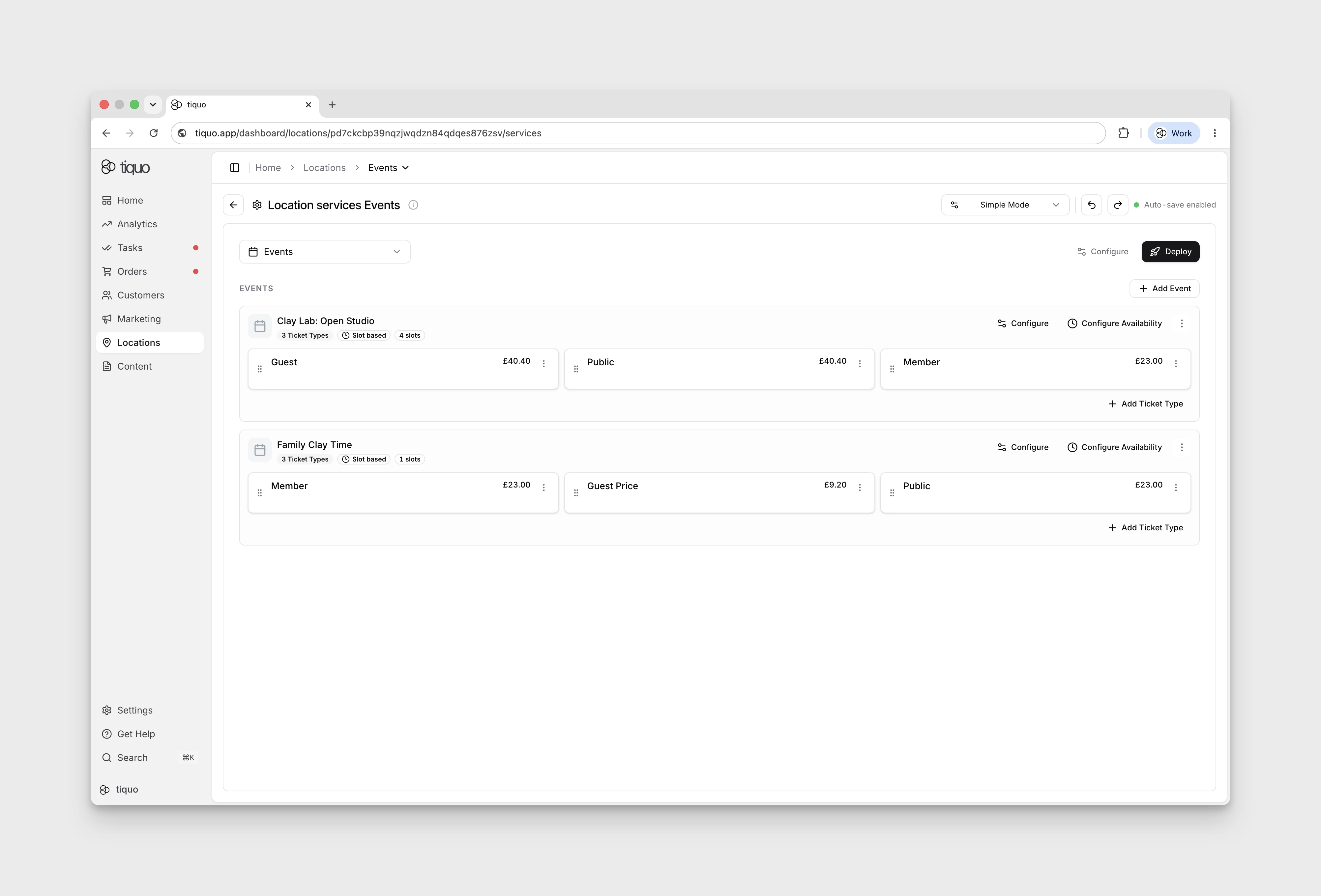
Taking an events-style template as an example:
- Click + Add Event to create a new service category.
- Use Configure on an event to update the event details.
- Click + Add Ticket Type to add services under that event.
- Open a ticket type's settings to edit pricing, access rules, and other per-ticket options.
- Click Configure Availability to set the capacity, schedule, and slots for the event.
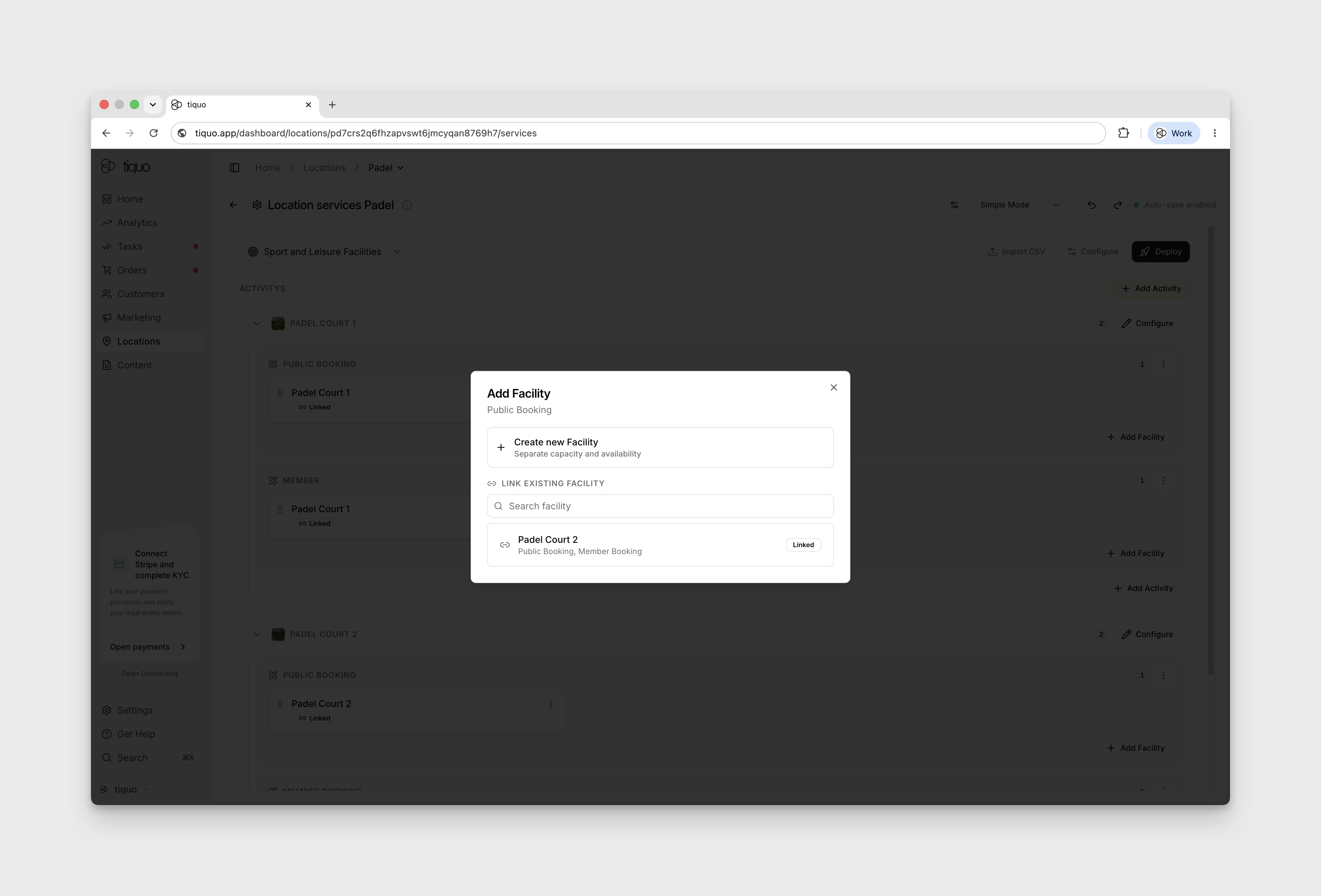
For services that fill up shared facilities (padel courts, meeting rooms, treatment rooms, and similar), you can link the same facility to multiple tickets. For example, a padel court can back several different booking tickets (member, guest, public) and any booking across those tickets consumes the shared court capacity. Facility linking is configured via the Add Facility action on a ticket.
Simple Mode handles common day-to-day setup. For full flow control, including multiple customer flows, detailed inventory connections, and custom graph structures, Advanced Mode remains available.
Advanced Mode and Flow Builder
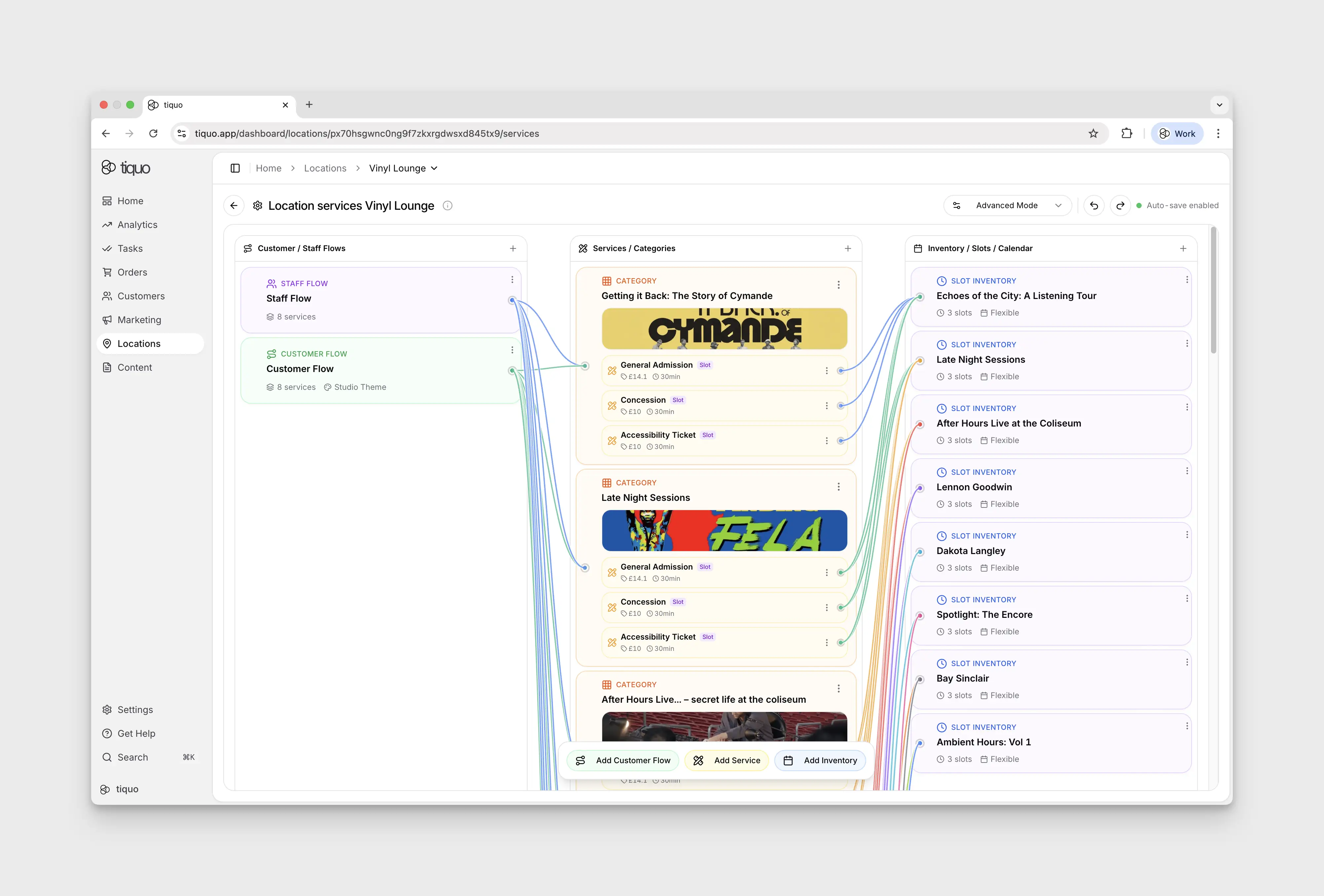
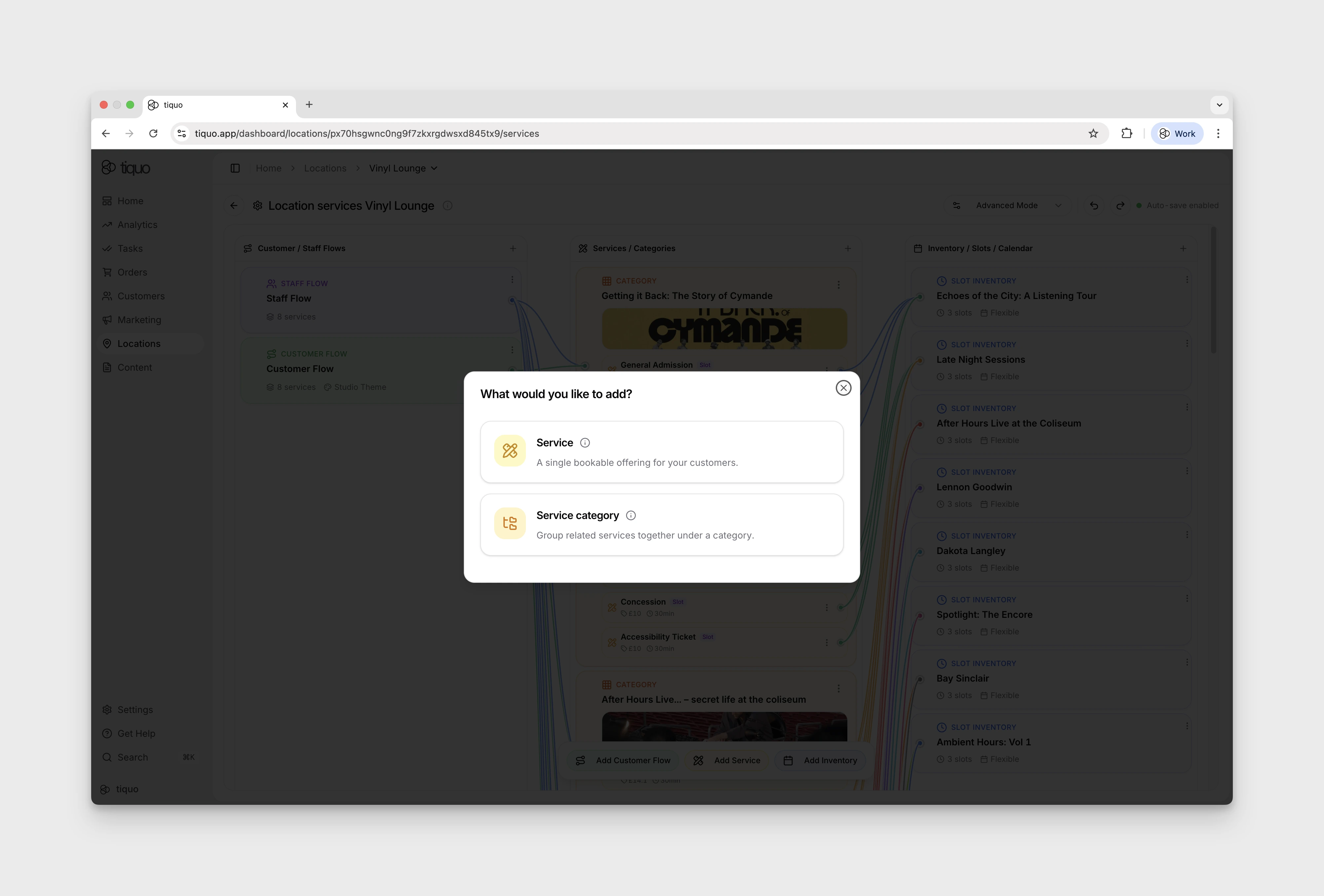
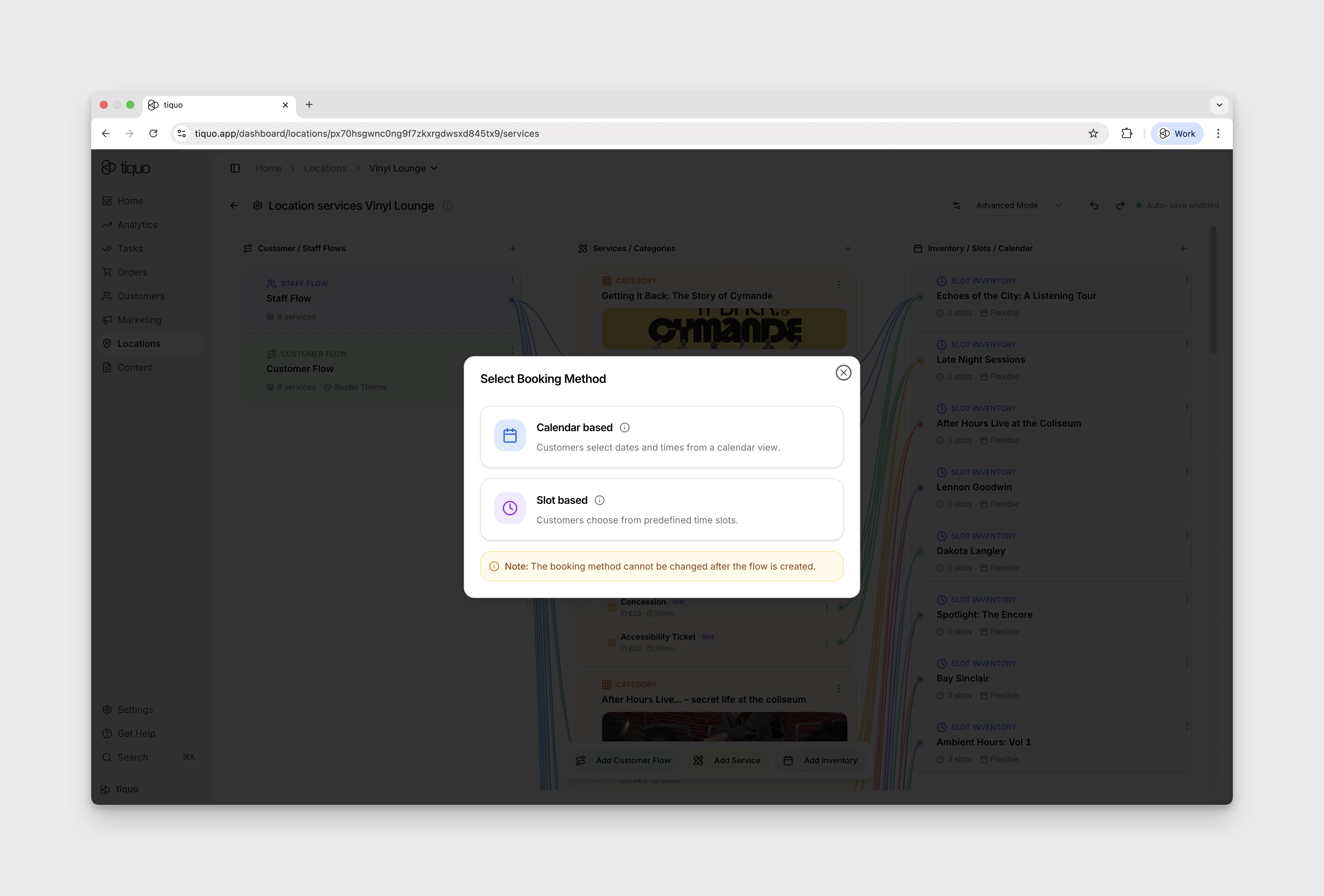
Advanced Mode is a three-column visual flow builder showing how customer and staff journeys connect to services and inventory. The + button at each column header adds a new card for the respective columns. These can also be added from the bottom action bar.
Guided Setup and Templates
Some sublocation templates use a guided setup flow to create the right services and inventory structure for the type of business being configured.
Guided setup is useful when the inventory is the main thing customers book. For example:
- Restaurants and bars can be set up around tables
- Hotels can be set up around rooms
- Meeting spaces can be set up around rooms or bookable spaces
- Spas can be set up around treatment rooms or therapists
- Events can be set up around ticket types and scheduled slots
These guided flows still create normal Tiquo services, customer flows, staff flows, and inventory behind the scenes. They simply reduce the number of manual steps needed to get a common venue type operational.
Advanced mode remains available for teams that need to customise flow connections, service categories, inventory rules, pricing, or availability in more detail.
Customer / Staff Flows
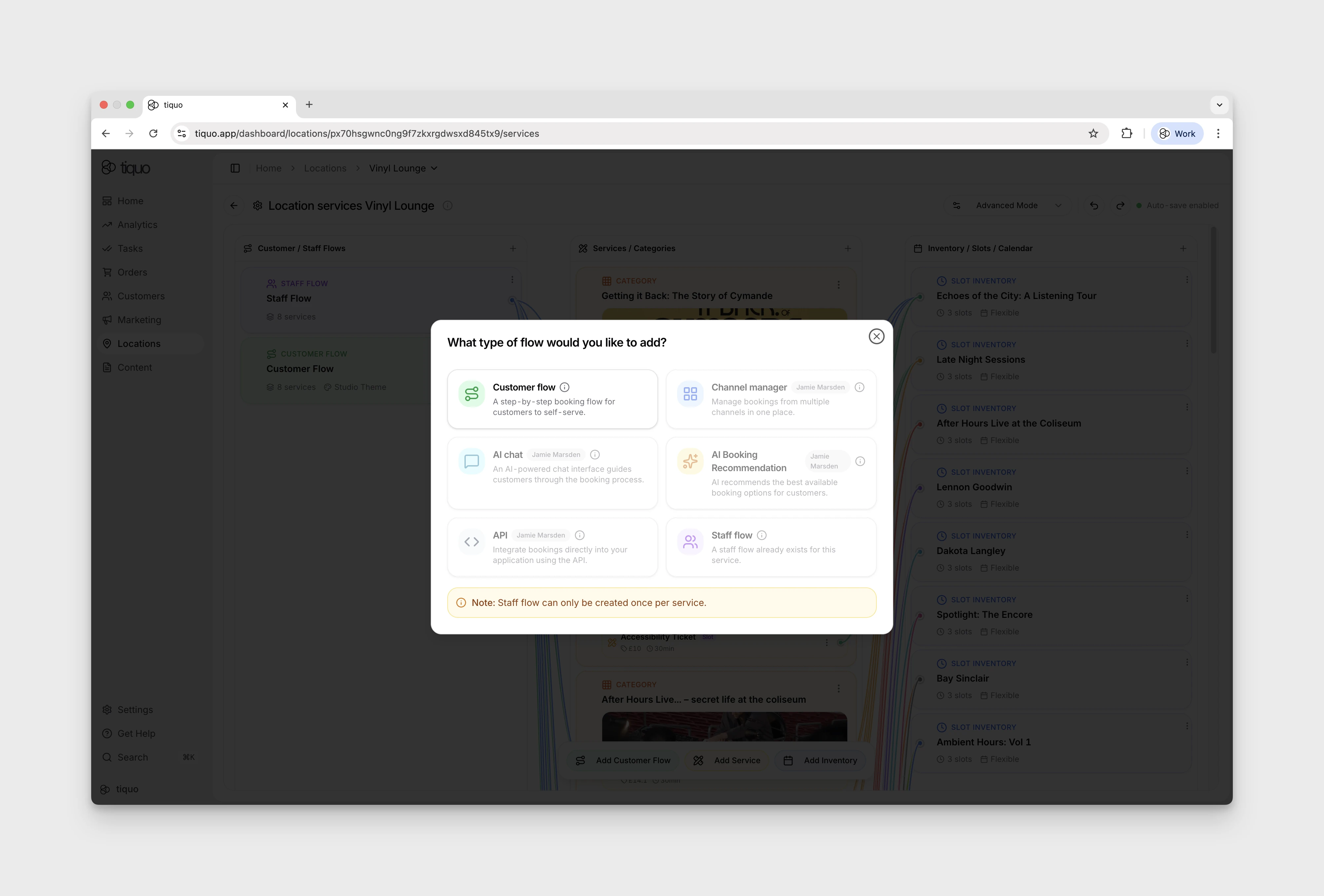
Defines how bookings are initiated. Two flow types exist:
- Customer Flow: the booking journey customers follow when they book themselves (website, portal, branded flow)
- Staff Flow: the booking journey staff follow when booking on behalf of a customer in Tiquo through bookings and orders
Customer-facing booking surface: each Customer Flow deploys to its own Hosted Page URL and Embed Code (see the Customer Flow editor's Deployment tab). Customers reach a flow via that hosted page, an embed on the operator's website, or a branded shareable link. Whatever services are connected to that flow are the services the customer sees; the inventory connections drive resource allocation when the booking is created.
Customer Flow Editor
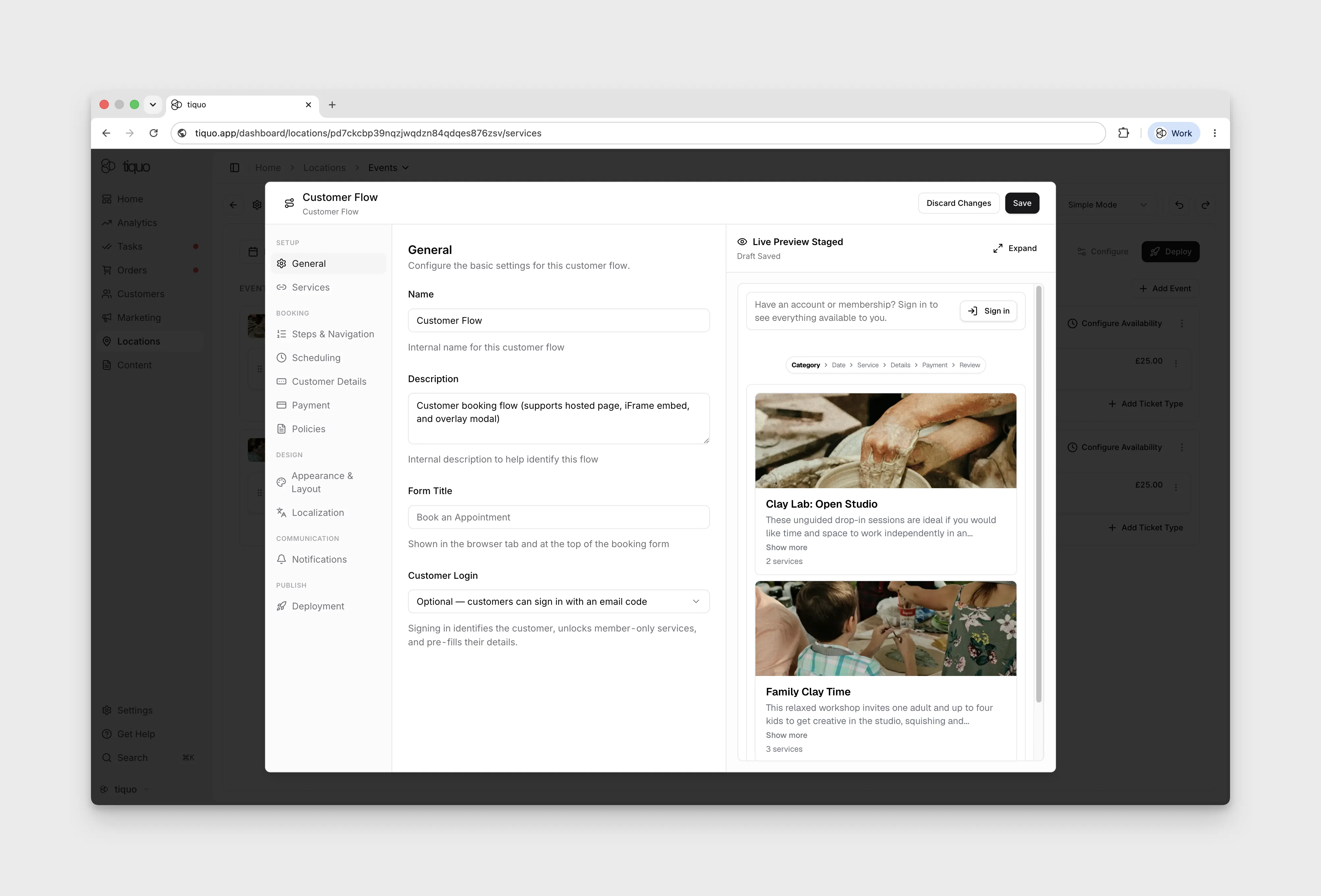
The editor is organised into tabs. Each tab controls one part of the customer-facing booking journey.
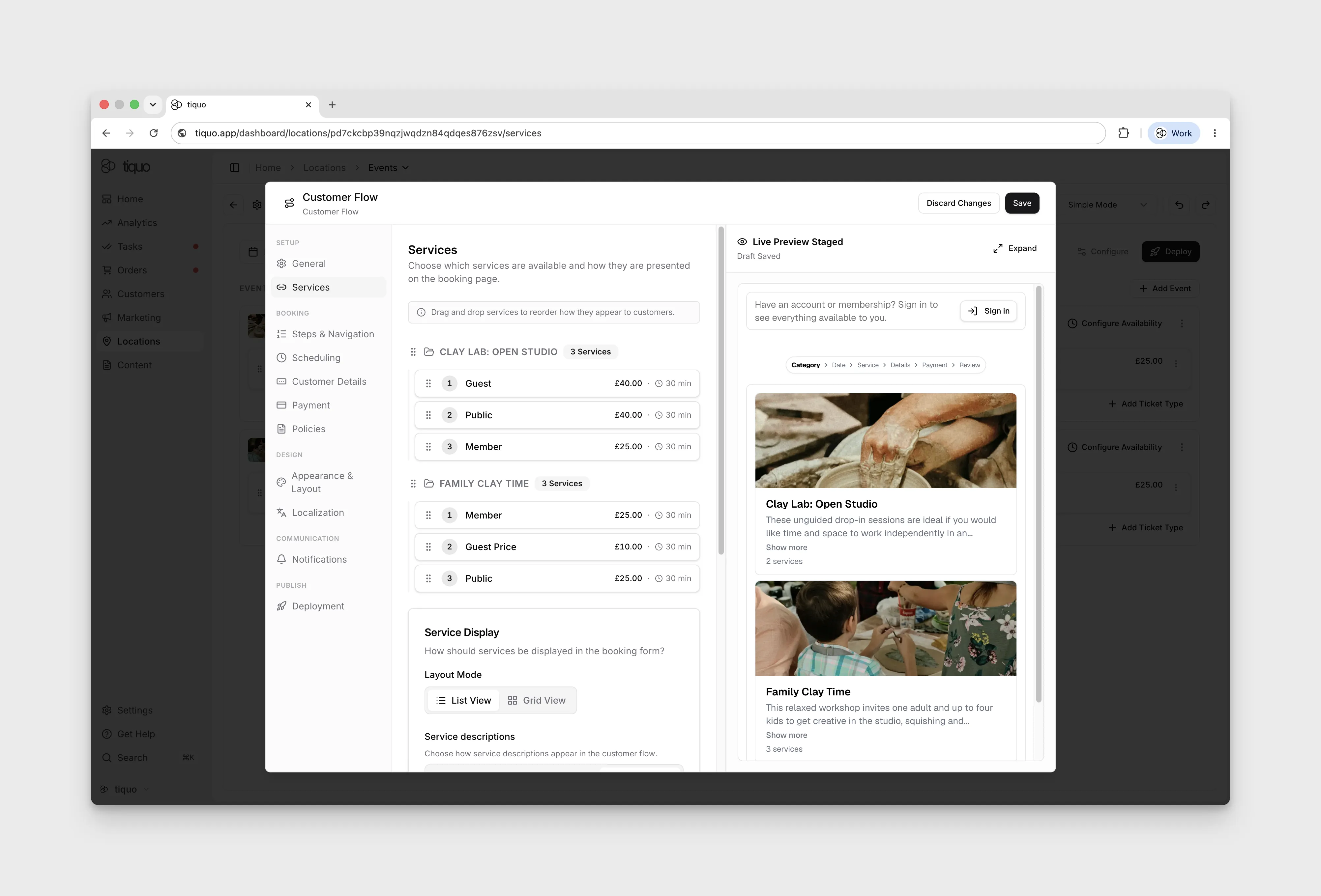
Setup > Services
Choose which services are available on the flow and how they are presented on the booking page.
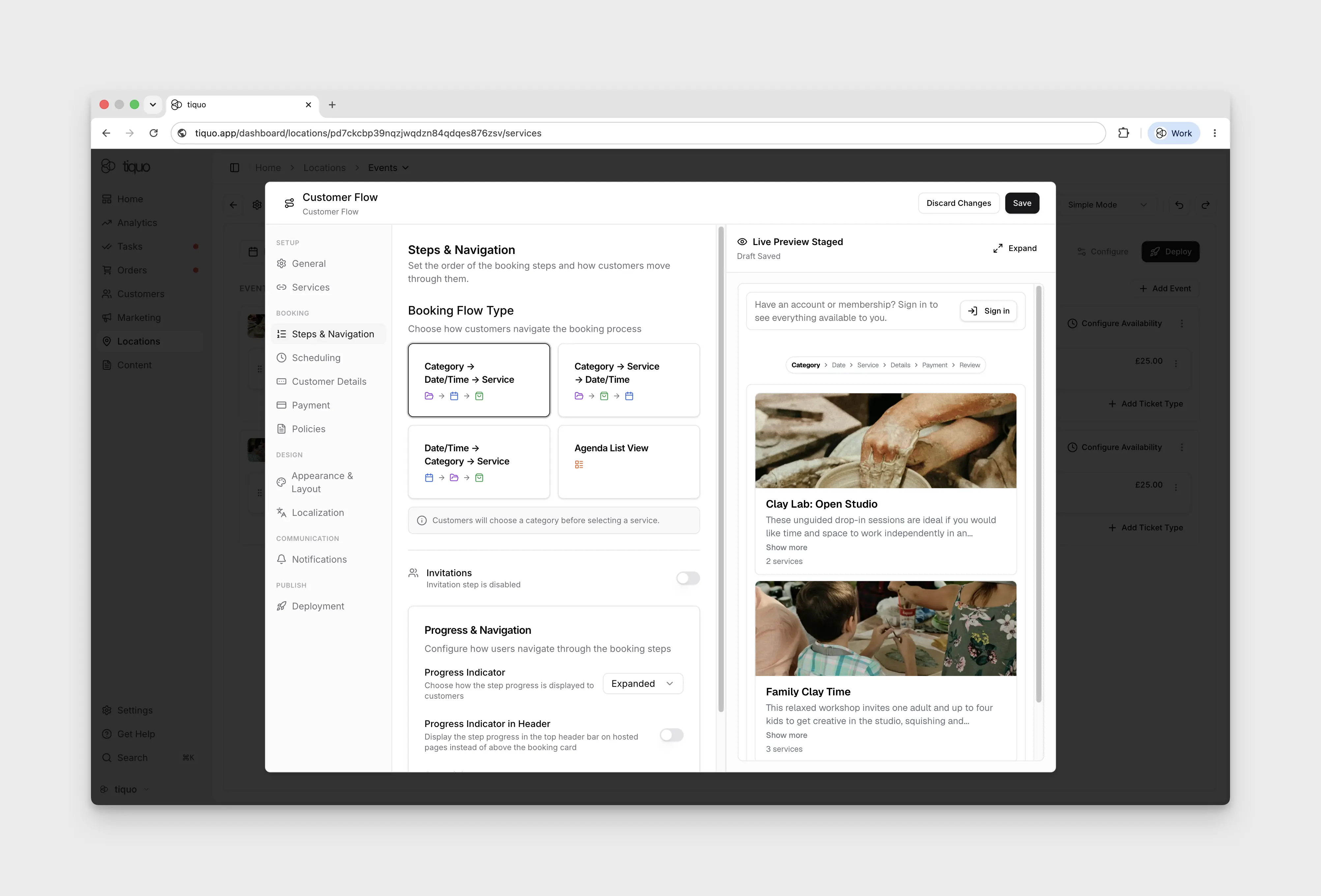
Setup > Steps & Navigation
Set the order of the booking steps and how customers move through them.
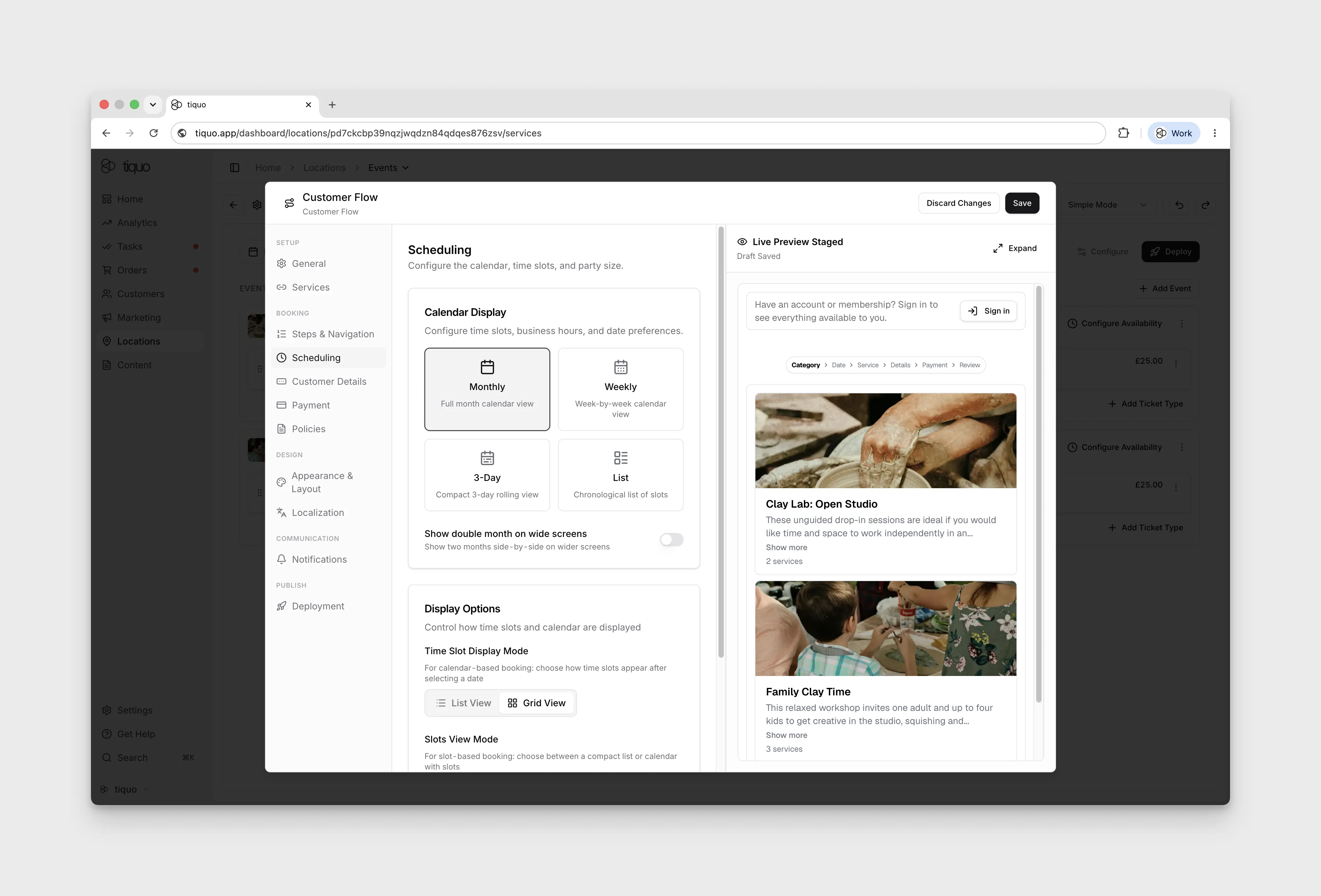
Setup > Scheduling
Configure the calendar, time slots, and party size.
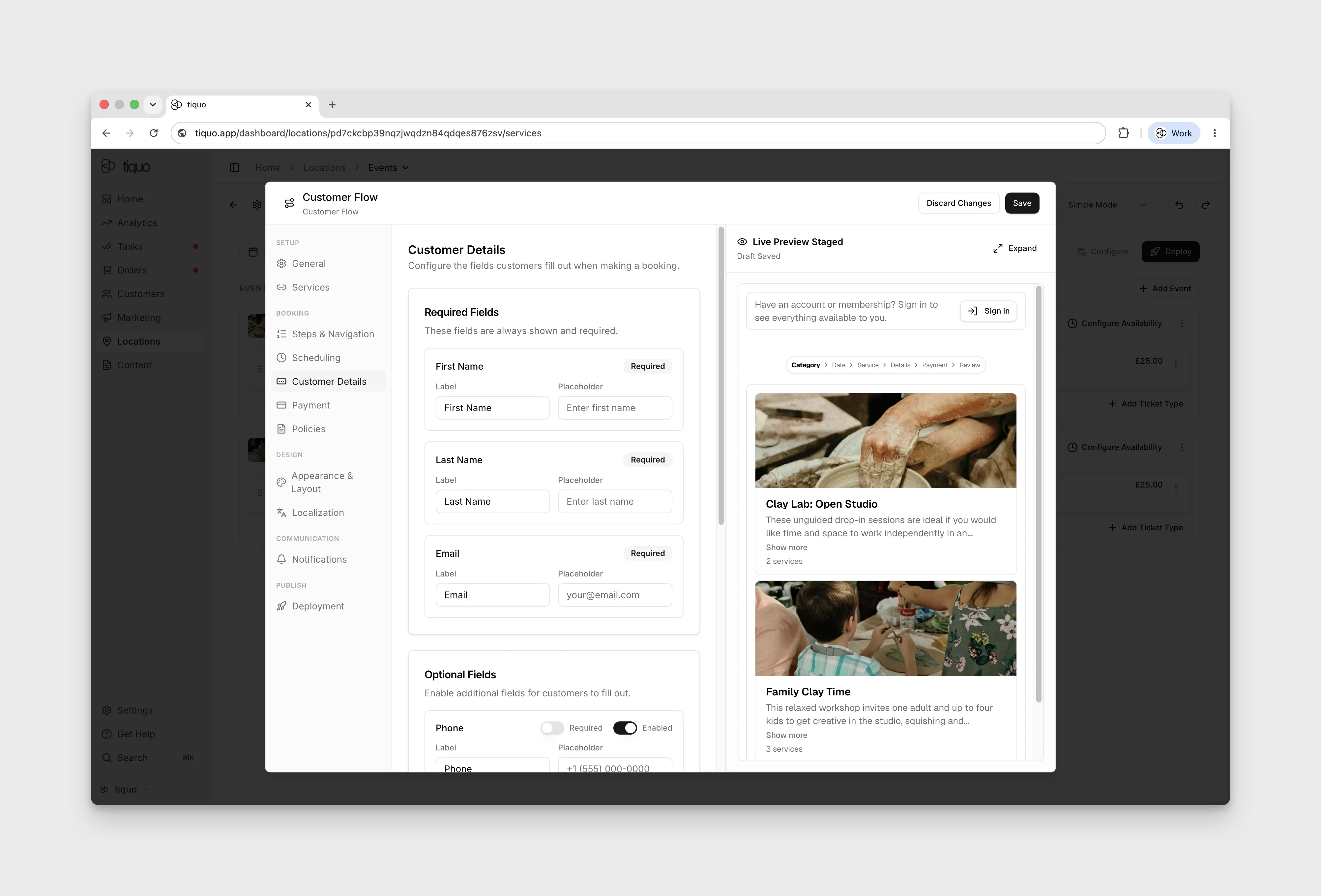
Setup > Customer Details
Configure the fields customers fill out when making a booking.
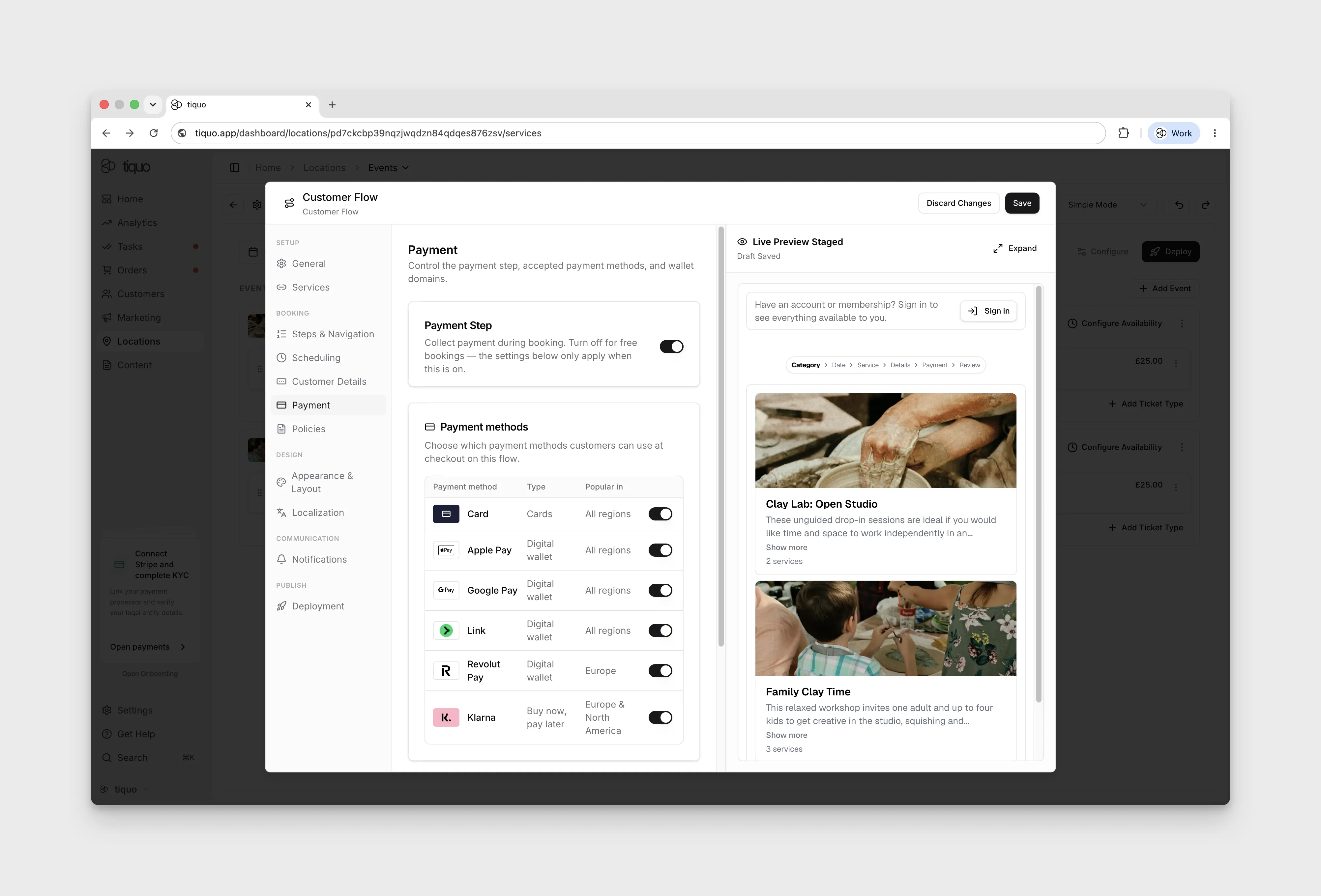
Setup > Payment
Control the payment step, accepted payment methods, and wallet domains.
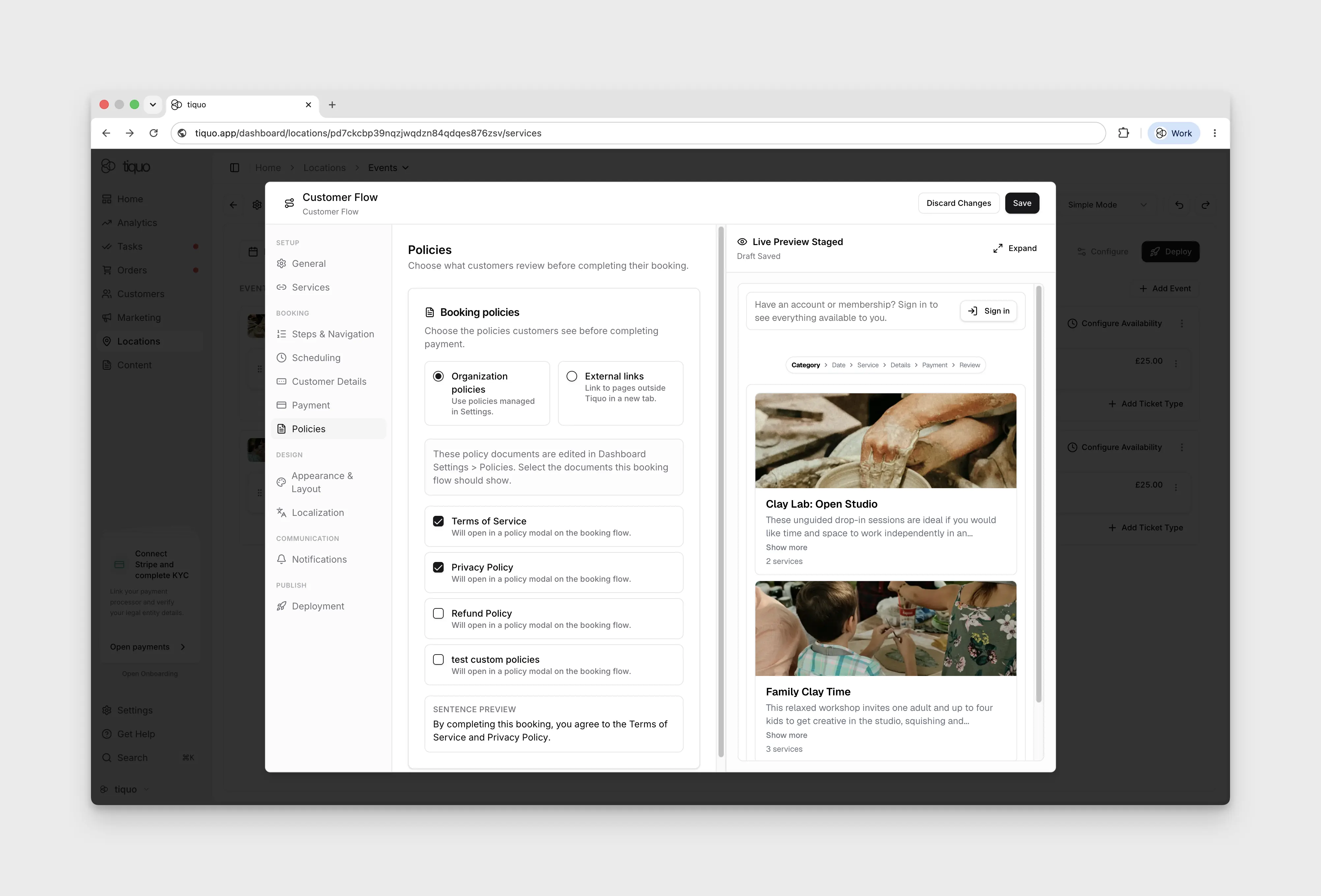
Setup > Policies
Choose what customers review before completing their booking.
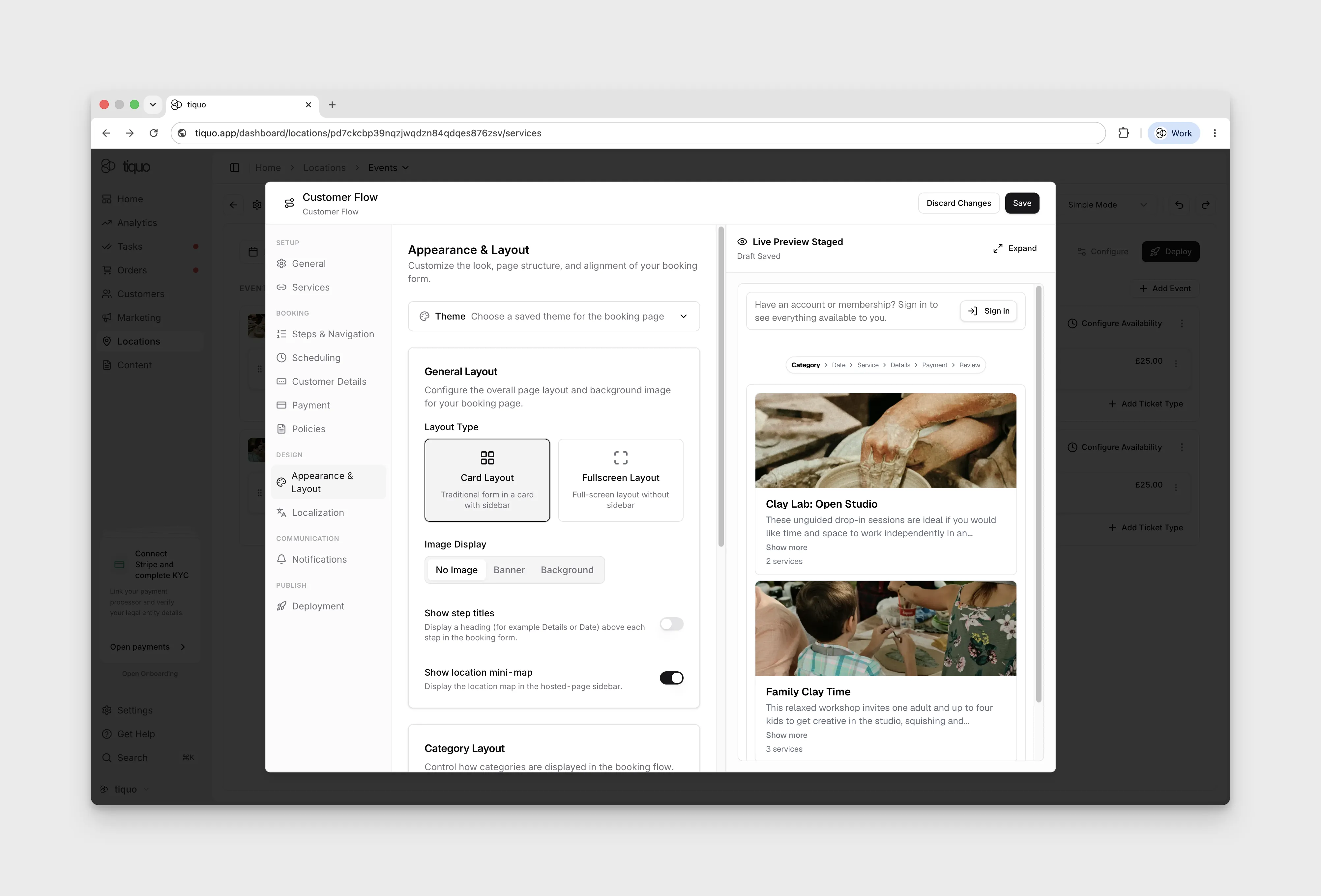
Appearance & Layout
Customise the look, page structure, and alignment of the booking form.
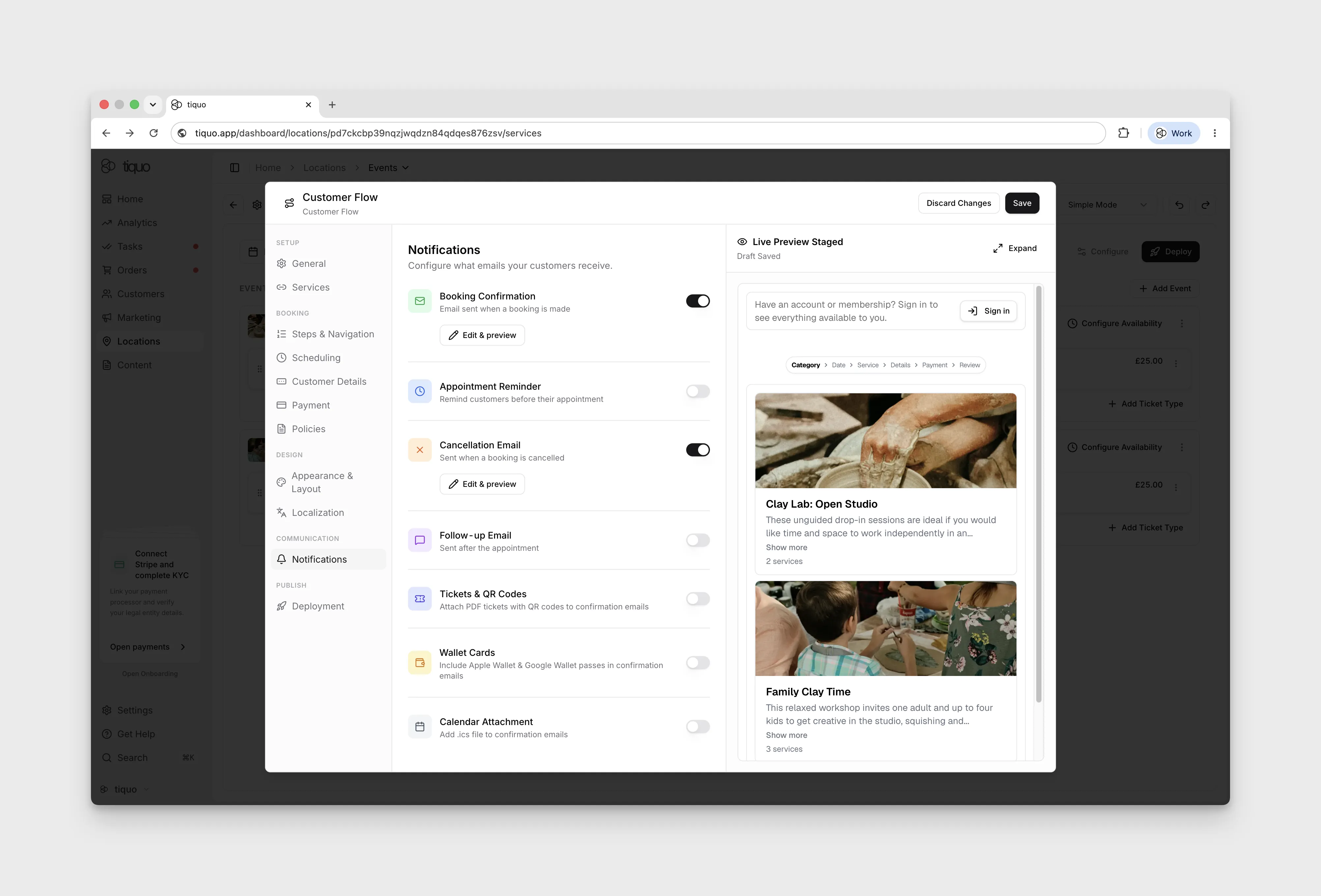
Notifications
Configure which emails your customers receive.
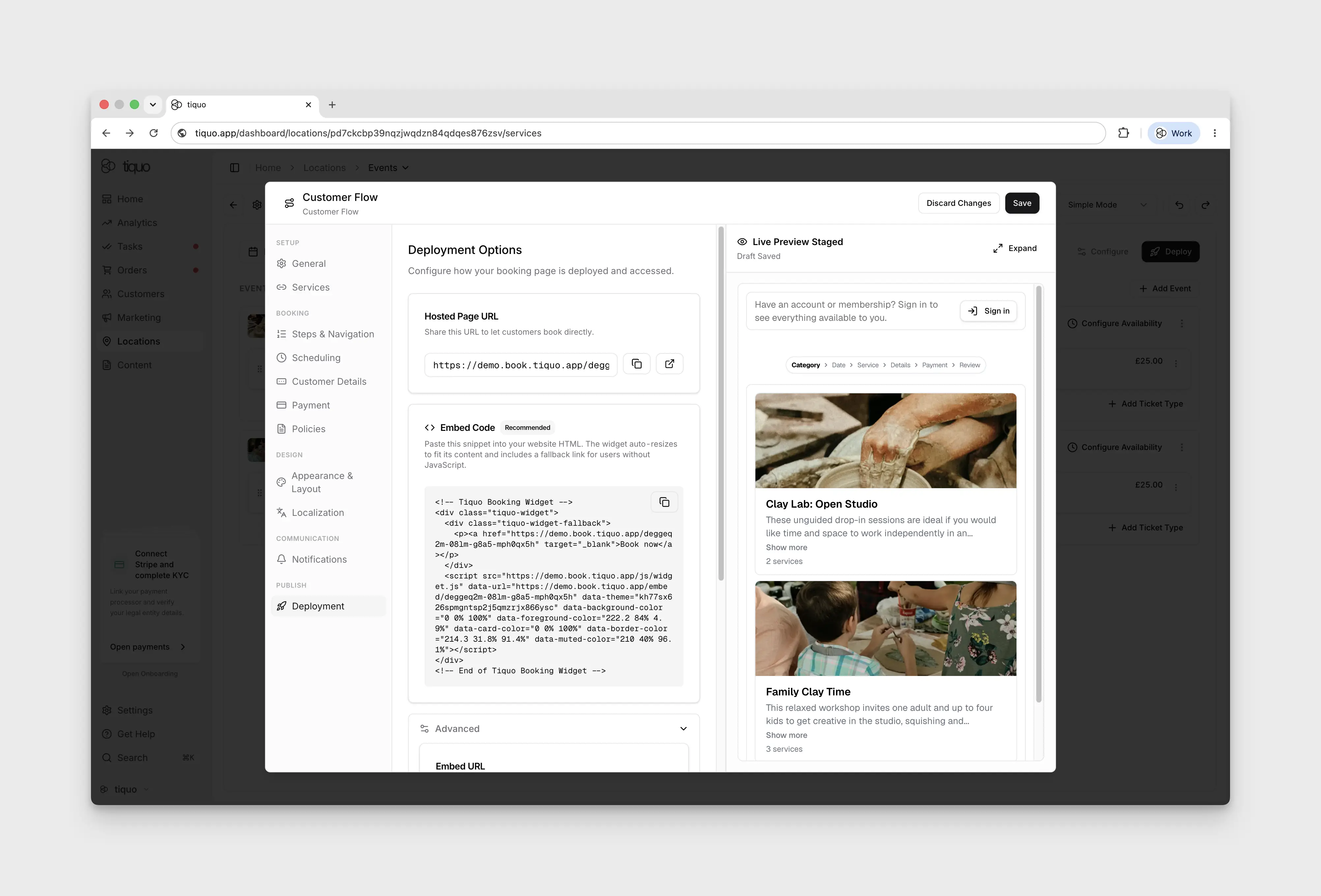
Deployment
Deployment contains the Hosted Page URL, an Embed Code snippet for the website, and Apple Pay and Google Pay domain registration.
Why multiple Customer Flows? Customer Flows multiplex the booking experience: which services appear, which steps the user walks through, which theme renders, which payment and invitation rules apply, and which surface deploys the flow. A sublocation can run several in parallel, for example a public website embed, a VIP shareable link with a different service set and theme, and an in-room iPad self-booking page. Staff Flows by contrast are limited to one per service and cover all staff surfaces uniformly.
Staff-facing booking surface: the Staff Flow drives every staff booking surface across the dashboard, iPhone, iPad, Android, and PDQ (the UK term for a card-payment terminal). A service can have at most one Staff Flow attached, so unlike Customer Flows there is no multiplication of staff experiences.
Editing Staff Flow:
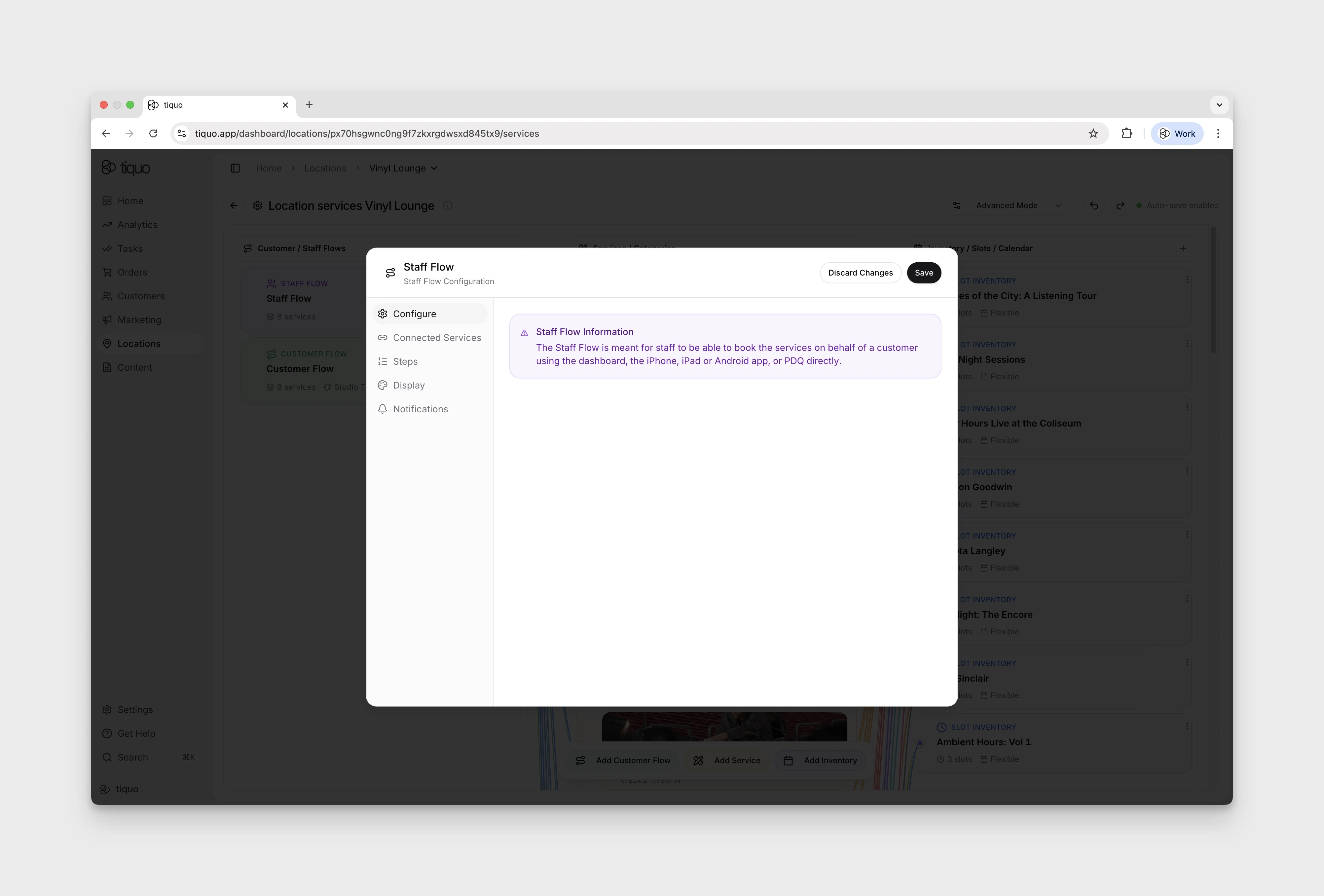
- Configure: confirms the Staff Flow is for staff booking on behalf of a customer across the dashboard, iPhone, iPad, Android, and PDQ.
- Connected Services: which services this flow exposes, drag-and-drop to reorder, grouped by Category.
- Steps: Booking Flow Type (Date/Time → Service, Service → Date/Time, Agenda List View), Party Size (min, max, default, label), Invitations toggle, Payment toggle.
- Display: Quantity Selector toggle.
- Notifications: Booking Confirmation, Appointment Reminder, Cancellation Email, Follow-up Email, Tickets & QR Codes, Wallet Cards, Calendar Attachment toggles.
Services / Categories
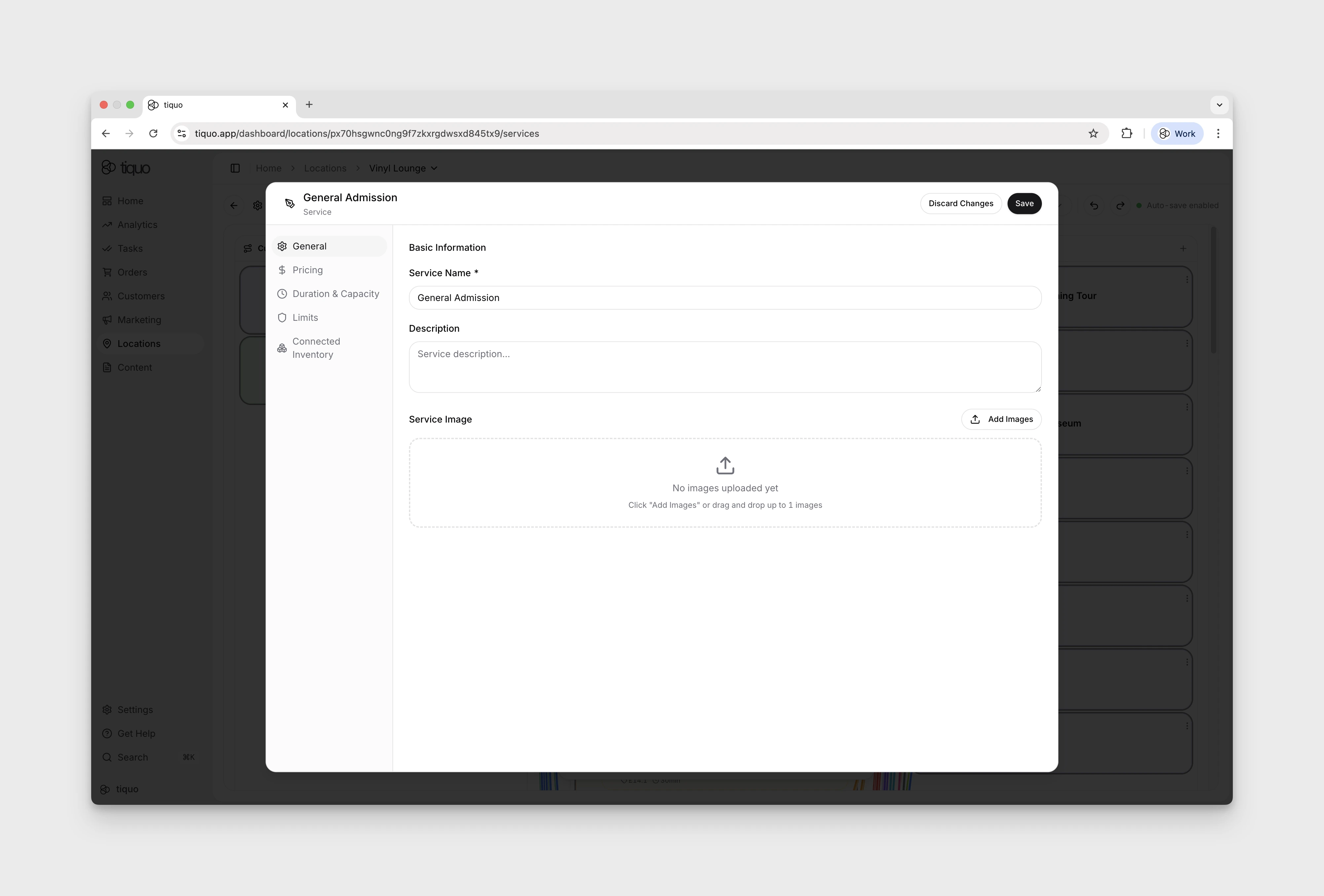
Each service appears as a card showing its name, price, duration, and a short description. Services can be grouped into Service Categories for organisation (e.g., a Spa Treatments category containing Deep Tissue Massage, Aromatherapy Massage, and Facial Treatment).
General Settings: service name, description, image, visibility status, and a featured service toggle. The Active toggle controls whether the service appears in booking flows.
Pricing:
- Price: base cost of booking the service (e.g., £60 for a 60-minute massage).
- VAT: rate applied; the tax portion is calculated automatically (e.g., 20% on a £60 service).
- Payment Requirement: Require full payment (full amount at booking) or Require deposit (deposit at booking, balance later).
- Pricing Levels: multiple price tiers per service (e.g., Economy, Standard, Premium, Rack Rate). Connected to Pricing Seasons.
- Pricing Seasons: apply different pricing levels during specific date ranges (name, start, end, assigned level, optional yearly repeat). Default level applies when no season matches.
- Packages: group services into predefined offerings such as bundled services, promotional offers, or special pricing structures. Each package has a name, package code suffix, description, package type, and an optional wholesale flag.
Time-Based Pricing: services can carry variable prices depending on the time of day or day of the week. Each rule defines the days, time window, and price that applies inside that window. When a customer books, the matching rule sets the price; bookings outside every rule use the base price.
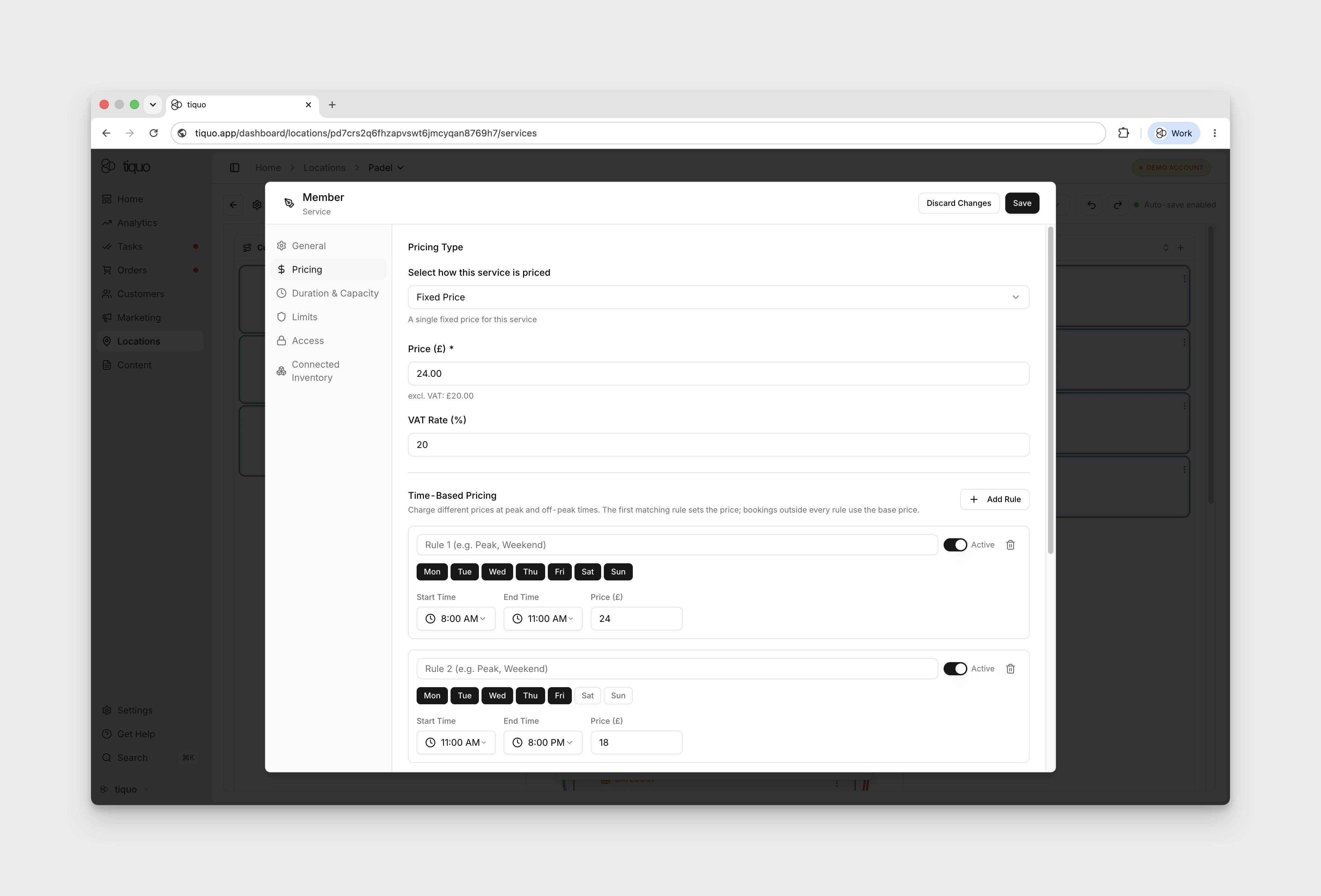
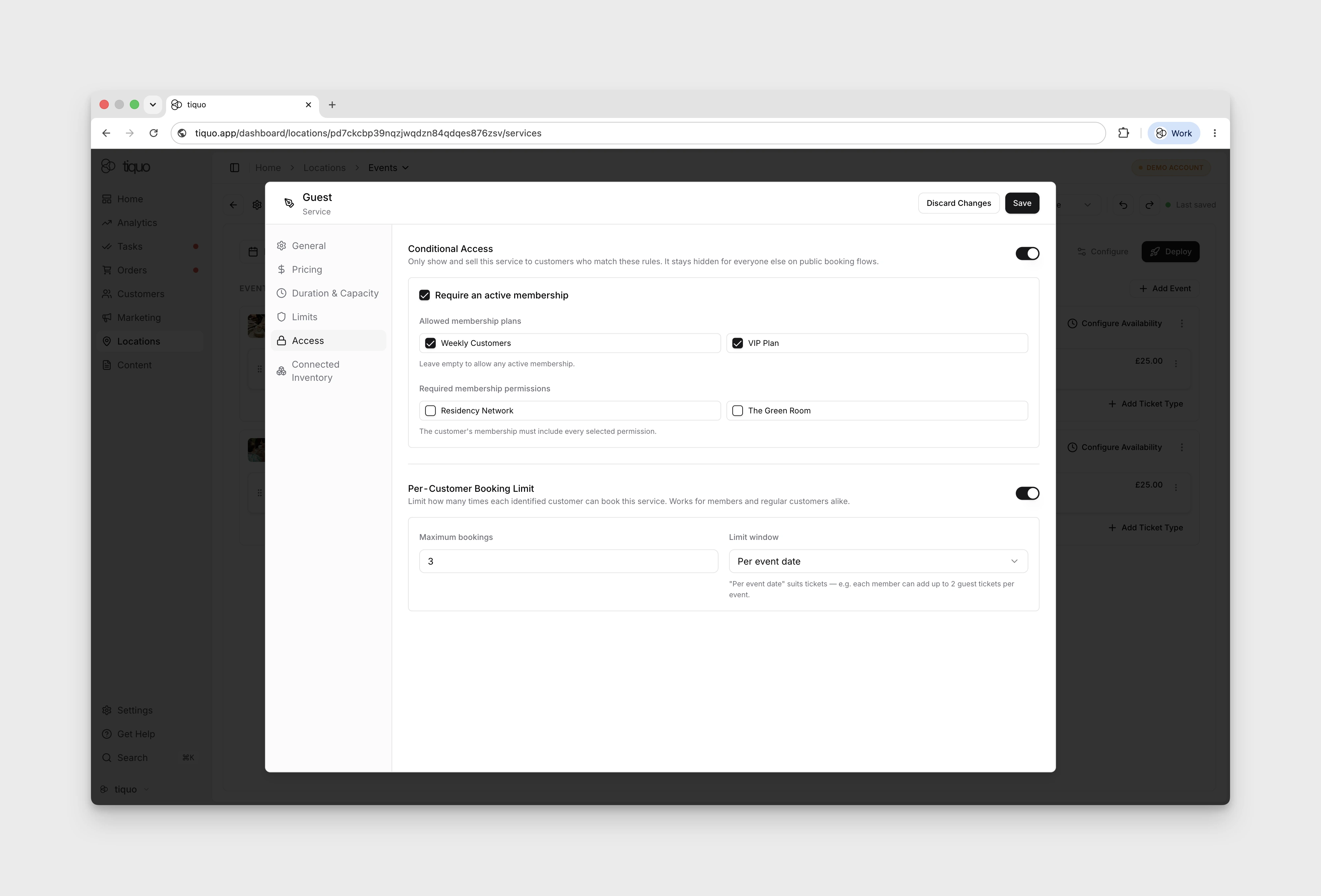
Access: the Access tab controls who can book the service and how many times each identified customer can book it. Access can be restricted to active memberships, specific membership plans, or membership permissions. A per-customer booking limit can also be set, for example one member ticket per event date or two guest tickets per member per event.
This allows a single event to offer multiple ticket types with different audiences, prices, and booking limits.
Duration and Capacity:
- Service Type: Calendar based (duration and capacity defined on the service, used for appointments, classes, treatments) or Slot based (availability controlled by connected inventory slots).
- Duration Type: minutes, hours, nights, or days.
- Duration: how long the service lasts (e.g., 60 minutes for a massage appointment).
- Capacity: maximum customers who can book the same slot.
- Buffers: Buffer Before adds prep time; Buffer After adds reset time. Prevents overlapping bookings.
Limits:
- Minimum Advance: how far ahead a customer can create a booking (e.g., 2 hours).
- Maximum Advance: how far into the future bookings can be made (e.g., 90 days).
- Cancellation Deadline: how long before start a customer can cancel (e.g., 24 hours).
- Auto Confirm Bookings: when on, bookings confirm automatically; when off, manual approval may be required.
- Booking Buffer: minimum time between consecutive bookings (e.g., 15 minutes).
- Auto Checkout: automatically checks customers out after the booking duration. Only fires when no other order items are attached.
- Allow Same Day Booking: allows same-day bookings.
- Require Approval: requires staff to approve bookings before confirmation.
Availability:
- Start Time / End Time: earliest and latest times the service can begin (e.g., 09:00 to 17:00).
- Available Days: which weekdays the service runs (e.g., Monday to Friday).
- Time Slot Interval: how frequently booking times appear (e.g., 30-minute intervals).
- Buffer Between Bookings: additional time inserted between consecutive bookings.
Inventory / Slots / Calendar
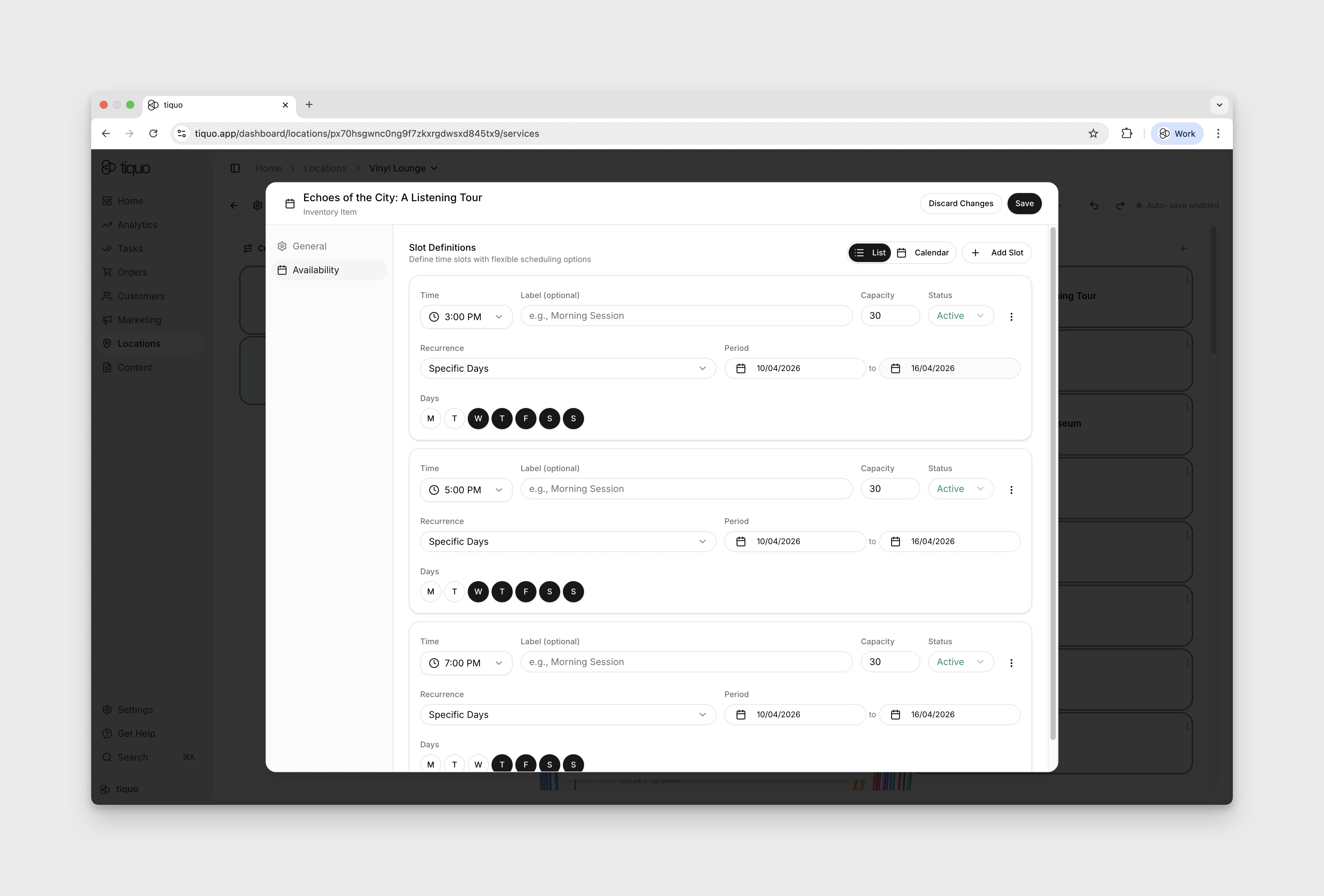
The physical or scheduling resources that services draw on. Each card shows the resource name, capacity, and its scheduling mode (Flexible, Fixed Slots, etc.).
Editing Inventory:
- General: name, description, Enable Waitlist toggle (allows customers to join a waitlist when the resource is fully booked).
- Capacity: Simple Capacity (a single total) or Use Instances (individually-named rooms, tables, or seats with bulk-add).
- Availability: Availability Windows with start/end times, recurrence (Specific Days), day picker, optional break windows.
Use Instances when each unit is named and bookings need to be allocated to a specific instance (Treatment Room 1 vs. Treatment Room 2). Simple Capacity treats the resource as a single bucket of N concurrent slots.
For tables, rooms, ticket types, and similar named resources, instances make each unit visible to staff and allow bookings to be allocated to a specific resource. This is the structure used by guided setup flows for restaurants, bars, hotels, meeting rooms, spas, and events.
Slot-based event inventory can use individual slot durations and recurrence rules so each event date or ticket slot can carry the right timing and capacity.
Connected Inventory: when a service is connected to inventory, bookings can only be created if the required resource is available. Inventory resources can also be prioritized to determine which is allocated first when multiple options are available.
Services in Orders
When a service is booked, it appears in an order as an order item.
Example:
Order:
- Massage Appointment (booking)
- Herbal Tea (product)
- Face Cream (product)
The booking manages the operational scheduling, while the order manages the commercial transaction.
Summary
Services define the appointments and experiences that customers can book.
They control:
- Pricing
- Duration
- Capacity
- Booking rules
- Availability
Services connect the operational booking system with the commercial order system, allowing businesses to manage both scheduling and transactions within a single platform.