

Memberships
Grant customers or companies access to benefits, services, or permissions
Memberships allow organizations to grant customers or companies access to specific benefits, services, discounts, store credit, and permissions.
Memberships can represent subscription programs, member access privileges, structured customer programs, or private access schemes.
Examples include:
- Private members club access
- Gym memberships
- Coworking memberships
- Loyalty programs
- VIP access programs
Memberships can be assigned to both customers and companies.
Navigating to memberships
Memberships are managed in two places:
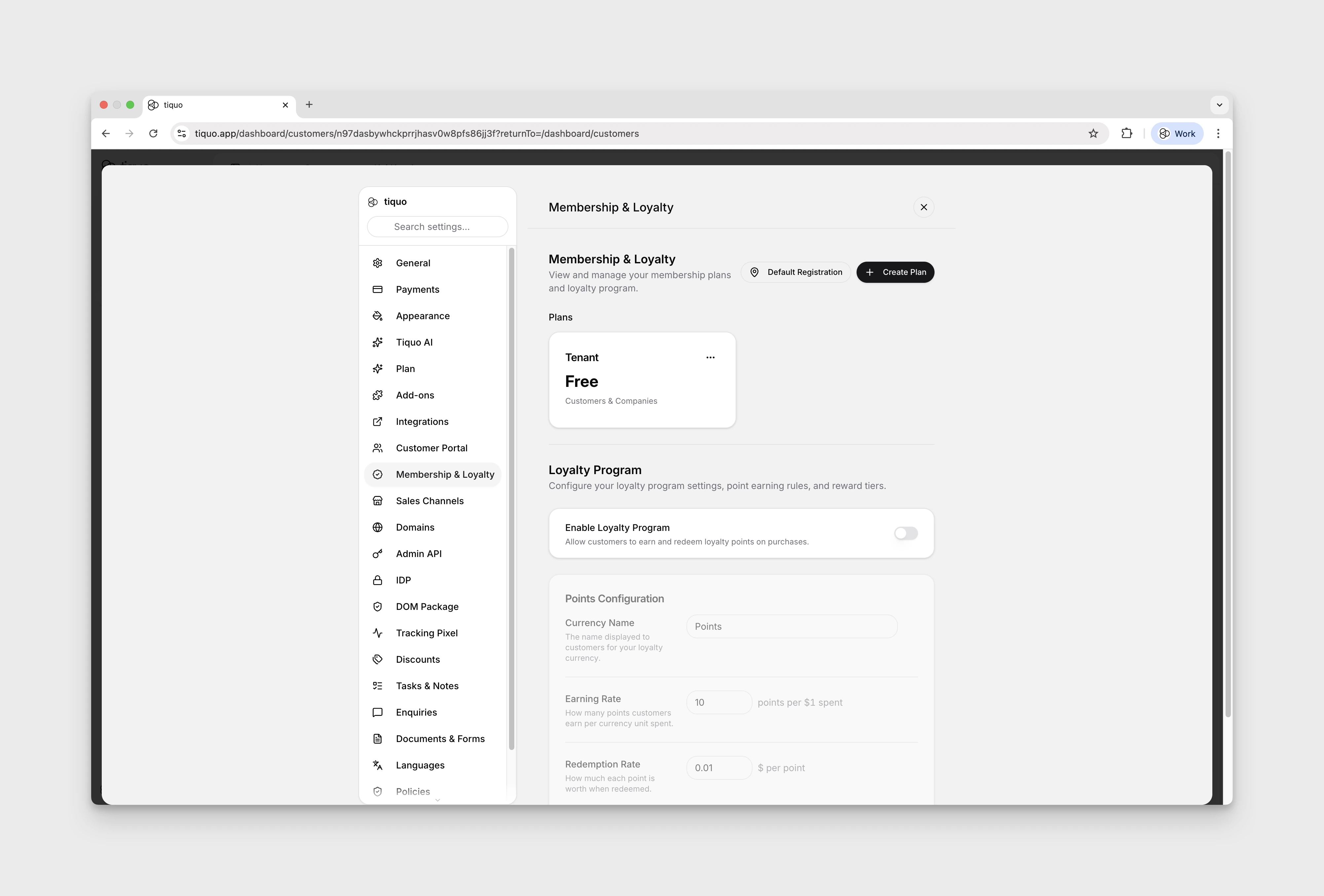
- The first is accessed by pressing Settings in the sidebar, and then navigating to the Membership & Loyalty tab. This is the central editor for membership plans, pricing, billing, perks, and permissions. New plans are created here.
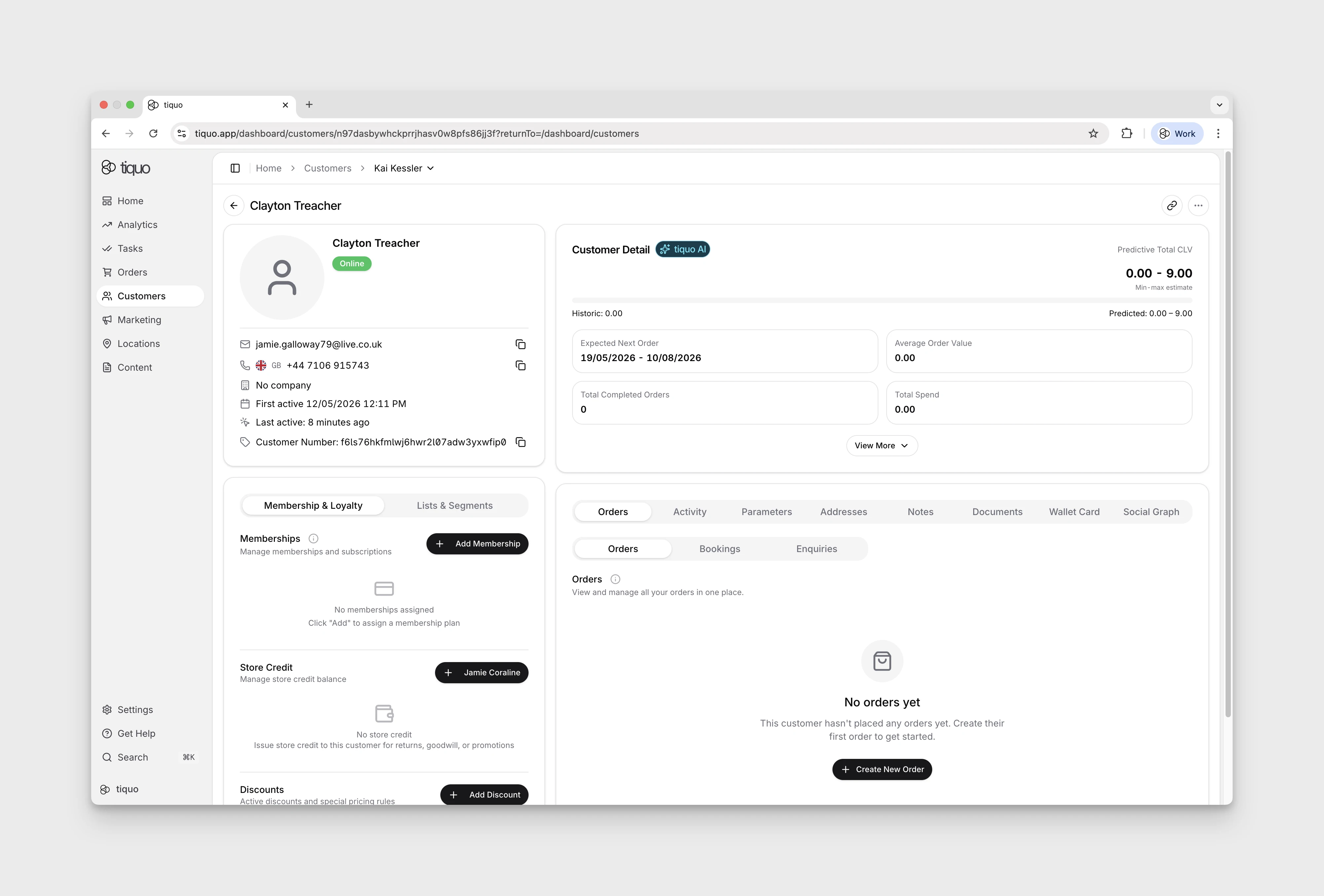
- Customer and company profiles are where individual memberships are assigned, reviewed, cancelled, or inspected. Open a customer or company profile and use the Memberships section.
Membership plans
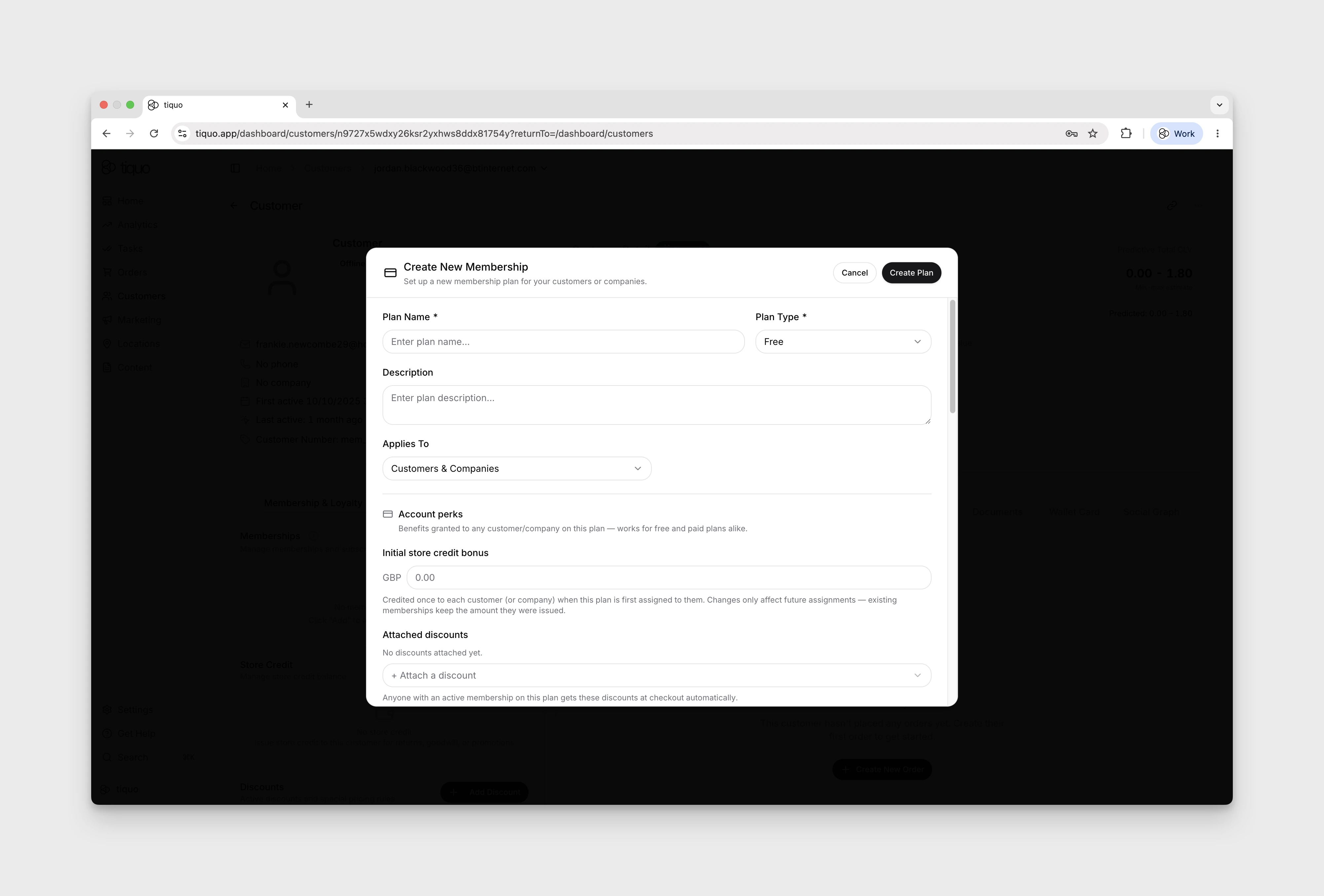
Memberships are created using membership plans.
A membership plan defines the rules and structure for the membership, including:
- Plan name
- Description
- Pricing
- Billing interval
- Engagement period
- Perks
- Permissions
Organizations can create multiple membership plans to support different membership tiers or programs.
Examples include:
- Standard Membership
- Gold Membership
- Corporate Membership
Membership categories organise a larger plan catalogue. Create and rename categories from the Memberships page, then drag plans between categories or back to the uncategorised area. Categories change organisation and presentation only; the plan's pricing, access, applications, and active members stay with the plan.
Pricing
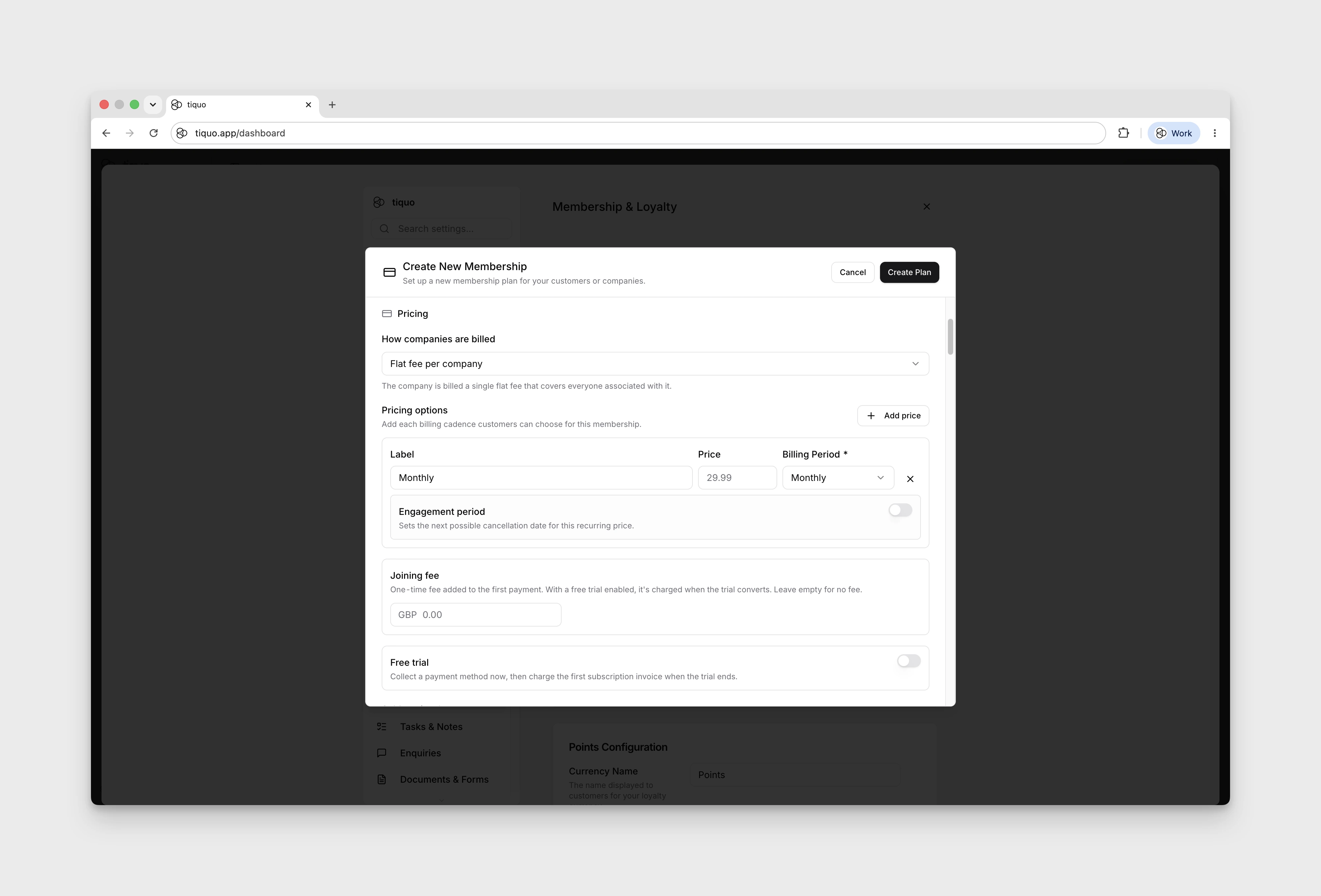
A membership plan's pricing covers:
- Billing cycle: how often the member is charged. Supported cycles include weekly, biweekly, monthly, quarterly, yearly, and one-time.
- Engagement period: the minimum commitment before the member can next cancel a recurring membership.
- Joining fee: a one-off charge taken at signup, on top of the recurring price.
- Free trial period: an introductory window before recurring billing begins.
When a paid plan already has active members and its recurring price changes, choose how the new price should roll out:
- New members only: existing memberships keep their current recurring price.
- All members at next renewal: existing memberships move to the new price when their next billing period begins.
The change does not add a mid-cycle charge. Review the selected rollout before saving because it affects future member invoices.
Assignment-specific billing and discounts
When staff assign a recurring paid membership, they can override the plan's trial for that assignment and express it in days, weeks, or months.
A future First billing date starts the membership as planned but delays the first invoice and anchors later renewals to that date. Leaving it blank uses the normal billing cycle.
Staff can also choose an eligible membership discount. For a variable discount, enter the percentage or amount during assignment. Tiquo previews the discounted subtotal and indicates whether the discount applies only to the first payment or to every eligible renewal. A discount is allowed to repeat only when its redemption rules cover every renewal in the membership's billing period.
Failed-payment grace period
A paid plan with at least one recurring price can keep membership access active for a set period after a renewal payment fails. Turn on Failed-payment grace period and choose a duration in days or months.
The deadline starts with the first failed payment. Later Stripe retries do not move it. During the grace period, the membership is labelled Payment grace and continues to grant its configured access and benefits. If payment remains failed when the deadline passes, the membership becomes suspended and is shown as Past due.
Stripe retries and payment recovery continue during the grace period. Make sure the Stripe retry policy does not cancel the subscription before the Tiquo grace period ends. Adding a grace period later does not reactivate a membership that was already suspended for an existing failure.
Perks
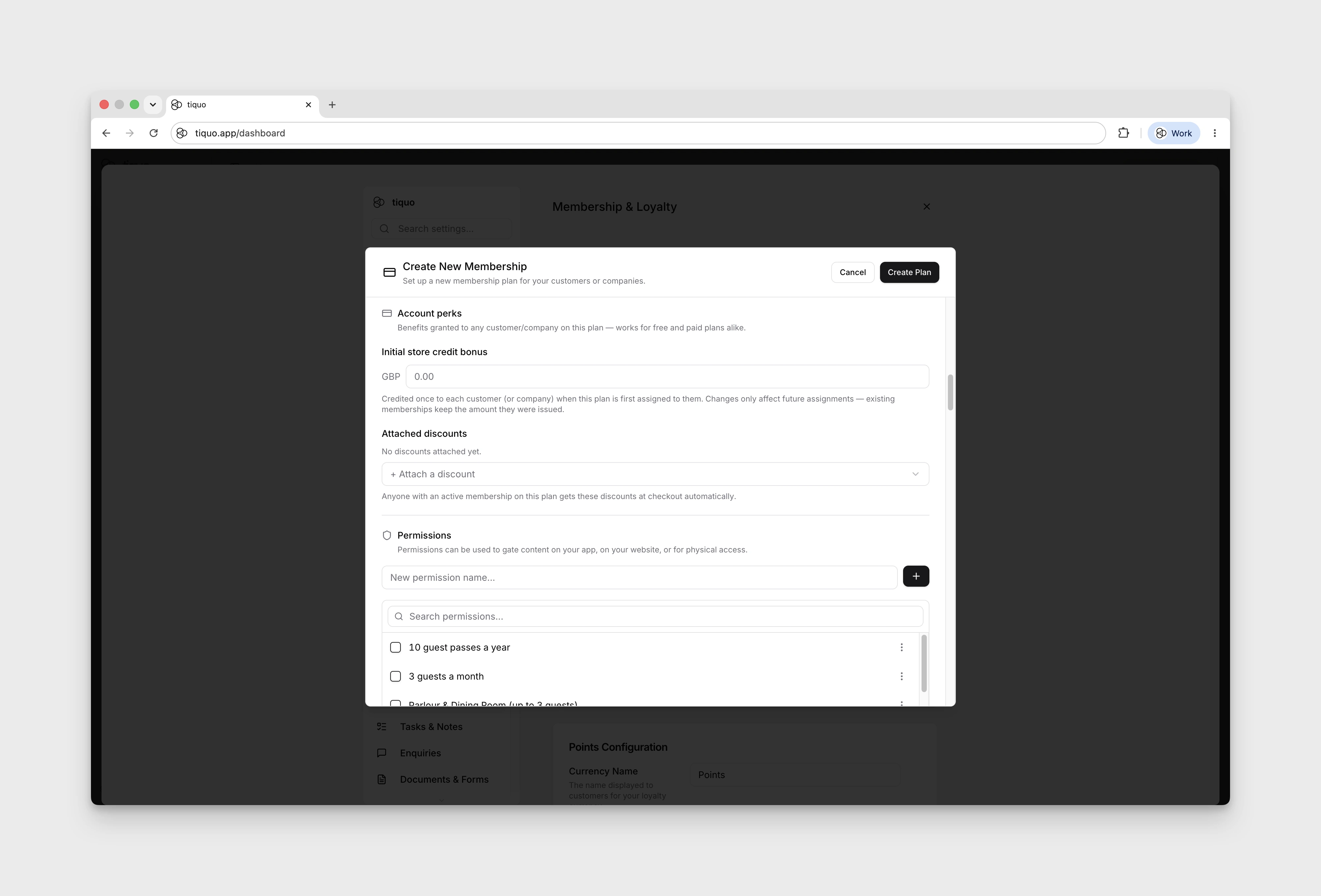
A membership plan also defines the perks its members receive. These can include:
- Discounts: attach one or more discounts to the plan so members receive them automatically at checkout.
- Initial store credit: a starting credit balance granted to the member on signup.
- Passes: include Access Passes for the customer's own visits or Guest Passes for guests. A pass allowance is different from unlimited registration access. When a membership gives unlimited access to a sublocation, registering the member there does not spend an Access Pass.
- Permissions: which areas, services, events, or application surfaces members on this plan are allowed to access.
Membership applications via enquiries
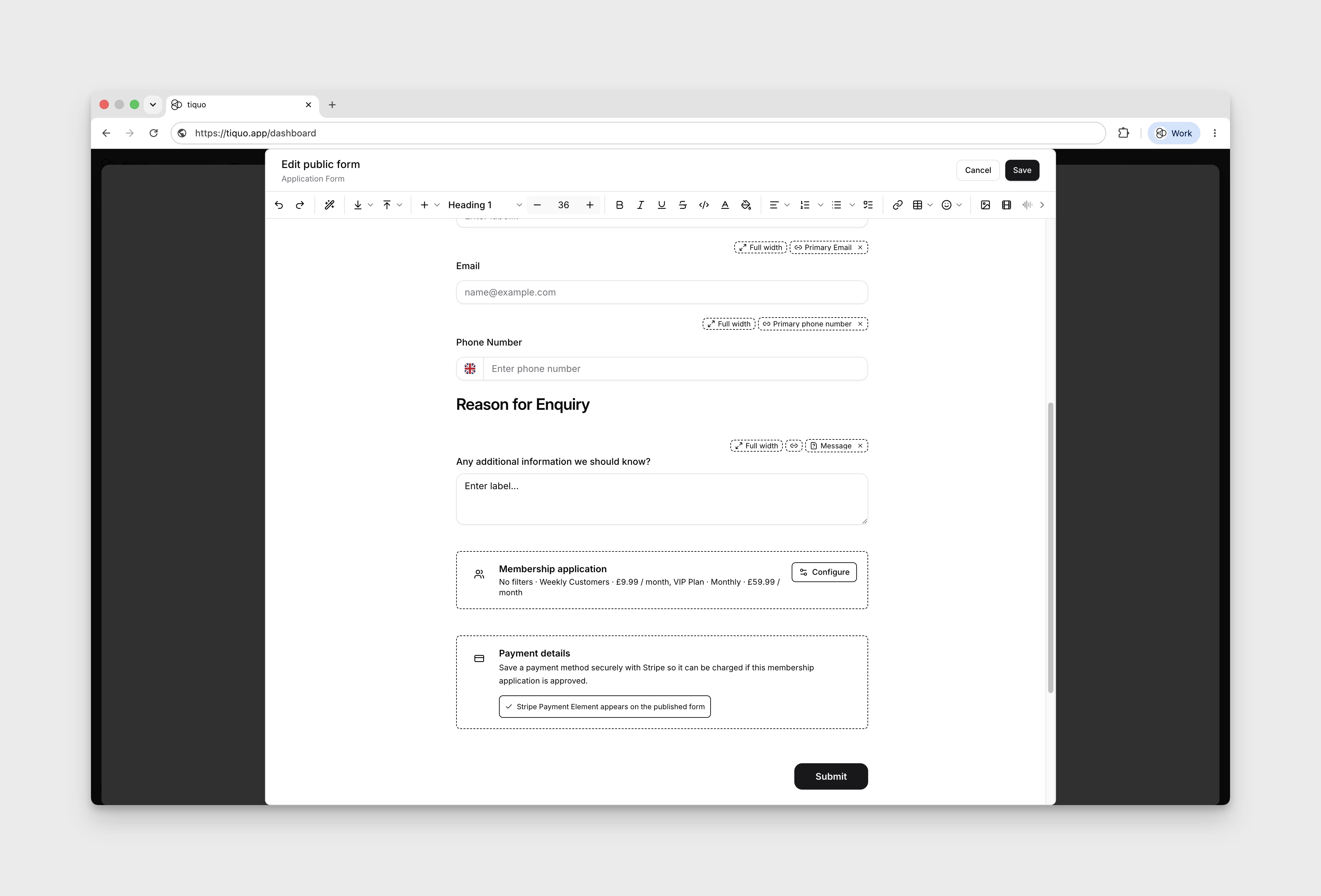
Memberships can be applied for through a customer-facing form that feeds into the enquiry pipeline. The form can request the customer's details, the chosen plan and billing cycle, and securely collect a payment method through Stripe in one flow.
When a staff member approves the resulting membership enquiry, the membership is assigned to the customer and billing starts. If the saved payment method can be charged off-session, Tiquo charges it automatically; if additional customer action is required, Tiquo sends the customer a secure payment step.
Staff can also decline an application from the enquiry. This marks the application as declined and sends the organization-wide Application Declined email when that notification is enabled. Configure and preview the message under Settings > Notifications. If the notification is disabled, the application is still declined without sending an email.
See Enquiries for the full form-to-approval flow.
Assigning memberships
Memberships can be assigned in several ways:
- Manually by staff
- Purchased by customers through public membership signup
- Created through membership application forms and enquiries
- Created through the platform API
Once assigned, the membership becomes associated with the customer or company profile.
The assignment view shows the start date, optional trial, first billing date, selected price, discount, and amount due before the membership is created.
Customer memberships
When a membership is assigned directly to a customer, the membership applies only to that individual customer.
The membership will appear in the customer profile and can be used by staff during operational interactions.
Company memberships
Memberships can also be assigned to companies.
When a company membership exists, customers linked to that company automatically inherit the membership.
If a customer is removed from the company, the inherited membership is removed.
Membership status
Membership records can use these stored statuses:
| Status | Description |
|---|---|
| Active | The membership is currently valid and grants privileges |
| Inactive | The membership exists but is not currently active |
| Expired | The membership period has ended |
| Cancelled | The membership has been cancelled |
| Suspended | The membership is temporarily suspended, including some failed-payment states |
When the membership period ends, the membership status automatically updates to Expired.
Expired memberships remain visible in the customer profile but no longer grant active membership privileges.
The customer profile can additionally display Pending when the membership payment is awaiting completion and Past due when a suspended membership has a failed payment. These are payment-derived display states rather than additional stored membership statuses.
Membership permissions
Membership plans can include permissions.
Permissions represent access rights or benefits associated with the membership.
Examples include:
- Access to member areas of a website
- Access to specific areas of an application
- Access to member-only services
Permissions act as digital access indicators and can be used by external systems or integrations to determine whether a customer has the required membership privileges.
Public membership signup
Membership plans can be configured as public.
Public memberships can be embedded on external websites using an iframe. This allows customers to join memberships directly from the organization's website. The Hosted Package can create an automatically resizing membership iframe with window.Tiquo.embedMembership(planId, container).
If the customer is already authenticated through the Hosted Package, it requests a short-lived, one-time iframe token and passes it to the Tiquo iframe with postMessage. Access and refresh tokens are not placed in the iframe URL.
If the customer is not authenticated, they will be prompted to log in or create an account before completing the membership signup.
Webflow and other website-builder sites can also render a customer's current membership and available public plans as native styled blocks using data-tiquo-memberships and data-tiquo-membership-plans.
See the Hosted Package guide for installation, Webflow attributes, empty states, profile-photo binding, and authenticated membership embeds.
Membership billing
Membership plans can include pricing and billing intervals.
Billing configuration may include:
- Membership price
- Billing frequency
- Joining fee
- Free trial period
- Engagement period
Payment processing and retry behavior are managed through integrated payment providers.
Membership expiry
When a membership reaches the end of its configured period, it automatically becomes Expired.
Expired memberships remain visible in the customer profile but no longer grant active membership privileges.
Customer specific membership actions
A member's active and past memberships are visible on their customer or company profile. From there staff can:
- Cancel a membership from the three-dot menu, with the option to record a reason for future reference.
- Choose to cancel effective immediately or at the end of the current billing period.
- View invoices for each membership cycle from View History.
- Open the linked order, copy or open the hosted invoice link, or download the invoice PDF where available.
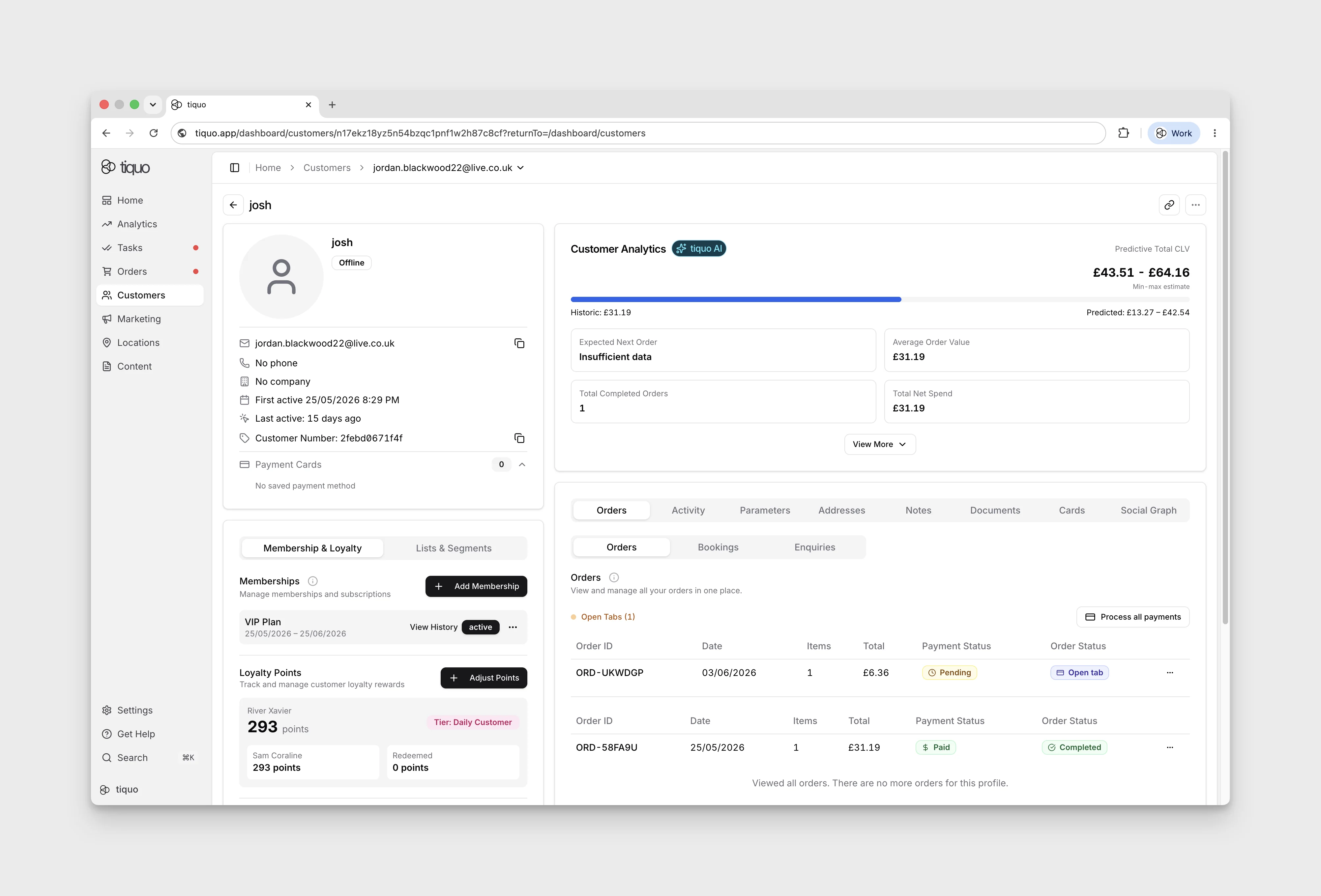
From this membership view, staff can also change the payment method used for future billing, change the type of membership the customer is on, choose to cancel the membership at the end of the current billing period rather than instantly, or prepay upcoming billing periods.
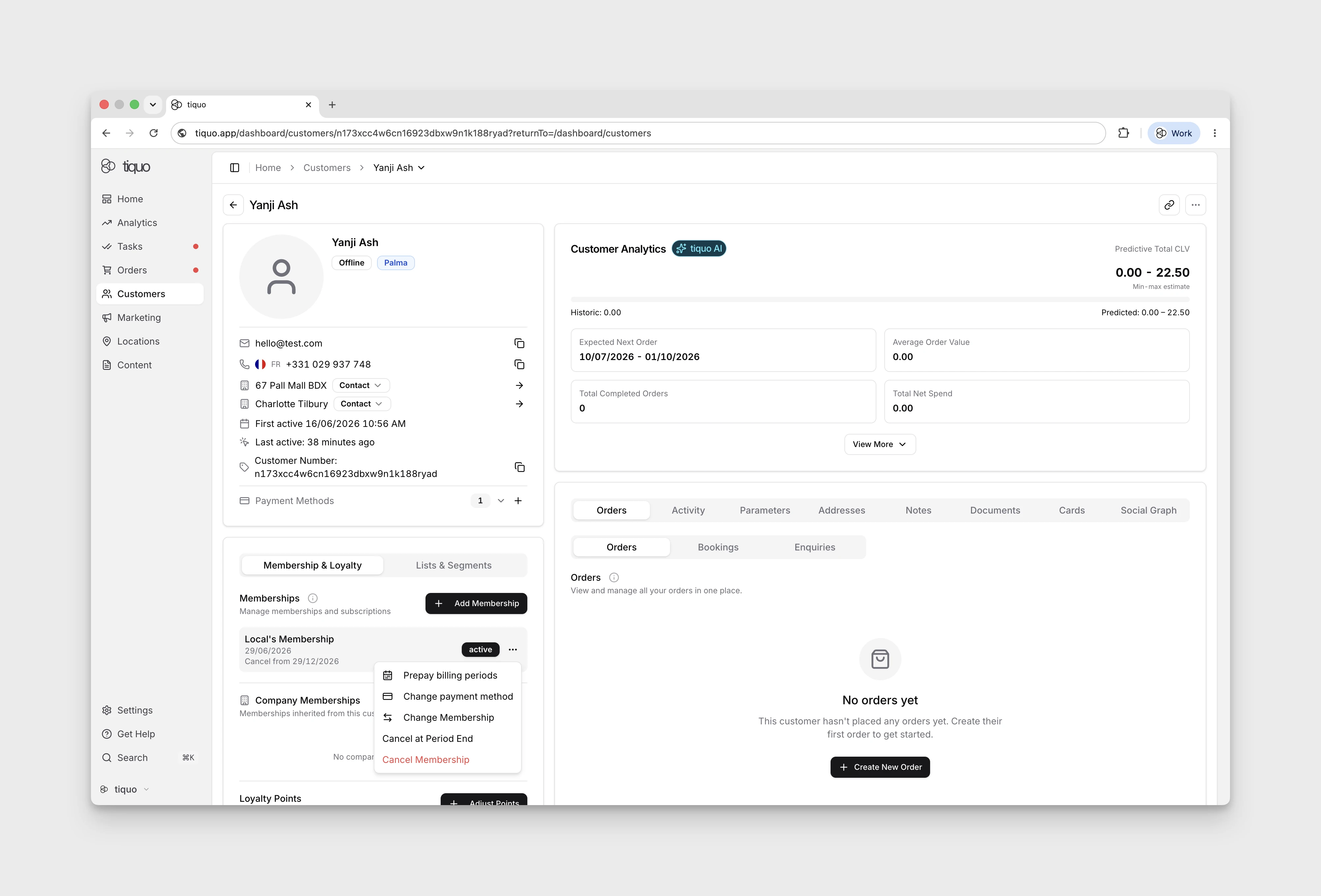
From the Change Membership Payment Method flow you can also refund and re-bill selected past invoices, which is useful when a member's card is updated and you need to charge historical cycles against the new payment source, or to correct a mis-charged invoice.
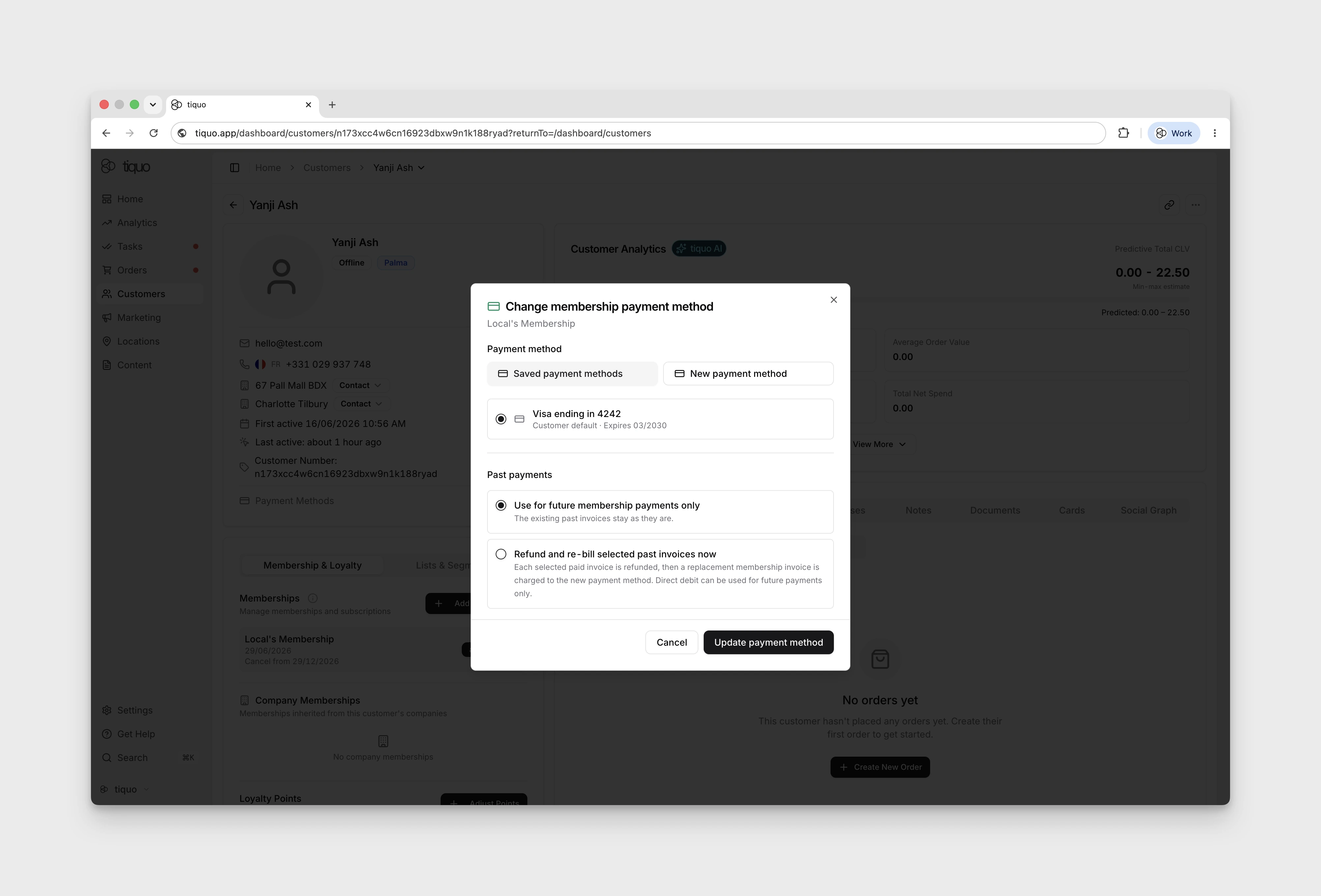
The payment-method flow can use an eligible saved method already on the customer profile or collect and save a new method with the customer's authorization. Select the method that should be used for future membership invoices. Direct debit methods cannot be used for an immediate refund and re-bill operation.
For a refunded or partially refunded membership invoice with a recorded refund amount, staff with refund permission can charge that amount again. Use a saved method for an immediate charge, or create a hosted payment link and optionally email it to the customer when customer action is required.
Membership & cards
Wallet cards can be used to identify members.
When a wallet card is scanned, staff can view the customer's membership status directly. If a membership has expired, the scan will still identify the customer but will indicate that the membership is no longer active.
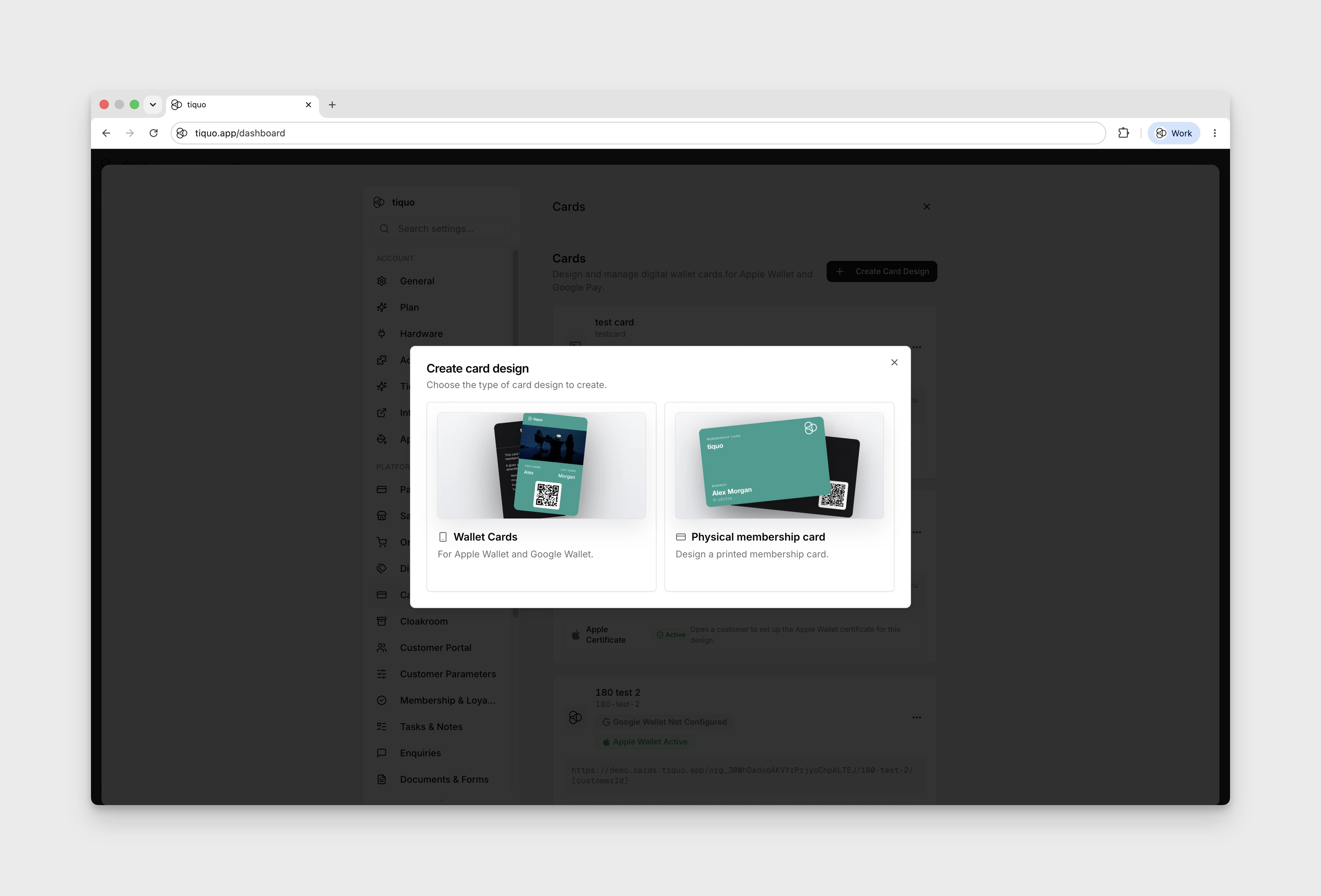
Members can be issued cards in two formats:
- Digital wallet card: added to Apple Wallet or Google Wallet, covered in detail in Wallet Card Overview.
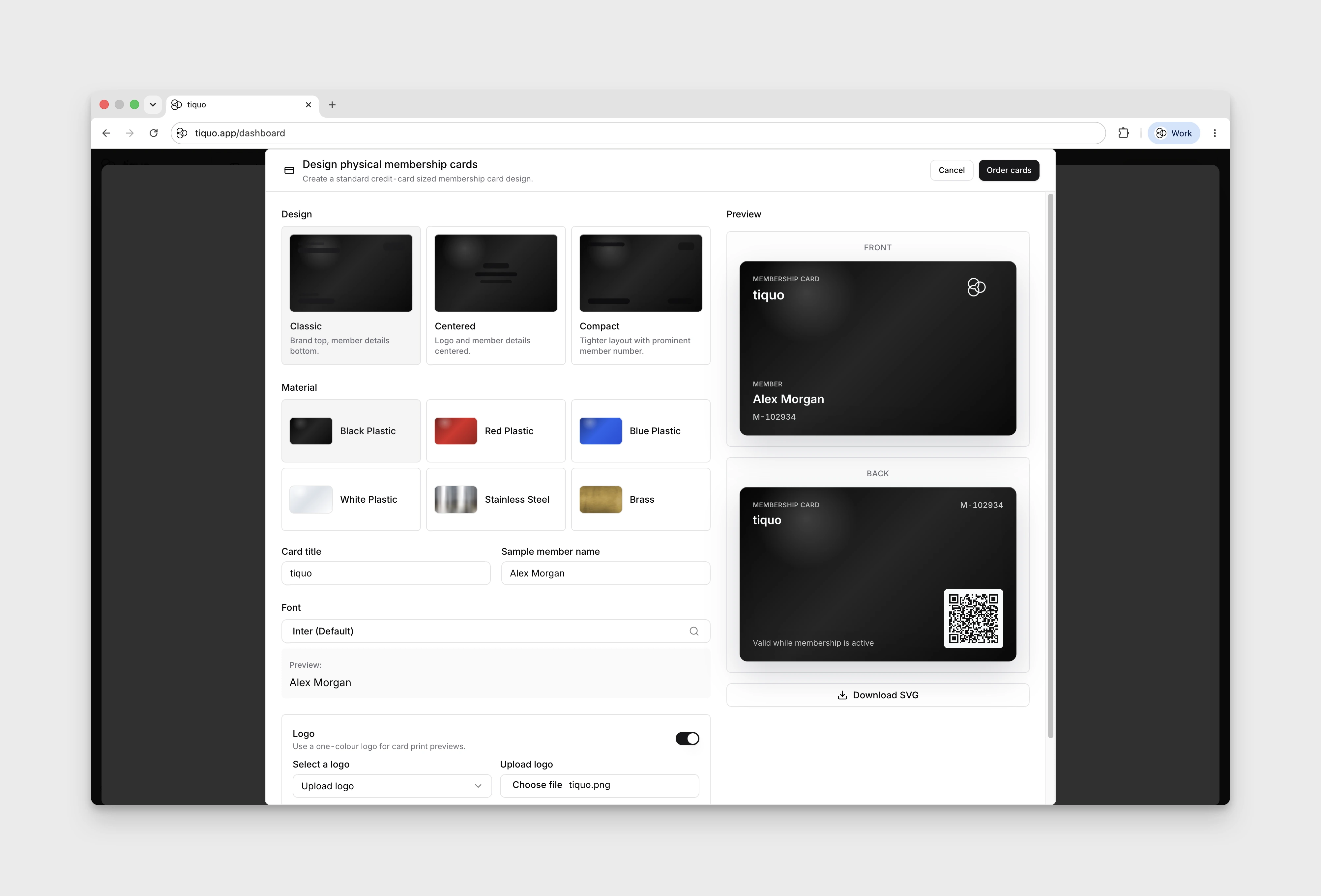
- Physical membership card: designed for print and fulfilment using your membership branding.
Card designs are managed from a customer profile or centrally under Settings > Cards. From there you can create new designs with the Create Card Design editor.
For physical cards, use the designer to prepare a branded membership card layout for production.
Membership management
Memberships can be managed from both:
- Customer profiles
- Company profiles
Staff can view membership details, confirm membership status, review billing history, cancel memberships, and manage membership assignments directly within the platform.