

Customer Authentication
How customers authenticate to use the Client API
Customer Authentication
The Client API requires a JWT access token for every request. Customers obtain these tokens by authenticating through one of two methods: the DOM Package or OAuth/OIDC.
Both methods issue the same type of JWT access token, so the Client API endpoints work identically regardless of which method was used to authenticate.
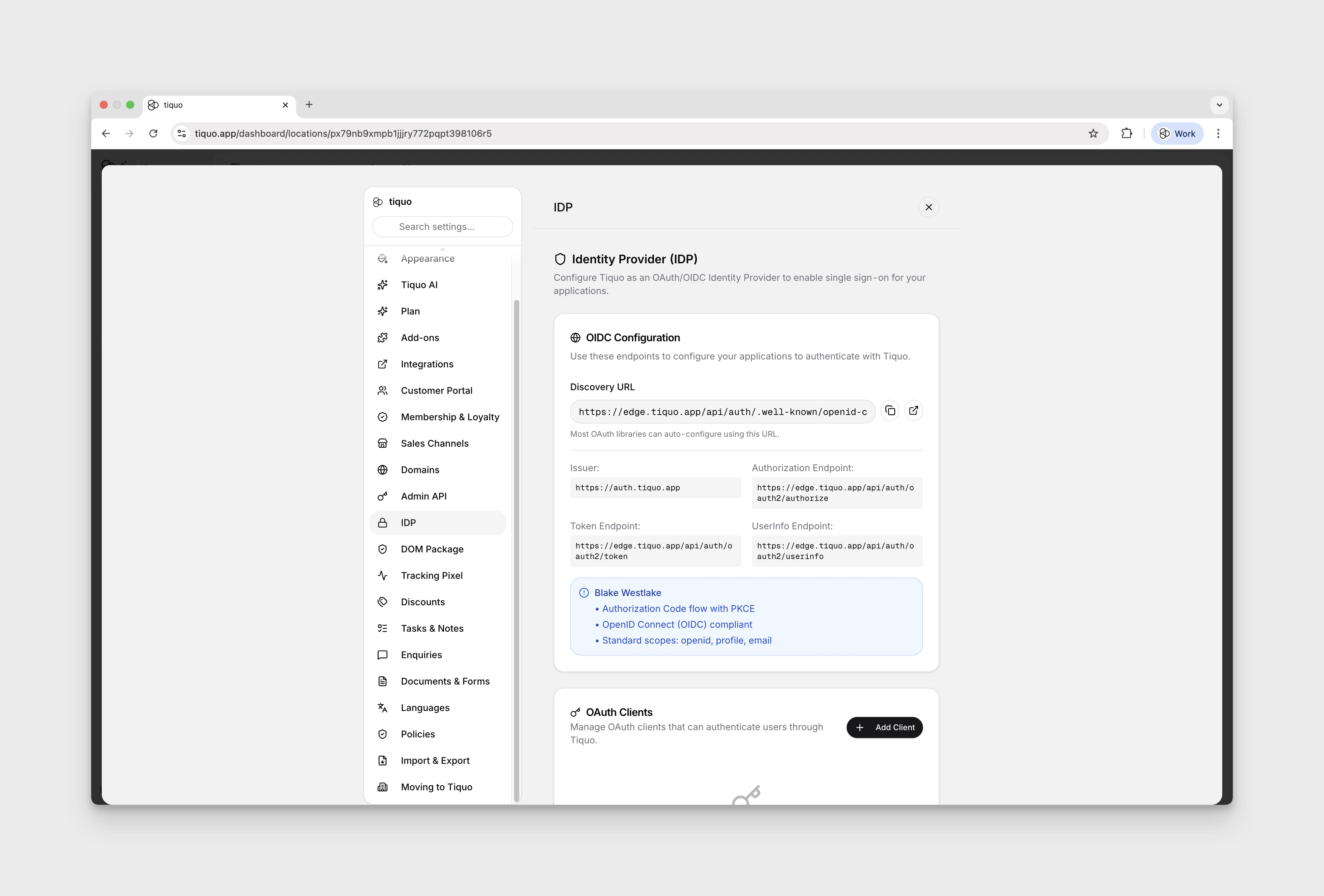
Authentication Methods
DOM Package
The DOM Package (@tiquo/dom-package) is a JavaScript SDK that you install on your website. It handles customer authentication using an email OTP (one-time password) flow. The customer enters their email, receives a 6-digit code, and enters it to sign in. The SDK then issues JWT tokens that can be used with the Client API.
This is the simplest option for browser-based applications. There is no redirect flow, no OAuth configuration, and no server-side component required.
Best for: Websites, single-page applications, and any browser-based customer experience.
OAuth 2.0 / OIDC
The OAuth/OIDC integration lets you use Tiquo as a standard OAuth 2.0 Authorization Server and OpenID Connect Provider. This supports the full authorization code flow with PKCE, making it suitable for native mobile apps, server-side applications, and any integration that follows the OAuth standard.
Best for: Native mobile apps (iOS, Android), server-side integrations, and applications that already use OAuth for identity management.
Comparison
| DOM Package | OAuth/OIDC | |
|---|---|---|
| Authentication flow | Email OTP (in-browser) | Authorization code with redirect |
| Setup complexity | Low (install NPM package, add public key) | Medium (register OAuth client, set up redirect URIs) |
| Token type | JWT (RS256) | JWT (RS256) |
| Access token lifetime | 1 hour | 1 hour |
| Refresh token lifetime | 30 days | 30 days |
| Token source claim | dom | oauth |
| PKCE support | N/A | Yes (S256) |
| Multi-tab sync | Yes (BroadcastChannel) | N/A |
| Works in | Browsers only | Browsers, mobile apps, servers |
How It Works
Regardless of the authentication method, the flow is:
- Customer authenticates through either the DOM Package OTP flow or OAuth authorization code flow
- Tiquo issues tokens: an access token (1 hour) and a refresh token (30 days)
- Your app calls the Client API with the access token in the
Authorizationheader - Before expiry, use the refresh endpoint to get a new token pair
Both methods produce JWT tokens signed with RS256. The tokens are verified against the Tiquo JWKS endpoint (/api/oauth2/jwks) using the public key.
Token Structure
All access tokens contain the same set of claims:
{
  "sub": "user_abc123",
  "email": "customer@example.com",
  "token_source": "dom",
  "organization_id": "org_xyz",
  "org_customer_id": "cust_456",
  "customer_number": "CUST-000001",
  "iss": "https://auth.tiquo.app",
  "aud": "tiquo-client-api",
  "exp": 1706580000,
  "iat": 1706576400
}
The token_source field tells you which method was used: "dom" for the DOM Package or "oauth" for OAuth/OIDC. OAuth tokens may also include client_id and scope claims.
Next Steps
- Set up the DOM Package for browser-based authentication
- Set up OAuth/OIDC for mobile apps and server-side integrations
- Explore the Client API endpoints