Organization Settings
Configure legal entities, user access, and permissions for your organization
Settings is the top-level configuration area for the whole organisation.
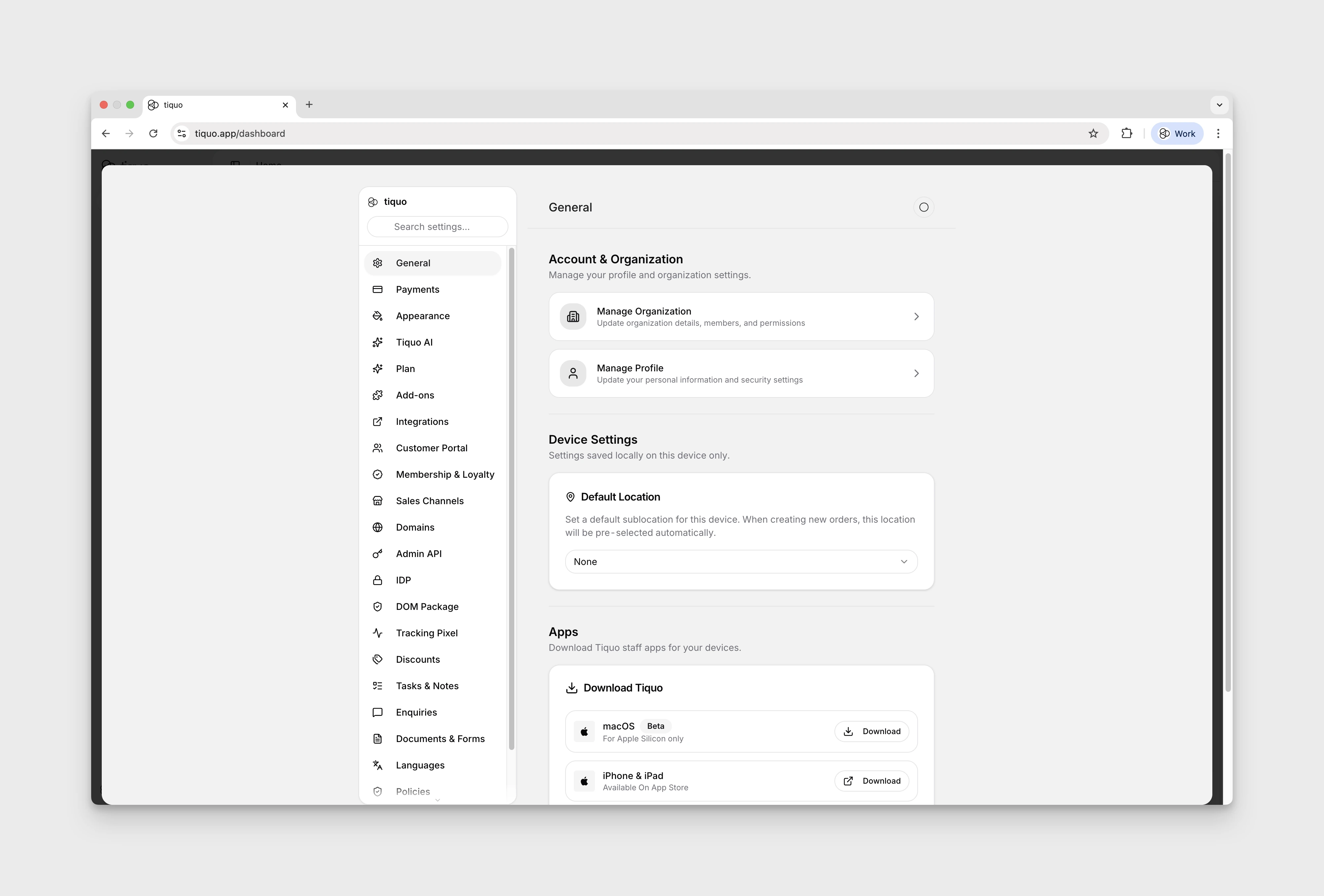
Navigating to settings
Click the gear icon at the bottom of the main sidebar to open Settings. Select General from the settings navigation on the left. Settings may reopen a previously selected section.
Legal entities
Manage multiple legal entities within one organization. Each can represent a separate company, brand, or operating structure.
Sublocations can share a legal entity or belong to different ones. For example, a hotel and its on-site restaurant can operate as separate legal entities.
Tiquo also allows a single customer payment to be taken across multiple legal entities and sublocations. For example, if a guest spends money at a hotel and its independently operated restaurant, Tiquo can process one combined payment and automatically split and settle the funds to the correct legal entities. This removes the need for manual reconciliation or cross-charging while keeping financial reporting accurate and compliant.
User access and permissions
Assign team members roles to control what they can see and do, including operational, financial, and administrative tasks.
Limit access by organization, location, or sublocation so each user sees only the areas their role requires.
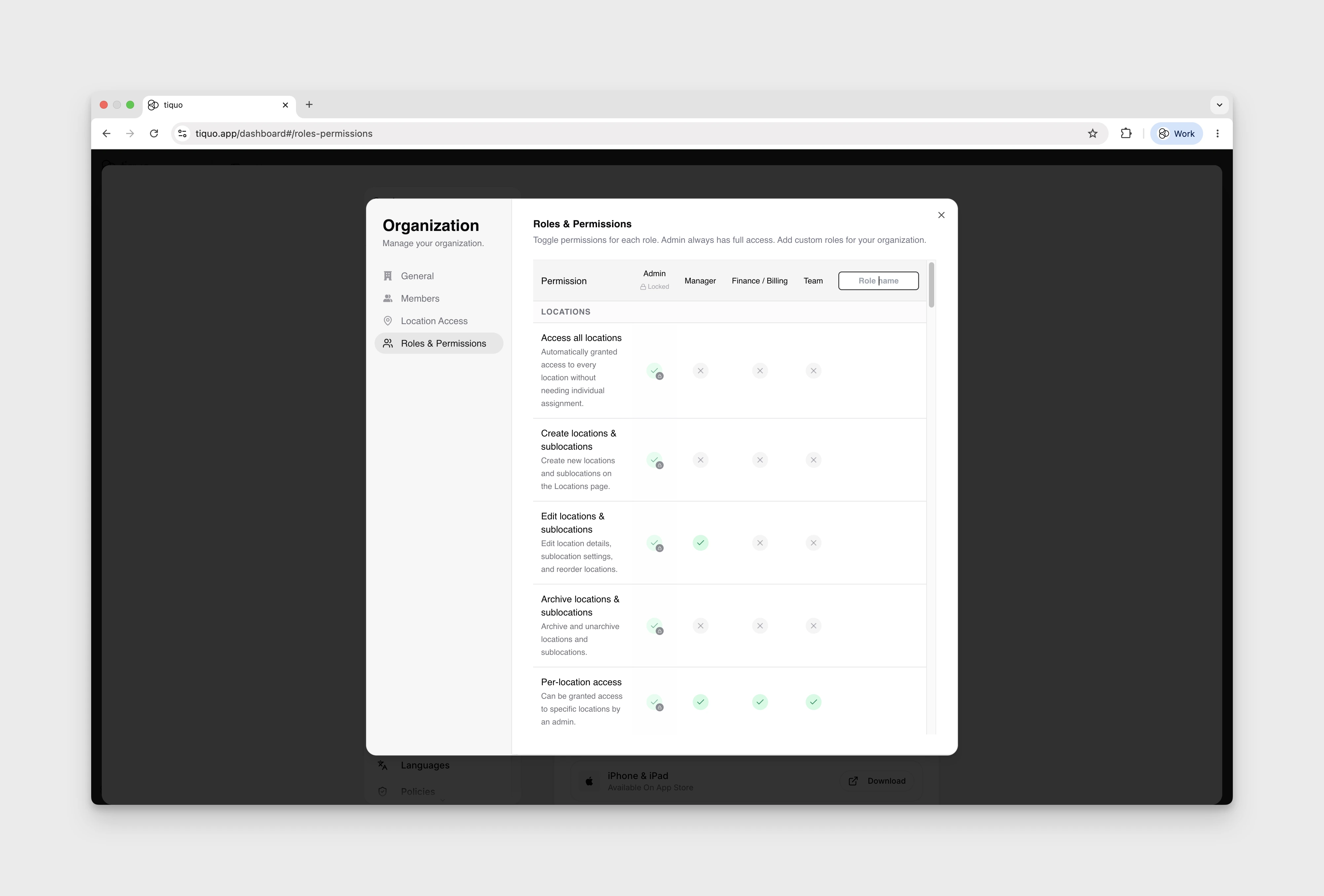
To invite users, open Settings → General → Manage Organization, then use the Members tab. Add the team members you want on the platform and assign each person the role that matches their responsibilities.
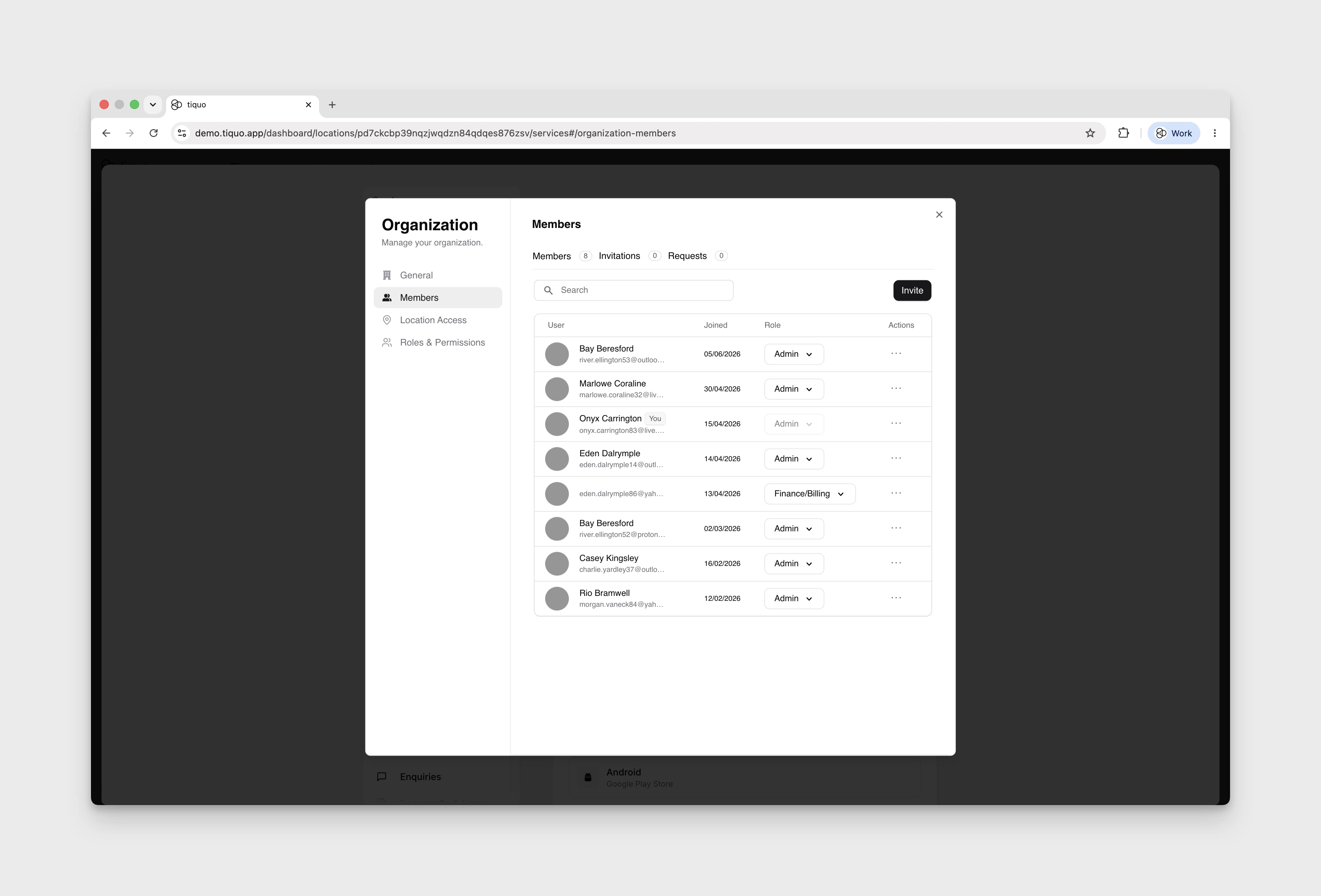
To set up custom roles and permissions, open Roles & Permissions from the same Manage Organization modal. Use custom roles when the default roles do not cover your team's access needs.