

Themes
Configure themes and branding across your Tiquo platform
Overview
Tiquo uses a unified theming system to control branding across the entire platform. Themes define brand colours, logos, and visual identity, and are created once and reused everywhere themes can be applied.
Themes are universal. A theme created in one place can be applied across multiple parts of the platform, ensuring a consistent brand experience without duplication or manual reconfiguration.
Applying Themes Across the Platform
Themes can be applied to all customer-facing and staff-facing areas of Tiquo, including:
- Dashboard
- Customer Flows
- Identity Provider (IDP)
- Customer Portal
- DOM Packages
This allows businesses to maintain consistent branding across every interaction, whether staff are working internally or customers are engaging through self-service flows.
Themes in Emails and Notifications
Themes also apply to automatic emails generated by Tiquo. This includes emails sent from customer flows, the organisation, the IDP, and DOM packages.
Examples include one-time passcode (OTP) emails, booking confirmations, payment notifications, and system messages. By applying themes to these emails, all communication remains visually aligned with your brand, without requiring custom templates or manual styling.
Where the theme editor lives
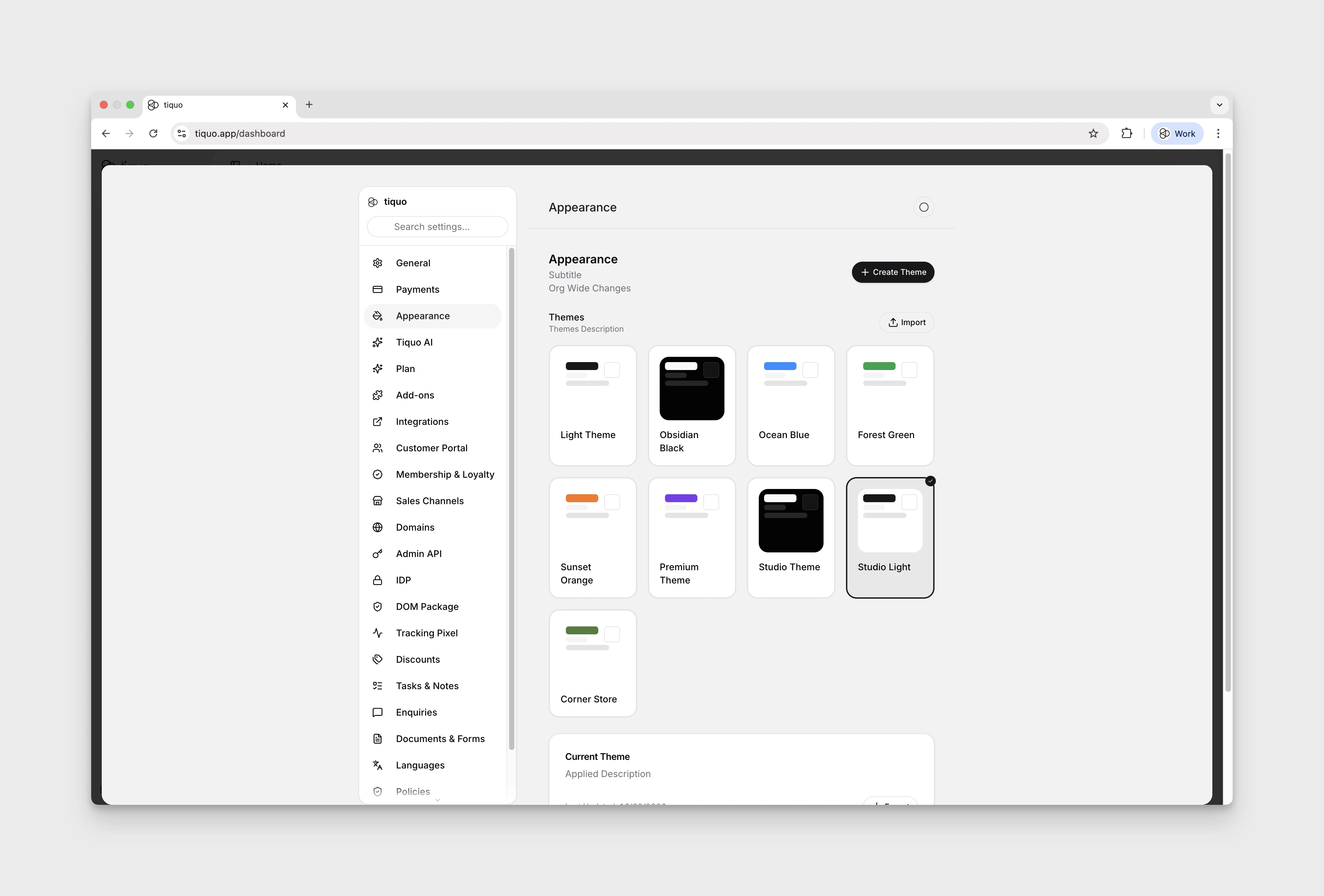
The Themes section in Settings is the central editor for organisation-wide themes. The same Theme picker appears inside the Customer Flow editor under Appearance, where any theme created here can be selected for that specific flow. Create Theme on the Customer Flow Appearance tab opens the same editor.
Creating themes
To create a theme, open the Themes tab in Settings and click Create Theme. The editor is organised into sections covering different visual aspects of the brand:
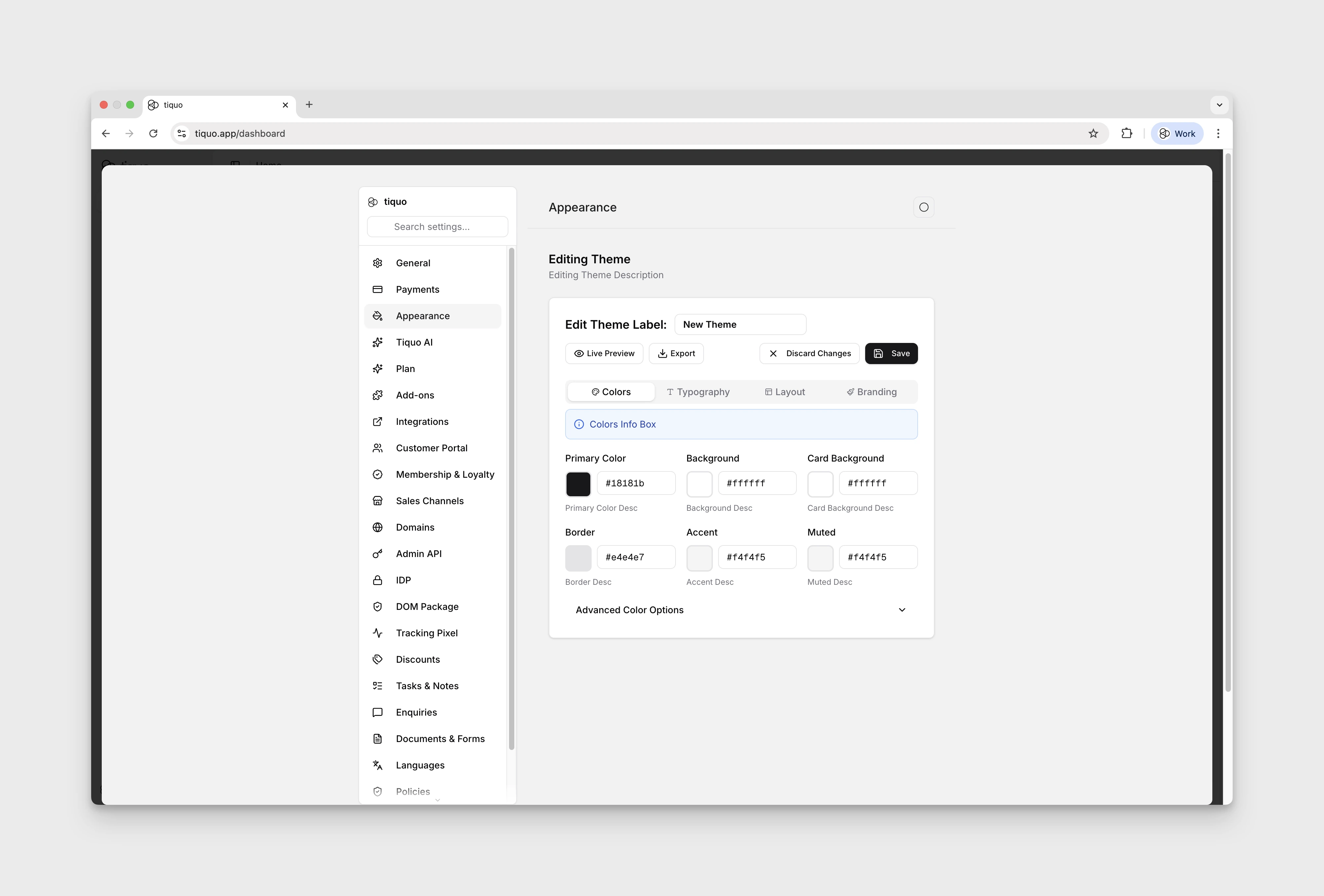
- Colours and gradients: primary, secondary, accent, background, surface, and other brand colours.
- Typography: font family, weight, sizes, and line height for headings, body text, and UI elements.
- Layout: spacing, corner radius, and other structural design tokens.
- Branding: logo, favicon, and other brand assets.
- Export JSON: themes can be exported to a JSON file for sharing, version control, or backup, and brought back to recreate a theme on another organisation or roll back to a previous version.