

Location Management
Edit sublocation settings and archive locations when needed
Locations and sublocations define how your business is structured within Tiquo, with each sublocation representing an independently configurable operational unit.
Editing sublocation settings
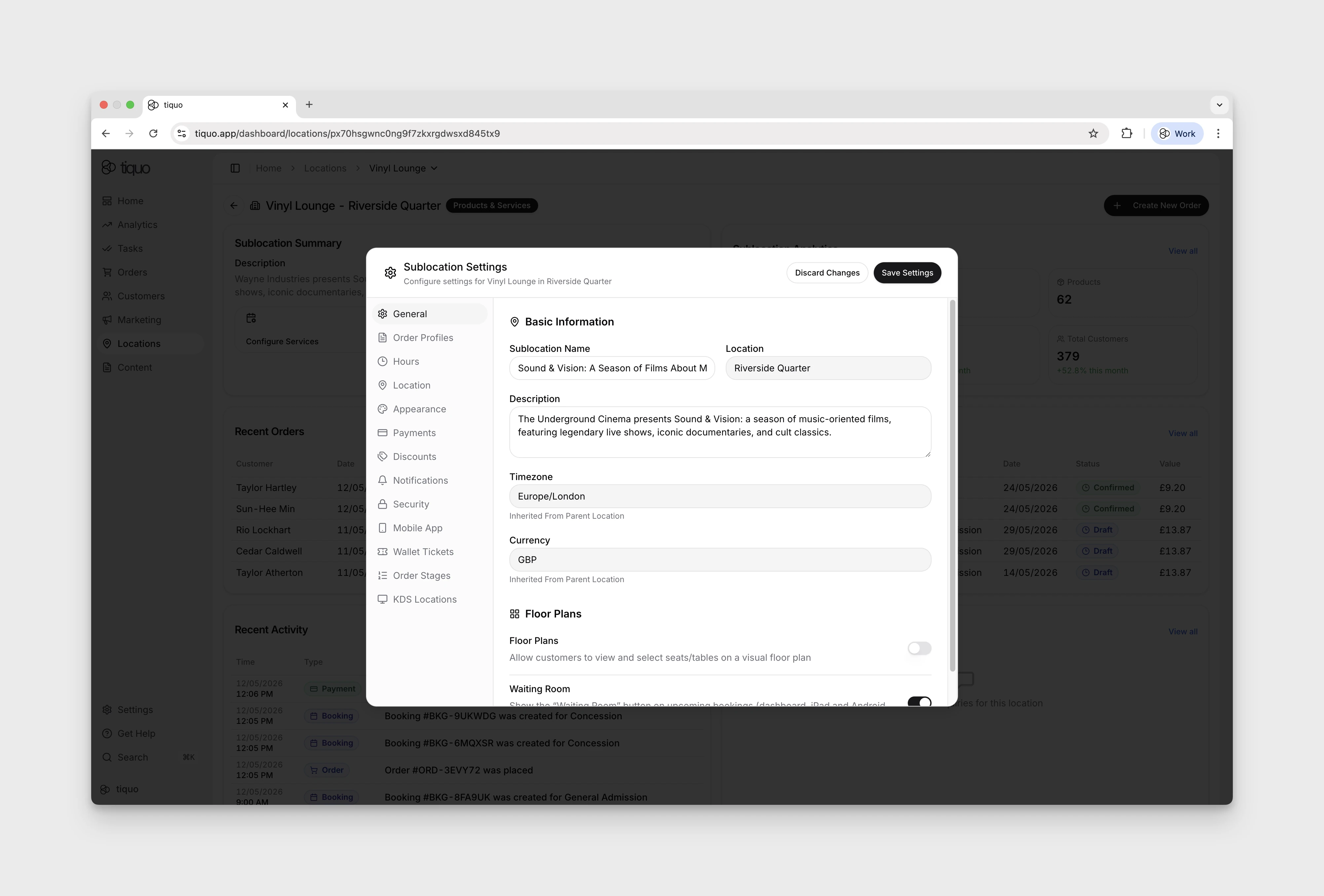
Each sublocation can be configured independently to reflect how that specific area operates.
From sublocation settings, you can manage:
- Name, description, operating hours, and an optional custom address
- Which of services and products the sublocation offers (see Services & Products)
- Floor Plans and Waiting Room for service-capable sublocations
- Appearance overrides
- The connected Stripe account, tax behaviour, tips, deposits, and service charges
- Discounts, notifications, mobile restrictions, and the mobile switching passcode
- Wallet Tickets for service-capable sublocations
- Order & Pick Up, Order to Table, Order Stages, and KDS Locations for product-capable sublocations
- Private-preview Order Profiles when enabled for the organisation
Timezone, currency, and receipt/invoice language are inherited from the parent location and are read-only in the sublocation modal. Inventory, products, services, staff location access, and booking rules are managed from their dedicated workspaces rather than from this settings list.
Check each setting's scope before saving. KDS locations are shared across all sublocations in the same parent location, while ticket layout settings apply only to the current sublocation.
The parent location's country, timezone, and currency are locked after creation. Contact Tiquo support if these values need to change.
Editing a location
Members with the locations.edit permission can open a location's menu on the Locations page and choose Edit Location. The name, address, and map coordinates can be changed. Country, Timezone, and Currency are shown as Locked.
Receipt & invoice language is chosen when the location is created and is locked afterwards. A location created before this setting existed shows an editable language picker instead: choose the language once and save, and it locks from then on. Its sublocations use the new language for receipts, invoices, and receipt emails.
Location-aware tax defaults
When a new product or service is created, Tiquo uses the parent location's country to propose an editable default tax rate. US locations use the parent location's configured state and its general state rate.
The default is a setup aid, not a tax engine. It does not infer city or local taxes, reduced rates, exemptions, thresholds, or product- and service-specific treatment. Review the proposed rate before selling. An explicitly entered item rate always takes precedence.
Archiving locations and sublocations
Locations and sublocations cannot be permanently deleted.
Instead, they can be archived.
Archiving a location or sublocation:
- Removes it from active use across the platform
- Prevents new bookings, orders, and enquiries
- Preserves all historical data, including bookings, orders, payments, customers, and analytics
- Maintains reporting integrity and audit history
You can restore archived locations and sublocations when needed, preserving their data and compliance records.