

Tiquo iPad Dock
Premium tablet stand for secure iPad-based point of sale setups
Dock overview
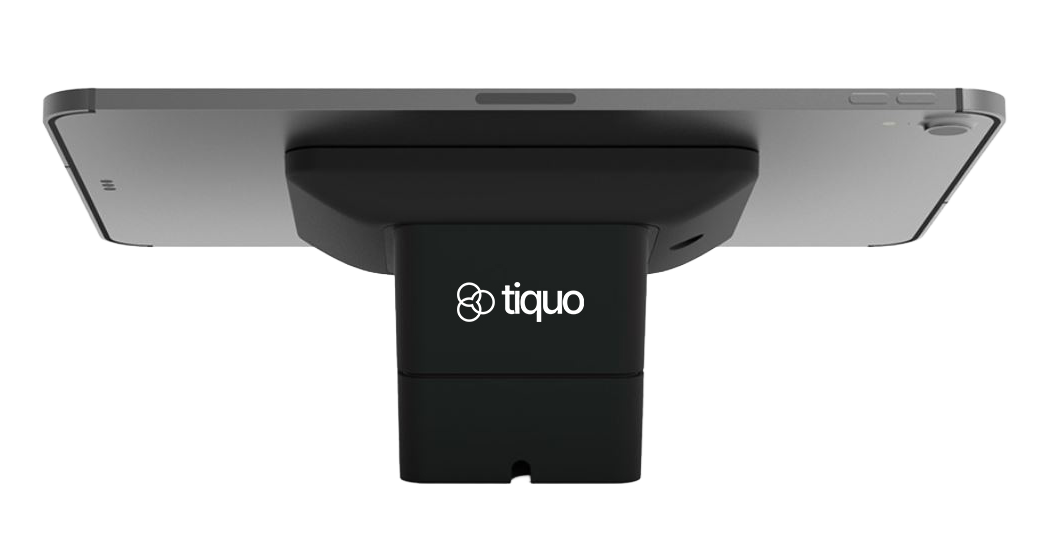
The Tiquo iPad Dock holds an iPad securely at a POS counter, reception desk, or customer service point. Its compact stand provides a stable workstation for payments and other daily tasks.
Pricing
Open Settings → Hardware and choose GBP, EUR or USD to see current prices and availability. Taxes are shown separately.
The dock is sold separately and is not included with iPad or payment terminal purchases.
Key features
| Feature | Description |
|---|---|
| Adjustable Swivel Head | Adjustable viewing angles for staff or customer engagement |
| Height Adjustment | Position the iPad at an ergonomic height for standing or seated workflows |
| Secure Tablet Mounting | Purpose-built holder ensures the iPad remains safely anchored |
| Sturdy Base | Solid, weighted base provides stability in high-traffic areas |
| Cable Management | Integrated channels keep charging cables and peripherals neat |
| Professional Finish | Matte black finish matches typical installations |
Supported iPads
The Tiquo iPad Dock is compatible with a wide range of iPad form factors, including:
- iPad Pro (11" and 12.9")
- iPad Air (10.9")
- Standard iPad models with compatible dimensions
The dock holds tablets in portrait or landscape orientation.
Typical use cases
The Tiquo iPad Dock is ideal for:
- Fixed POS stations in retail, hospitality, and service environments
- Reception desks where staff interact with customers face-to-face
- Customer self-service zones such as check-in or information kiosks
- Team workstations where tablets are used multiple times per day
The dock keeps the tablet in place during use.
Setup & installation
Unbox the dock
Remove all packaging and position the dock on a stable, flat surface
Insert the iPad
Place the iPad into the secure holder, ensuring it sits snugly without flex
Connect charging cable
Run the charging cable through the integrated cable channels, and plug it into the iPad
Adjust orientation
Rotate and tilt the iPad as needed for staff or customer viewing
Lock into position (optional)
If a lock or security feature is used, secure it according to installation instructions
The dock does not require additional tools for standard installation and accommodates quick repositioning when needed.
Maintenance
- Wipe the surface with a soft, dry cloth to remove dust and fingerprints
- Do not use abrasive cleaners or liquids directly on the mounting surfaces
- Periodically check that the iPad is securely seated and that cables are correctly managed