
Product Inventory
Track product stock, configure thresholds, manage stock ownership, and control out-of-stock sales
Product inventory tracks the sellable stock held by a sublocation. It is configured separately for each product, so products can be tracked, sold without stock limits, or handled through stock groups according to the way the business operates.
Enabling inventory tracking
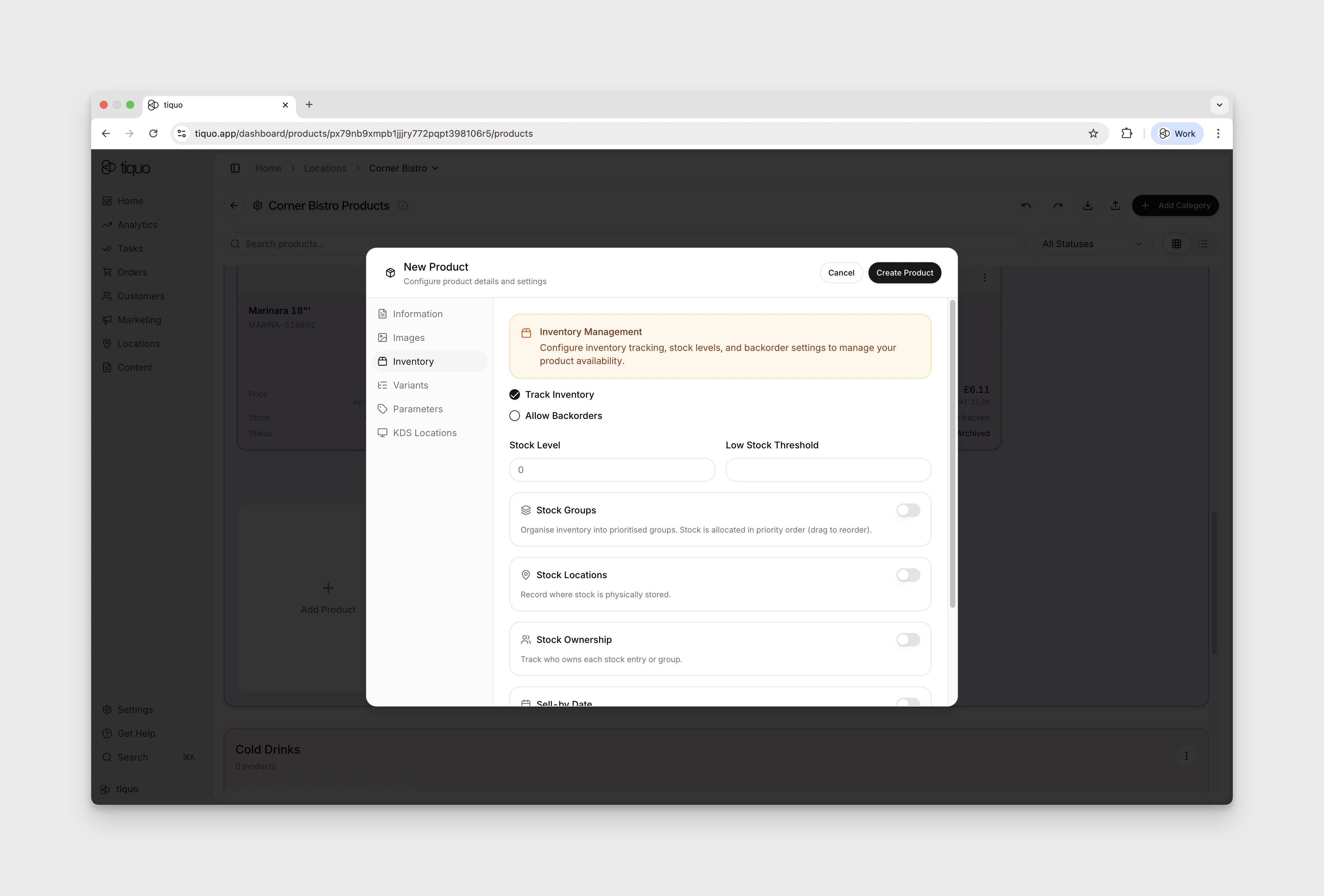
In Configure Products, open the product's More → Edit Product menu, then select Inventory to:
- Enable or disable inventory tracking
- Set the current stock level
- Define a low stock threshold
- Allow or block backorders when stock reaches zero
If inventory tracking is disabled, the product can be sold without a stock limit. When tracking is enabled, inventory updates automatically as products are sold through orders.
Low stock and sold out alerts
When Track Inventory is enabled and a Low Stock Threshold is set, the Configure Products grid displays an alert badge on the product card:
- Low stock appears when stock is above zero but at or below the configured threshold.
- Sold out appears when no sellable stock remains.
For products that use Stock Groups, configure the threshold separately on each group. The product card displays a count-based alert such as 1 group low when a group reaches its threshold, and the product is marked Sold out when all sellable stock across its groups is gone.
Stock ownership and consignment
Enable Stock Ownership when stock belongs to a specific owner rather than only to the sublocation. Stock can be recorded as:
- Owned by Sublocation
- Owned by Customer
- Owned by Company
When stock groups are disabled, ownership applies to the product stock entry. When stock groups are enabled, each group can have a different owner. Customer-owned and company-owned stock also appears on the corresponding profile under Owned/Consigned Products.
Inventory during checkout
Tracked stock is deducted when an order or added order item is saved. If an eligible customer-ordering cart becomes a Lost Cart, or if a saved item/order is removed, cancelled, or refunded, the applicable quantity is restored. Blocking backorders prevents new sales when available quantity reaches zero; stored product and stock-group quantities do not become negative.
Return to Configure Products Overview for product creation, categories, pricing, VAT, variants, and channel availability.