

How do I filter my analytics?
Narrow reports by dates, locations, sublocations, and customer lists.
Analytics can be filtered by date range, location, and sublocation to focus on specific time periods or parts of your business.
- Date filters allow you to view performance over custom ranges or predefined periods
- Location filters let you isolate individual venues or compare performance across multiple locations
- Customer list filters let you scope customer-backed charts to selected marketing lists
- Comparison views allow you to measure changes over time, helping you spot trends, seasonality, and growth
- Segments let you filter analytics by customer segments. Segments are customer groups defined by any combination of filters set up in the Marketing section. Filtering analytics by a segment lets you see how a specific audience, for example VIP members, first-time visitors, or lapsed customers, is performing against your metrics. See Lists & Segments for the full setup.
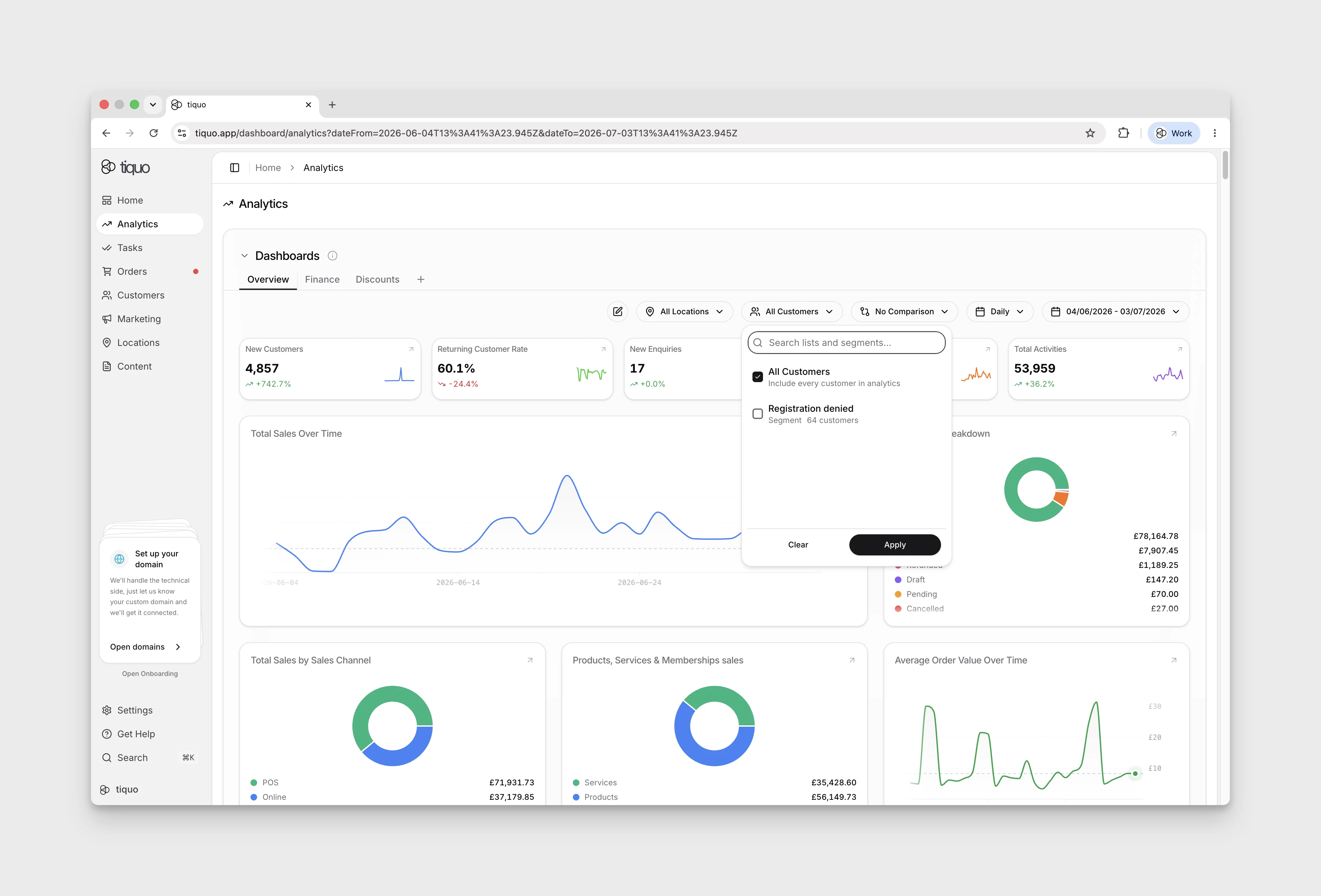
These filters update the dashboard instantly, so you can explore data without reloading or exporting reports.
Search by chart name, metric label, or description to find a chart.
More help
Browse Analytics help articles · Read the full platform guide