

Setup
Install and initialize the Tiquo DOM Package
For a working reference, explore the Tiquo Example DOM Package Project and review its source code on GitHub.
Install the DOM Package from npm. This reference describes version 1.6.6:
npm install @tiquo/dom-package@^1.6.6Version 1.6.6 includes the complete TypeScript definitions for the service and category image, name, and description fields documented in Service Catalogs and Locked Booking. If your lockfile resolves an older release, update the package before relying on the typed field set.
Getting your public key
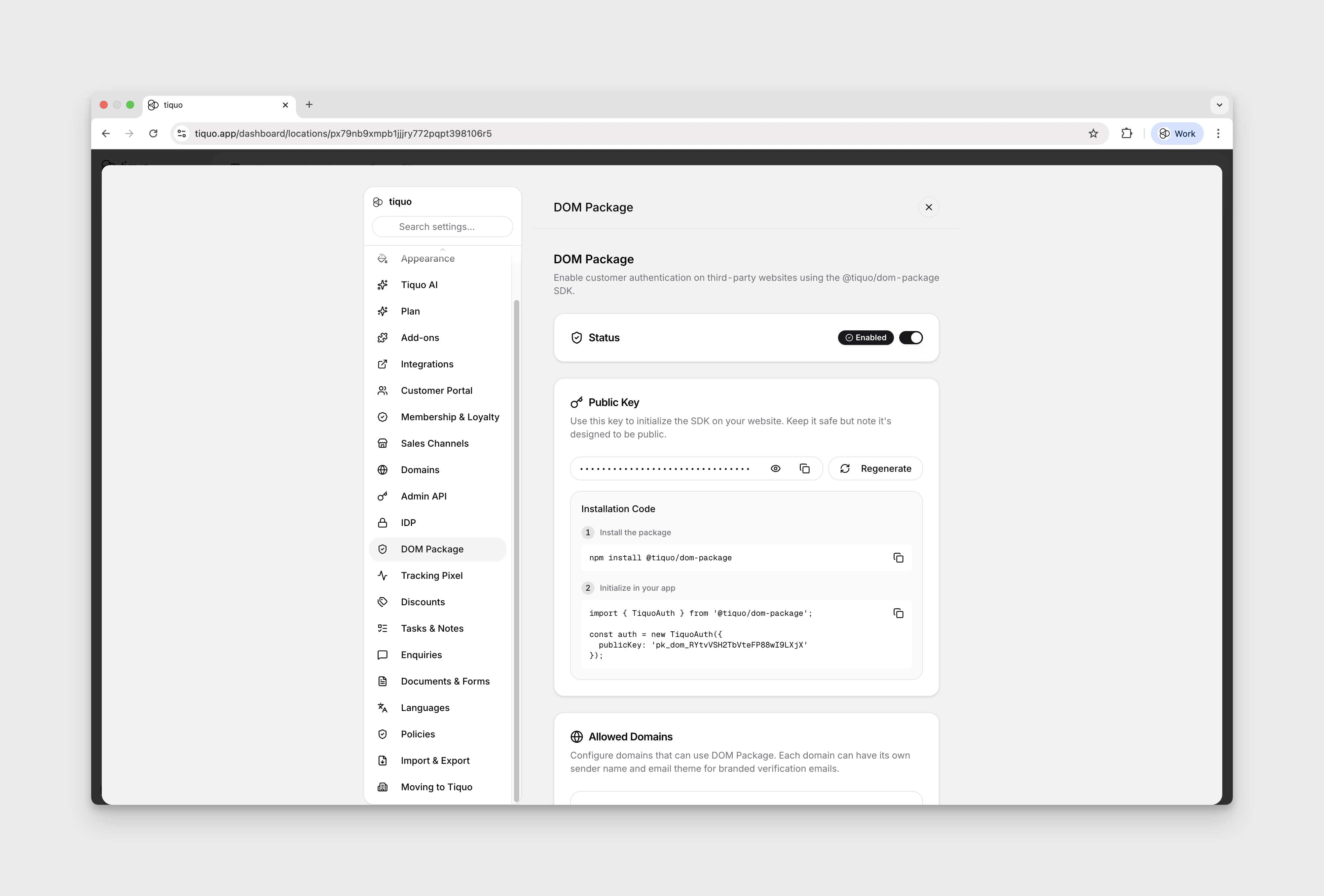
Before using the SDK, get your public key from the Tiquo dashboard:
- Open your Tiquo dashboard
- Go to Settings > Website SDK
- Enable Website SDK
- Copy your public key, which starts with
pk_dom_
You also need to add each website domain where you plan to use the SDK in the same settings page. Requests from unlisted domains are rejected.
Initialize the SDK
import { Tiquo } from '@tiquo/dom-package';

const tiquo = new Tiquo({
  publicKey: 'pk_dom_your_key_here',
});
Tiquo is the main SDK class for new integrations. TiquoAuth remains available as a backwards-compatible alias for older integrations.
Configuration options
| Option | Type | Default | Description |
|---|---|---|---|
publicKey | string | (required) | Your public key starting with pk_dom_ |
apiEndpoint | string | https://edge.tiquo.app | API base URL (override for development) |
storagePrefix | string | tiquo_auth_ | Prefix used for access and refresh token keys in localStorage |
debug | boolean | false | Enable debug logging to the console |
enableTabSync | boolean | true | Sync authentication state across browser tabs |
analytics | boolean | true | Enable first-party website analytics |
accessToken | string | - | Pre-set an access token for WebView integration |
refreshToken | string | - | Pre-set a refresh token for WebView integration |
const tiquo = new Tiquo({
  publicKey: 'pk_dom_your_key_here',
  debug: true,
  enableTabSync: true,
});
Create one long-lived SDK instance for an application shell and subscribe to its session state. The package is browser-oriented; in a server-rendered framework, initialize it from client-side code. See Framework Integration.