

Setup
Install and initialize the Tiquo DOM Package
For a working reference, explore the Tiquo Example DOM Package Project and review its source code on GitHub.
Install the DOM Package from npm. This reference describes version 1.6.6:
npm install @tiquo/dom-package@^1.6.6Version 1.6.6 includes the complete TypeScript definitions for the service and category image, name, and description fields documented in Service Catalogs and Locked Booking. If your lockfile resolves an older release, update the package before relying on the typed field set.
Getting your public key
Before using the SDK, get your public key from the Tiquo dashboard:
- Open your Tiquo dashboard
- Go to Settings > Website SDK
- Enable Website SDK
- Copy your public key, which starts with
pk_dom_
You also need to add each website domain where you plan to use the SDK in the same settings page. Requests from unlisted domains are rejected, and local addresses such as localhost can't be added. See Testing before you go live.
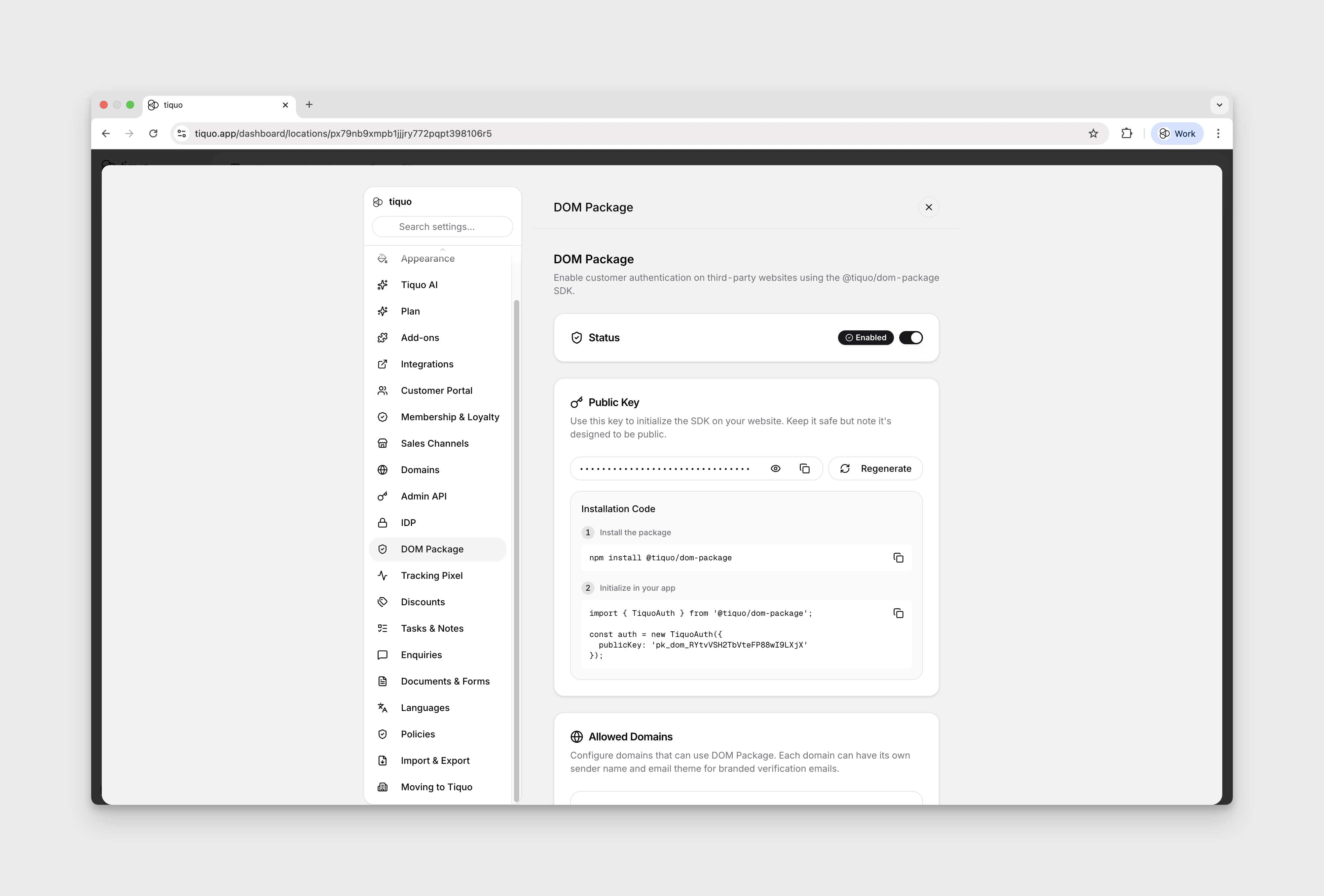
Initialize the SDK
import { Tiquo } from '@tiquo/dom-package';

const tiquo = new Tiquo({
  publicKey: 'pk_dom_your_key_here',
});
Tiquo is the main SDK class for new integrations. TiquoAuth remains available as a backwards-compatible alias for older integrations.
Configuration options
| Option | Type | Default | Description |
|---|---|---|---|
publicKey | string | (required) | Your public key starting with pk_dom_ |
apiEndpoint | string | https://edge.tiquo.app | API base URL (override for development) |
storagePrefix | string | tiquo_auth_ | Prefix used for access and refresh token keys in localStorage |
debug | boolean | false | Enable debug logging to the console |
enableTabSync | boolean | true | Sync authentication state across browser tabs |
analytics | boolean | true | Enable first-party website analytics |
accessToken | string | - | Pre-set an access token for WebView integration |
refreshToken | string | - | Pre-set a refresh token for WebView integration |
acceptUrlTokens | boolean | false | Sign in with #access_token=...&refresh_token=... from the page URL. Only for pages a native app loads in its own WebView; see WebView Integration |
const tiquo = new Tiquo({
  publicKey: 'pk_dom_your_key_here',
  debug: true,
  enableTabSync: true,
});
Create one long-lived SDK instance for an application shell and subscribe to its session state. The package is browser-oriented; in a server-rendered framework, initialize it from client-side code. See Framework Integration.
Testing before you go live
Browser requests are only accepted from your organisation's allowed website domains, and localhost, *.localhost, 127.0.0.1 (and the rest of 127.x.x.x), 0.0.0.0, and ::1 can't be added as domains. A page served from a local development server therefore can't sign customers in or load their data with your public key.
To test against Tiquo:
- Deploy your branch to a staging or preview site on a real domain, for example
staging.example.comor a preview domain from your hosting provider. - In Settings > Website SDK, add that domain to the website's Allowed Domains and save.
- Test sign-in, profile, booking, and enquiry flows on the staging site.
- Remove the staging domain when you no longer need it.
Requests to the live API act on real customer data, so sign in with your own email address and use test bookings and enquiries that staff can tidy up afterwards.