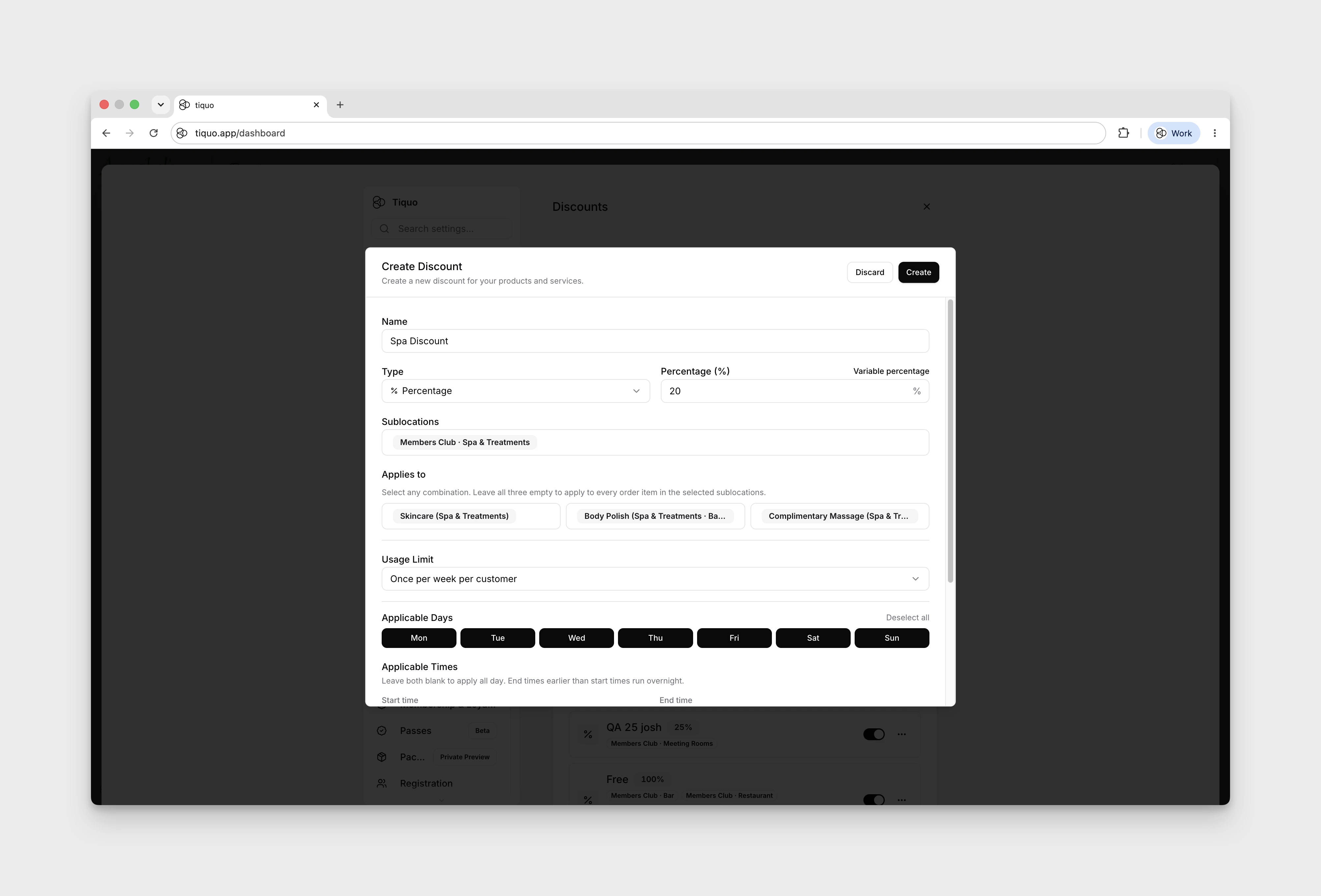
How do I run a promotion or discount?
Discount rules are configured at the organisation level under Settings > Discounts, and per-Sublocation under Sublocation Settings > Discounts.
Open Settings → Discounts → Add Discount, or use Sublocation Settings → Discounts for a sublocation's discounts.
Choose Percentage or Fixed Amount. Choose Select sublocations, then use Select categories, Select products, and Select services to set the item scope. Leaving all three item selectors empty applies the discount to every order item in the selected sublocations. Configure Applicable Days and Applicable Times if needed.
Under Usage Limit, choose Unlimited, or set Discounts per customer with an Interval and Period, such as 1 per 1 month. Turn on Repeat if the allowance should reset every period. With Repeat off, the period starts at the customer's first use and the discount stops working for them once it is used up. A customer who has used their allowance can't apply the discount again. Use Apply to Customer / Company Account for account discounts, or attach the discount to a membership plan under Benefits & permissions → Attached discounts.
If a customer uses a limited discount outside Tiquo, record it with Redeem on their customer profile so it counts against their allowance. See Uses outside Tiquo.