

How do I create an enquiry?
Capture an enquiry from a customer form or enter one as a staff member.
Enquiries can be created in two ways:
Through enquiry forms
Customers can submit enquiries via enquiry forms on your website, customer portal, or branded flows. These enquiries are automatically captured in Tiquo and linked to the relevant location or sublocation.
Manually by staff
Staff can create enquiries for phone calls, emails, and in-person requests, keeping them alongside enquiries from other sources.
The create new enquiry page
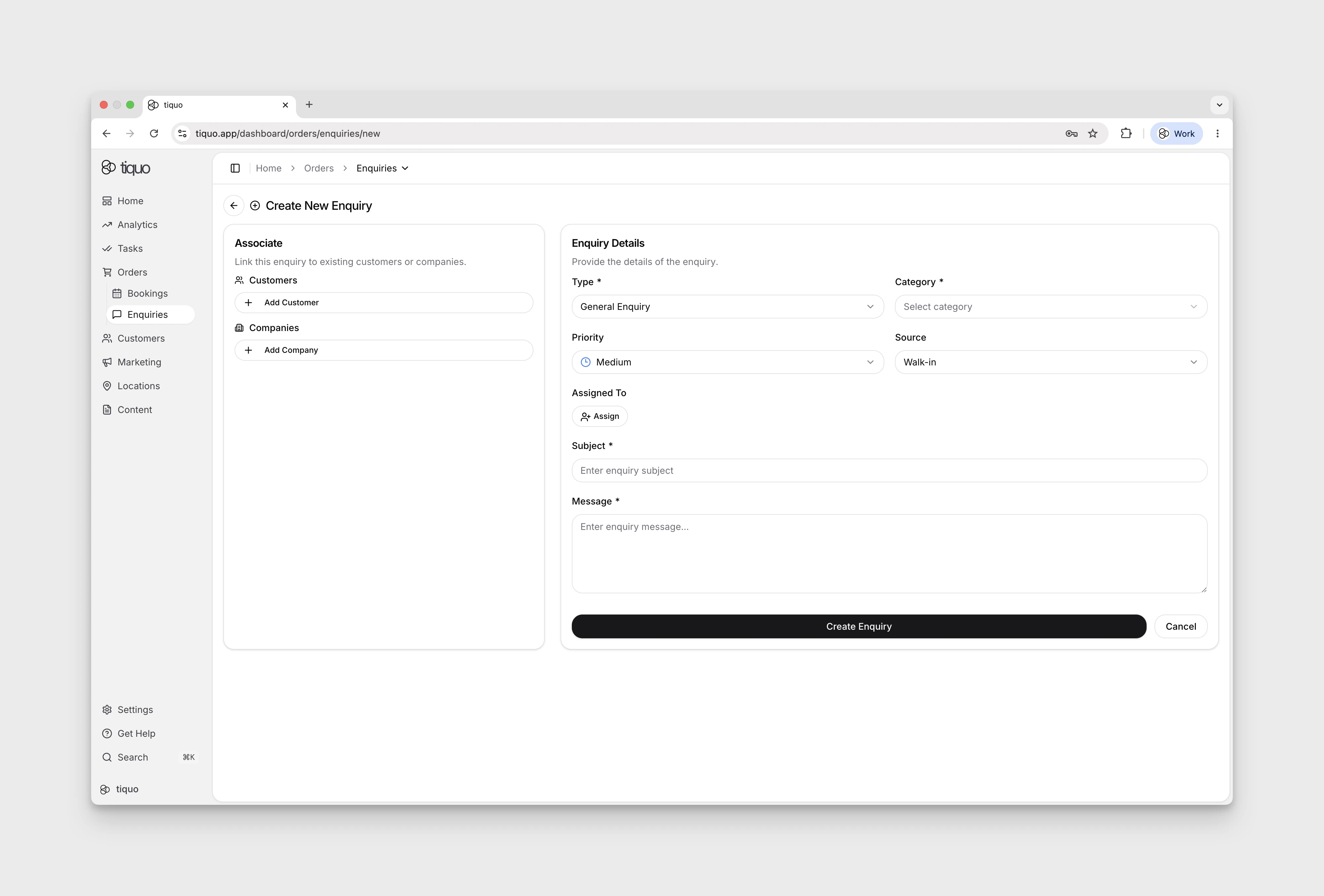
Manual enquiries are created from the + New Enquiry button in the top-right of the Enquiries page, which opens the full-page Create New Enquiry form.
The form is split into two sections:
Associate
Link the enquiry to existing records. This section is optional, an enquiry can be created without a customer or company attached, and associated later.
- Customers: add one or more existing customers (or create a new one inline)
- Companies: add one or more associated companies
Enquiry details
Enter the enquiry details. An asterisk marks required fields.
- Type: * the kind of request
- Category: * the business area the enquiry relates to
- Priority: defaults to Medium
- Source: how the enquiry reached the business (e.g., Walk-in)
- Subject: * a short label shown in the enquiry list
- Message: * the full description of the request
Each enquiry type has its own categories. Configure the available choices under Settings > Enquiries; when staff select the type, the enquiry form shows only that type's categories.
An enquiry type can also have its own Enquiry parameters. Available types are Text, Dropdown, Multi-Select, Date, Date & Time, and Yes/No. Dropdown and Multi-Select parameters require at least one option, and parameter names must be unique within the enquiry type. The matching parameters appear when staff create or edit an enquiry of that type and remain stored with the enquiry.
Website integrations can also submit these fields through the DOM Package,
Hosted Package, or Customer API using enquiry.enquiryParameterValues, with
{ enquiryParameterId, value } entries. IDs must belong to the selected enquiry
type and organisation. These values stay on the enquiry and are included in its
enquiry.created event as enquiryParameters; they never update customer
parameters or marketing consent. Customer parameter submission through
createEnquiry() is not supported. See website enquiry submission.
More help
Browse Enquiries help articles · Read the full platform guide