

How do I create a task?
Choose a task scope, category, title, and optional mentions.
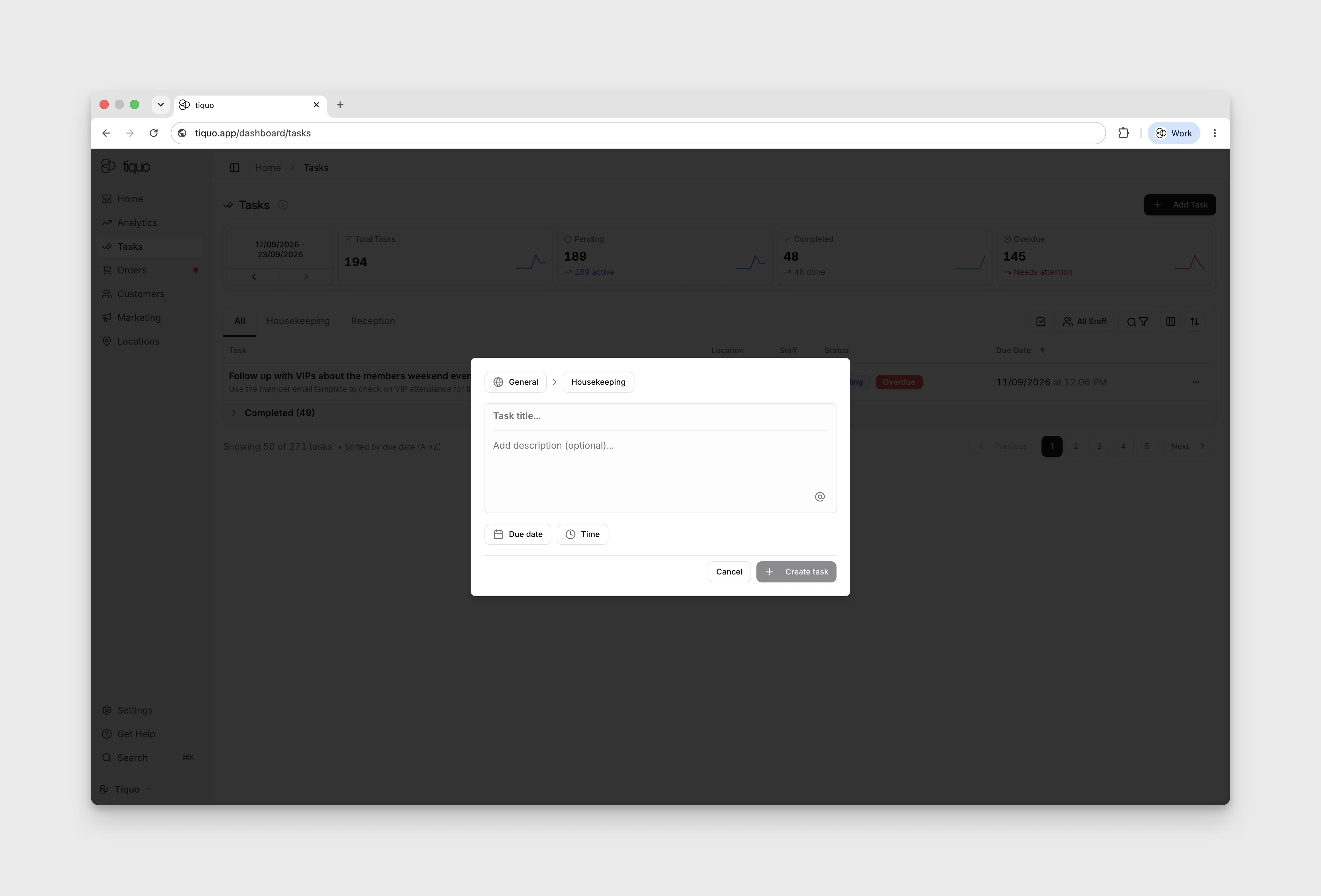
Create tasks from the Tasks page. Add Task opens the New Task dialog.
Select Add Task, choose General or an available location, then choose an existing category. Locations marked No Categories are disabled. The title and description become available after scope and category are selected.
Every organisation starts with a General category for general tasks. Before creating a task at a location, add that location to a category in Settings > Tasks & Notes.
When creating a task, the following fields are required:
- Location or general scope
- Task category
- Task title
Optional information may also be added, including:
- Mentions through Add mention: Staff, Customers, Orders, Sublocations, Companies, or Enquiries
- Due date and time
- Repeat schedule (set a due date first to reveal Repeat)
- Task description
Select Create task to save the task in the task list, or Cancel to discard the form.