How do I preview table and pick up tags?
Prepare tag designs for Order to Table or Order & Pick Up.
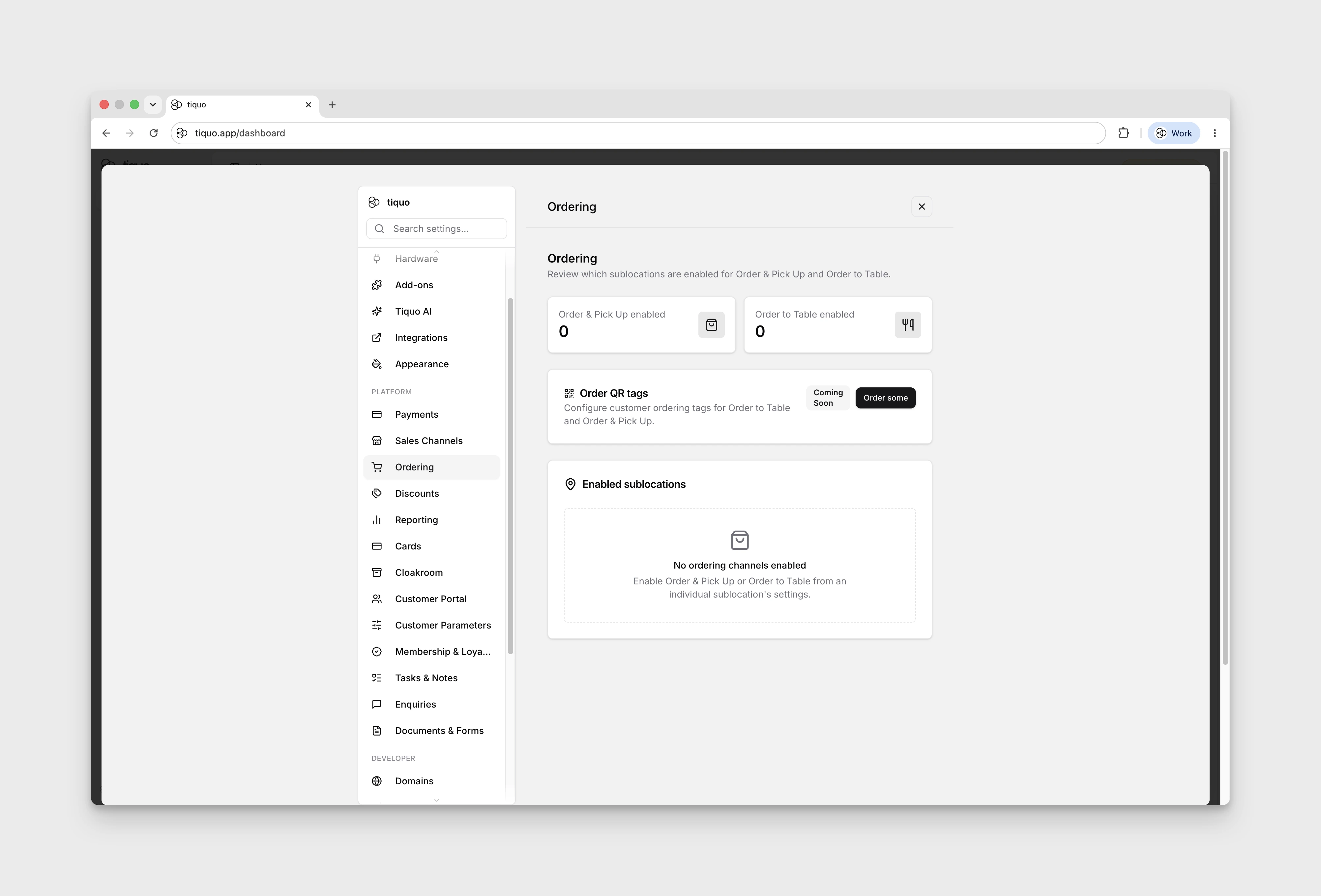
Open Settings → Ordering, then select Order some to open the Order QR tags preview.
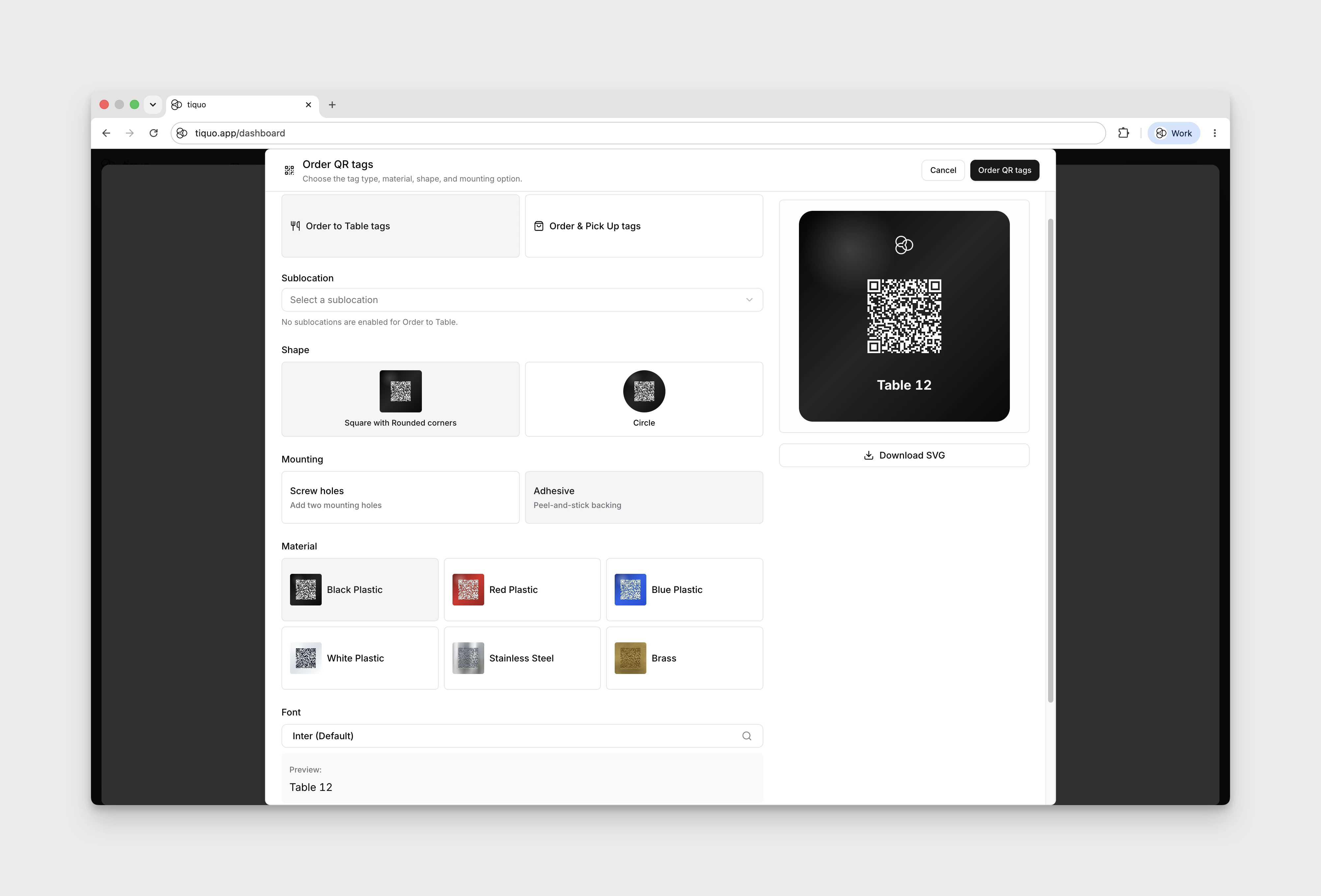
The ordering workflow lets you preview tag designs for Order to Table and Order & Pick Up. You can choose:
- Tag type
- Sublocation with the selected ordering channel enabled
- Shape: Square with Rounded corners or Circle
- Mounting: Screw holes or Adhesive
- Material
- Font
- Optional logo
Available material previews include black plastic, red plastic, blue plastic, white plastic, stainless steel, and brass. Metal previews show the number, logo, and QR code as etched markings rather than printed ink.
For Order & Pick Up tags, the preview includes a Tag text field. Choosing Circle exposes Straight and Curved around circle options for either pickup text or a table number. Turn Logo off to enter Top text instead.
If no sublocation has the selected channel enabled, Select a sublocation is disabled and a message explains the missing prerequisite. You can still explore the design controls.
Tag ordering is marked Coming Soon, and the final Order QR tags button is disabled. Select Cancel to close the preview.