How do I enforce a minimum membership commitment?
Configure a paid plan's minimum term and cancellation notice.
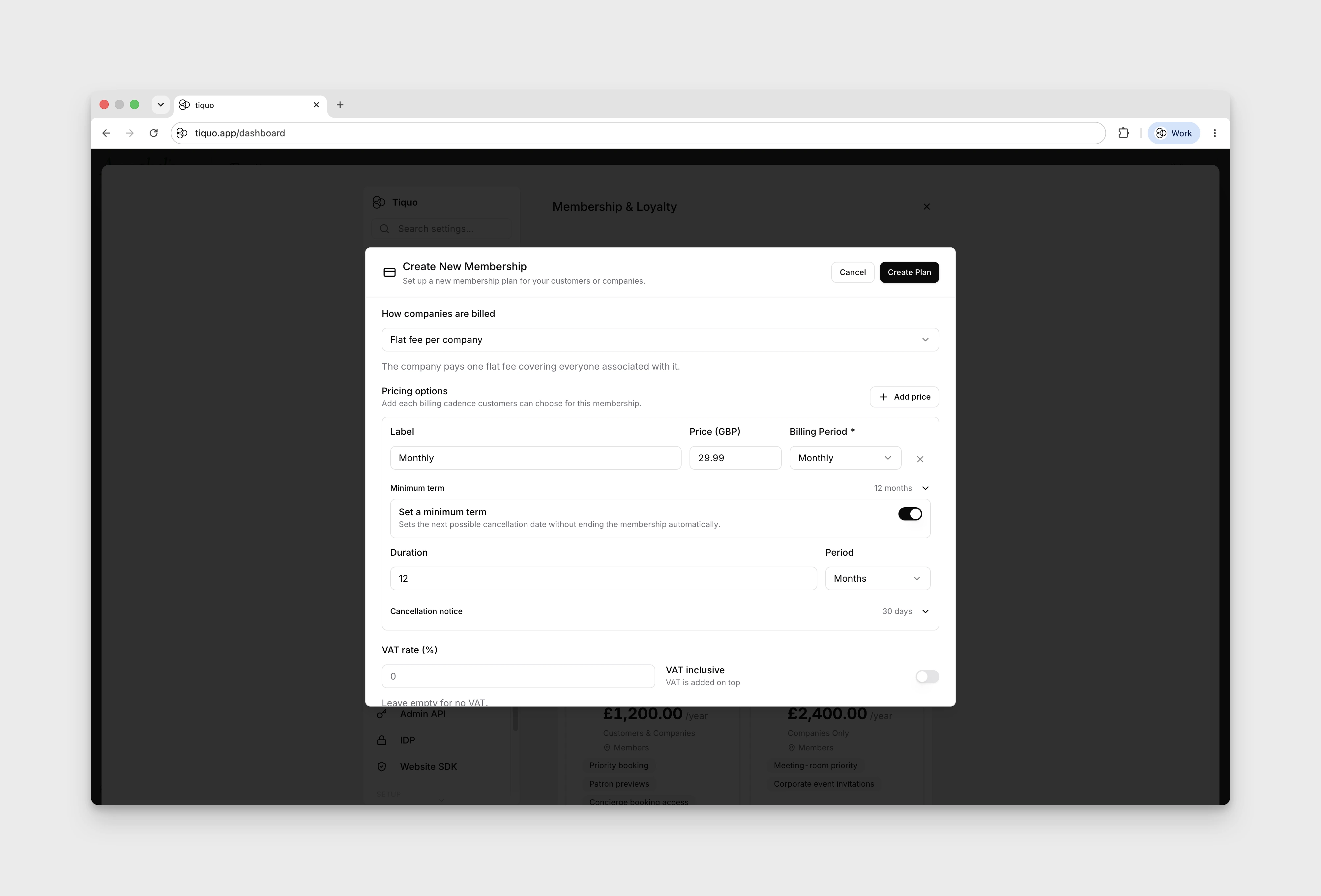
Open Settings → Membership & Loyalty → Create Plan and choose Paid under Membership cost. Choose Payments go to before saving; this determines the payment account, currency, and where membership orders are recorded. Expand Minimum term and configure Set a minimum term. This sets the next possible cancellation date without ending the membership automatically.
Use Cancellation notice → Require cancellation notice to configure the notice required before membership can end. This is separate from Membership rules → Automatically cancel membership.
To make the term renew, turn on Repeat this term under the minimum term. Members can then only leave at the end of a term, and if their notice arrives after the deadline they are committed for another term. When you cancel one of these memberships, record the day the notice arrived in Notice received on. See Repeating minimum terms.