How do I customize my Home page?
Add, remove, resize, and rearrange dashboard cards.
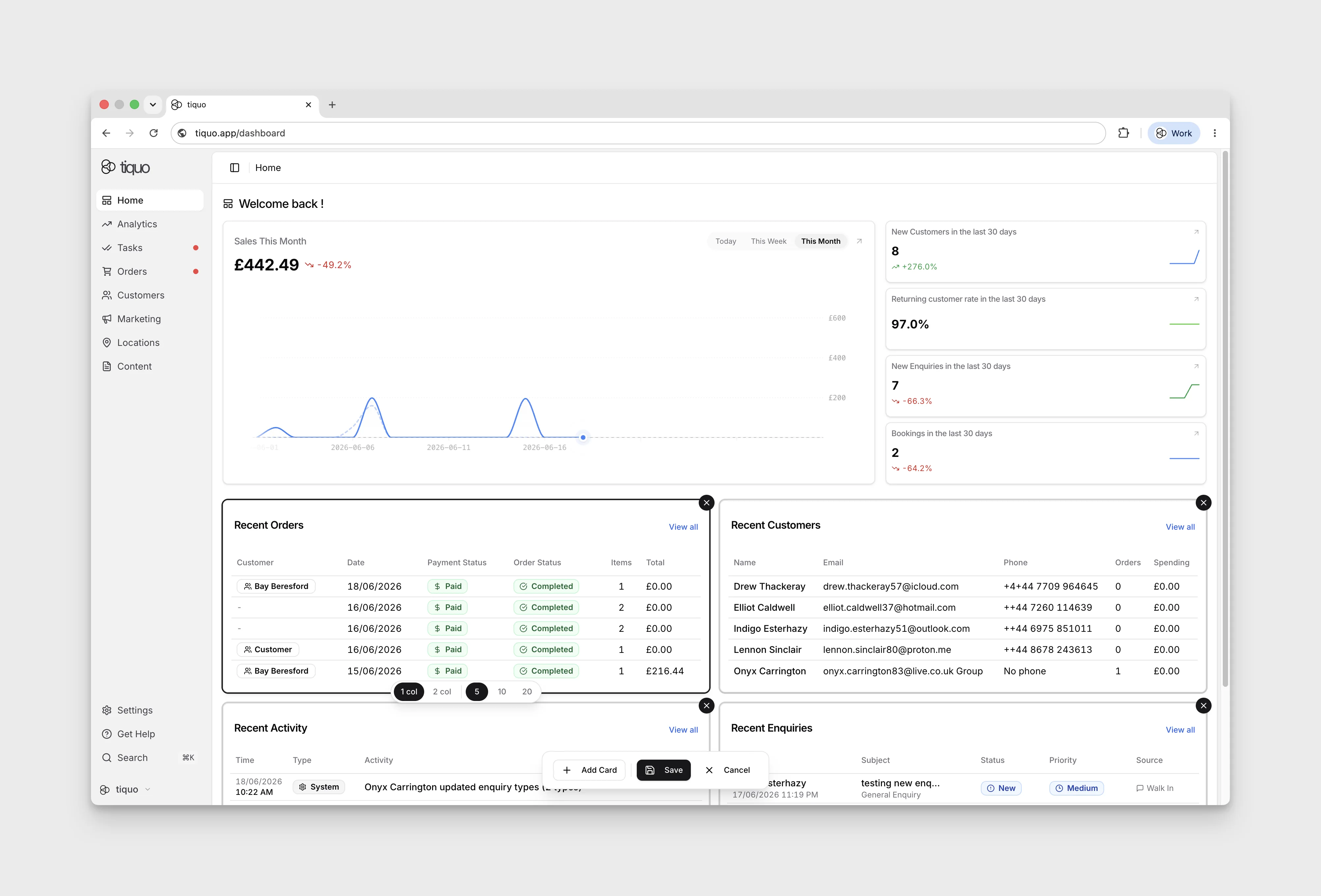
Press Edit at the top right to configure your organisation's Home layout. Use Add Card to add a summary card, or remove and rearrange existing cards. Select a card to reveal its 1 col and 2 col width controls.
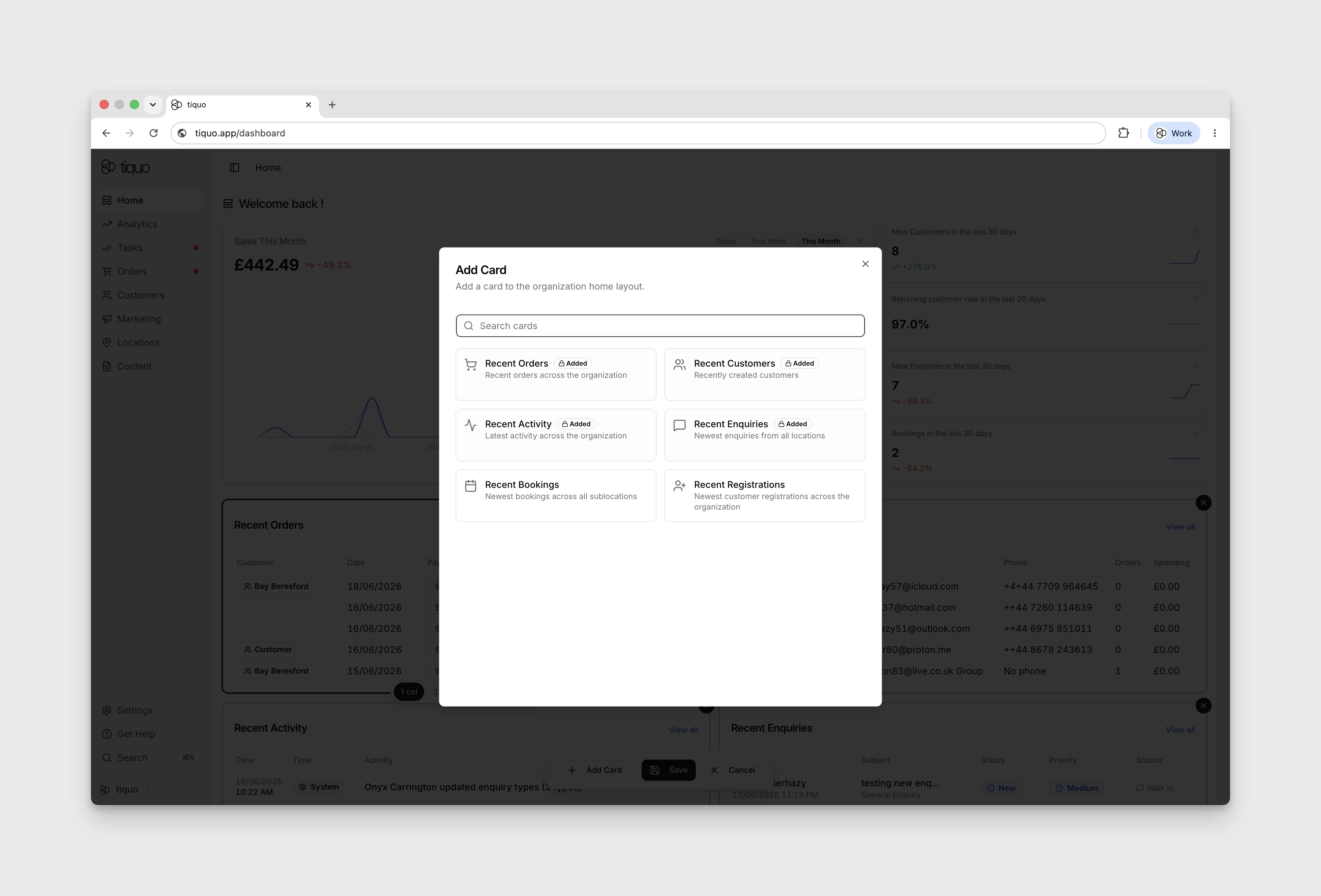
In Add Card, cards already in the layout are marked Added and cannot be added again. Choosing an available card keeps the dialog open, so close it with the × button before selecting the new card to configure its width and record count.
Some summary cards offer 5, 10, or 20 records. Select Save to keep your changes or Cancel to discard them.
The Home layout is shared by everyone in the organisation. If you don't see Edit, your role doesn't have the Edit analytics dashboard permission; ask an admin to change the layout or your role.