

Where can I see recent activity and sales?
Use the sales chart, stat cards, and recent activity summaries.
1. Sales chart
A large chart showing sales over time for a selected period. A toggle at the top-right selects the view:
- Today: hour-by-hour sales for the current day
- This Week: daily sales for the current week
- This Month: daily sales for the current month (default)
2. Stat cards
A column stacked to the right of the sales chart summarises these metrics. Check each card’s displayed period and calculation explanation:
- New Customers, labelled in the last 30 days
- Returning customer rate, labelled in the last 30 days
- New Enquiries, labelled in the last 30 days
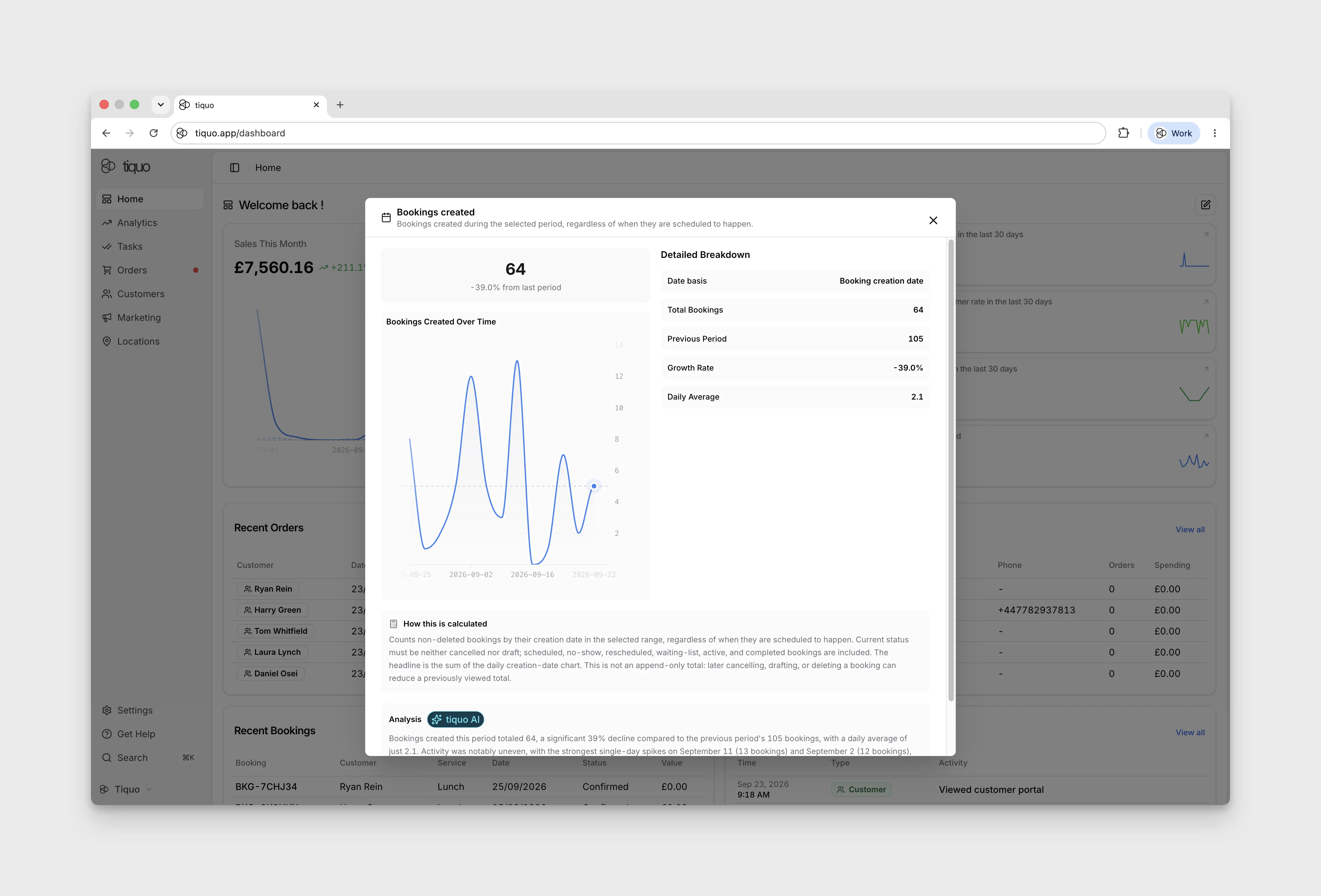
- Bookings created: its expanded explanation counts booking creation dates in the selected range, regardless of when the bookings are scheduled to happen
Select a stat card to open expanded analytics without leaving Home. The expanded view includes a performance trend, a Breakdown whose parts add up to the card's figure, and an explanation of how the metric is calculated. Select Close expanded analytics to return to the dashboard.
Bookings created excludes currently cancelled, draft, and deleted bookings. Later status changes or deletion can therefore reduce a previously viewed total.
3. Compact summaries
Each block summarises recent records and has a View all control. Available summary cards include:
- Recent Orders
- Recent Customers
- Recent Activity
- Recent Enquiries
- Recent Bookings
- Recent Registrations
The cards displayed depend on your organisation's saved Home layout. Use Edit → Add Card to find cards that are not currently displayed.